


JustZach
Members
-
Joined
-
Last visited
Everything posted by JustZach
-
Sure, got a link?
-
All if possible so I can view them all.
-
There are Insignia's online, just none of them are the Met police and I don't know how to edit the cars skin.
-
Hey, Just wondering. Say I download 2 cars which I like but both are noose files, can I rename like noose.wtd to police2.wtd and it will still work.
-
I've downloaded it, there isn't one in there. Is it in his new met pack?
-
I checked your website. It is very good but you don't have a Met. Police one.
-
Hey, Does anyone have a link to this? I can find insignia's but can't find a Met. Police one.
-
I would say it is easier to a usb keyboard though.
-
Num lock needs to be on by pressing the button I have done a red square around. Then where I have done the green square, this should light up. Do you use a keyboard or an onscreen keyboard?
-
-
-
Do you take PED requests yet?
-
New video has been uploaded to YouTube! LCPDFR - Patrol Clip #2 http://www.youtube.com/user/OfficerKeneally Remember to subscribe!
-
http://www.youtube.com/user/OfficerKeneally
-
This pack is amazing. Very well done and so realistic! Great work! Recommend is to anyone.
- 89 comments
- 36 reviews
-
-

- 1
-
-
Hey, I'm beginning to make some LCPDFR Patrol videos. Please subscribe to me and watch my videos when they are released! http://youtu.be/zFjt5BvSpSM?hd=1
-
Thinking of buying this graphics card. Would this be able to cope with MP? http://www.ebuyer.com/247163-pny-nvidia-quadro-600-1gb-ddr3-dvi-displayport-pci-e-low-profile-graphics-vcq600-pb
-
Updated my desktop to a new picture.
-
You do have Scripthook.dll don't you in your directory?
-
What commandline did you use?
-
Images taken from my first patrol as a Metropolitan Police Officer.
-
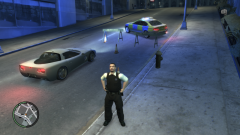
From the album: Metropolitan Police Patrol
Road remained closed for some time whilst the road was cleared. -
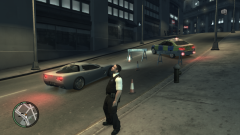
From the album: Metropolitan Police Patrol
Road closed after a RTC. -
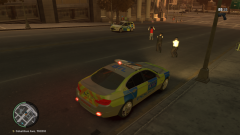
From the album: Metropolitan Police Patrol
Attended a call to assist officers arrest this male after an assault. -
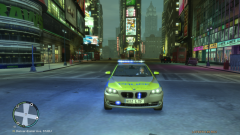
From the album: Metropolitan Police Patrol


