
Shamrock Minimums
Members
-
Joined
-
Last visited
Everything posted by Shamrock Minimums
-
Possible update needed for DamageTrackingFramework.dll Try and see.
-
I would go with Legacy, as there is a lot more mods and plugins etc for LSPDFR right now.
-
Have a look in the default regions xml within Ultimate Backup and set the vehicles accordingly in there, thats all i can think of?
-
If you have some other plugins like callotus etc installed, you may need to download RageNative and put the DLL in the main GTA V directory. What else have you got installed?
-
-
Edit: meant to say have youchecked if either Lspdfr, RPH and GTA need updated maybe?
-
 Agree with the others, nice mod, great addition to have! Thanks
-
i think GLS_1 is harmless. Just checking, is the latest rage plugin hook and scripthook v up to date with your game version? If its a recent install it could be older versions of those possibly.
-
Good morning, i can let you know what i use and i think is fantastic: A good dispatch/voice dispatch system - i use Blue Line Realism Dispatch - excellent Radar/speed detection - Prowler Radar ALPR/plate reader - pdComp (has radar and alpr reader built in) MDT/police computer - pdComp Better callouts - United Callouts, 686 Callouts, Super Callouts, MCCallouts Realistic traffic/pedestrian behavior - Nothing installed at present for this Location/GPS or improved map features - Simple HUD/Blue Line Realism Backup/emergency response improvements - Ultimate Backup (will conflict with your Policing Redefined)
-
Havent experienced this yet and also like you i have BLR and NPCAI 3.1.1 - I am in N.I. Wonder can you generate a new key?
-
Have you tried running rage hook via right click and running as admin? Only reason i say that is because for me, it doesnt load unless i load it this way also. Have a go at that and see how it goes. Could also try going into rage settings and dont auto load LSPDR on start up, then load it when story mode loads to see if that works too.
-
Have you tried running Rage Hook as administrator?
-
 Excellent! A must have IMO!
-
awesome job on this, really changes the gameplay now for me! Great work!
-
Try also without the trainer too
-
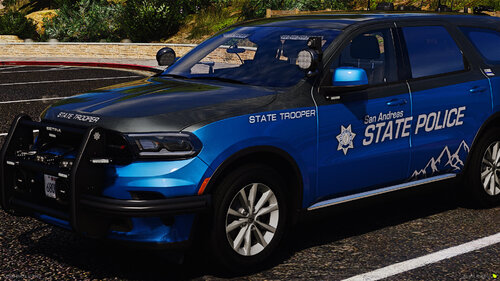 Excellent pack. Came across SteveTheGamer and saw the link for this. My last few sessions i have used these vehicles and love it. Just one question i have though, is it normal for the lights to go to stage 3 right away? Keep up the good work. Thanks.
-
You need to disable BattleEye as per instructions - sounds like BattleEye has blocked Xinput. Try again afrer disabling.
-
My guess there would be a mod conflict- is Traffic Policer still updated and even compatible with stop the ped and UB? I had something similar happen to me but i believed it came from ambient spawn settings, although im not 100% but i just turned it off. I would try it first without either STP or Traffic Policer, and see if it changes any.
-
Try removing ResistPlus.dll and MoreRadioCahtter.dll Try a newer version of chill and mc callouts. Also NPCAI_API needs to be in your main GTA Directory - recheck your zip file NPCAI and ensure that files are in the right place.
-
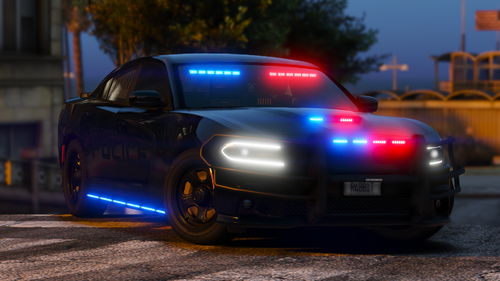 Love it! Mean looking machine!
-
 Great pack to have for the Park Rangers. Well made mods, nice variety and awesome lights. Great work!
-
Does the job nicely. A welcome alternative for a traffic stops. Thanks.
-
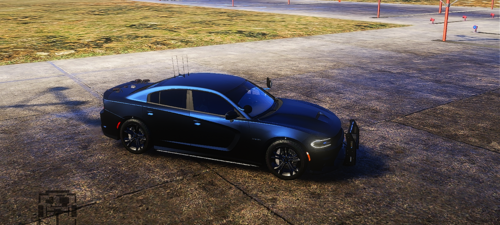 Awesome, thank you for getting back to me. Again, it's my go to every time! Thank you
-
-
Nice pack to add for the Park Rangers. Great ELS aswell. Thank you