


Venoxity
Members
-
Joined
Everything posted by Venoxity
-
 Where is the outer edges. I was hoping for that. Why I go so excited
 -
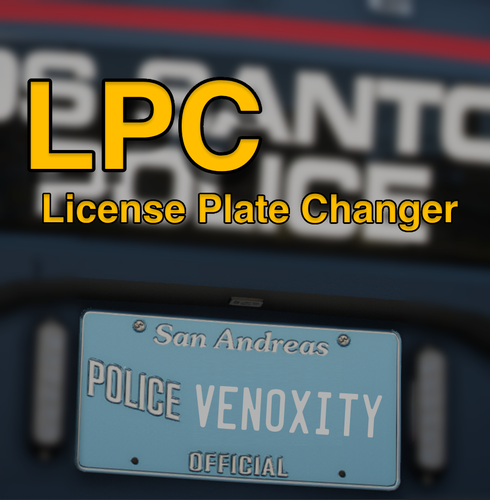 You just put the number lol you want. It accepts anything. # is just one of the special characters you can add to have the script randomize it
- 55 comments
- 8 reviews
-
 alright
 -
do you have a log and did you change anything
-
Either at a station specified by the refill location or near/inside a emergency vehicle and then press your normal reload key Yes
-
Hey, Its already planned. plateProbabilities, and plateFormats = { 5 = "XXXX", 4 = "XXXX" } are already being worked on. thanks for the suggestion through. its currently already in the backlog through. so it will still be linked to a class, but in the upcoming update you will hopefully be able to use classes alongside the plate type format table for the vehicle. 🙂 also there will be some other stuff relating to that plateProbabilities is where you will be able to select your plate type enums and the chances. and then plateFormats you will be able to do the formats. if that makes sense
- 55 comments
- 8 reviews
-
-

- 1
-
-
It should accept empty spaces just fine. and Yeah, Ill probably end up saying you need to config it, etc. I hope to have presets in the future. I forgot to, I gotta fix that soon. i realsized i forgot it right after i released, it was susspod to go by "# Use "XXXXXXXX" to ignore plate format and keep it unchanged.". And yeah I totally forgot about that. Haha. you could do that tho if you wanted to. but yk I did it so people could see the different endings on the plate. so kind of like a demo. i didnt want them all to be the exact same format.
- 55 comments
- 8 reviews
-
-
- 1
-
-
XXX-0000 is currently a placeholder. I did that so people could understand how it was changing plates by naming each one by 0000, 0001, 0002 yk? so currently it doesnt mean anything. just a template for users to get started. for the characters you can use # means number, ? means character, . means a chance of either basically 50/50.
- 55 comments
- 8 reviews
-
GENERAL Features: - Weapon Safety Mode. Engage/disengage safety mode with a designated control. - 3 Firing Modes. Full Auto, Single Shot, Burst Fire - Taser Functionality. Maximum cartridges capacity for optimal functionality. INSTALLATION To install this plugin, the .dll file must be placed in a "plugins" folder. This folder can be reached by going to the Grand Theft Auto V directory and placing the .dll file in the "plugins" folder. If this plugins folder does not exist, then you can simply create it. SUPPORT If you need support, please join our discord server and create a ticket eventually someone will get to you! Discord Server: Venoxity [www.discord.com] FEEDBACK I would be happy to receive feedback. If there are any Bugs, please let me know!
-
-
-
 hmm, im gonna have to look into that. I never heard of a trainer conflicting before.
- 436 comments
- 16 reviews
-
-

- 1
-
-
go into /scripts/LicensePlateChanger/vehicleData.toml. find the class you wanna override set that to isEnabled to true. and then change plateFormat to "########"
- 55 comments
- 8 reviews
-
-
- 1
-
-
Also NOTE: # means number, ? means character, . means a chance of either basically 50/50
- 55 comments
- 8 reviews
-
-
- 1
-
-
🐰🌷 Happy Easter, everyone! 🌷🐰 I'm thrilled to announce the release of this! I tried my best to rush this for all of you, and I couldn't be more excited to share it. Your support means the world to me, and hitting 100k downloads on my other two mods is a milestone I'll cherish forever.
- 55 comments
- 8 reviews
-
-
- 4
-
-
Unlike generic license plate modifiers, this plugin offers sophisticated formatting options tailored to different vehicle classes and types. Whether it's sports cars, sedans, motorcycles, or trucks, players can select from a range of preset formats that adhere to real-world standards, ensuring authenticity and immersion. Requirements: - ScriptHookV - ScriptHookVDotNet To Install this script, the .dll file must be placed in a "scripts" folder. This folder can be reached by going to the Grand Theft Auto V directory and placing the .dll file in the "scripts" folder. If this scripts folder does not exist, then you can simply create it. Drive where GTA V is installed → Programs (x86) / SteamLibrary → Steam → steamapps → common → Grand Theft Auto V → scripts If you need support, please join our discord server and create a ticket eventually someone will get to you! Discord Server: Venoxity Network [www.discord.com] I would be happy to receive feedback. If there are any Bugs, please let me know!
- 55 comments
- 8 reviews
-
-
-
-

-

- 20
-
-
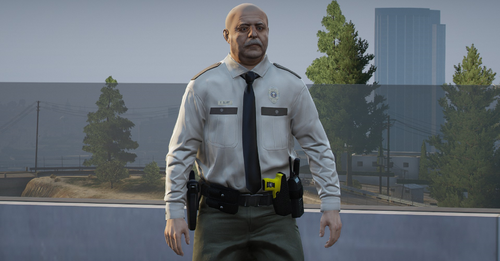 Haha P. Blart. Funny reference
 -
Hmm weird I was told that would fix it. What is your game build Because for me it’s working flawlessy You could try disabling indicator audio and see if that works
- 436 comments
- 16 reviews
-
Oops I meant SimpleCTRL. My bad. 😅 When I sent that message I was first waking up
- 436 comments
- 16 reviews
-
-
- 1
-
-
Try deleting your SimpleHUD folder inside the plugins completely and readding the folder from the zip
- 436 comments
- 16 reviews
-
-
-
-
 They aren’t real fonts lol inside the game. If I go into the file right now you will see they are messed up fonts haha. And that’s weird, because the ones you’re using aren’t actual fonts, they look all weird inside the game files. and correction it doesn’t mess with anything. I’m using live lights and I have no issues so far so I’m not sure the issue your reporting having but it doesn’t mess with any other plugins by replacing fonts that aren’t used by the game
- 540 comments
- 26 reviews
-
This is incorrect information. Those fonts don’t exist or are the default fonts that SimpleHUD originally used also it doesn’t mess with in game fonts lol. It only conflicts if you install viewpointv, that’s when you need to revert the fonts.
- 540 comments
- 26 reviews


