Venoxity
Members
-
Joined
Everything posted by Venoxity
-
 This marks the final update as if 08/07/24. I will remain to release patches and small updates but they might not be as daily. Thank you for understanding!
 -
 Please note: This is a beta build of the software. Not all features are final, and you may encounter functionality that is still in development. Features may be added, modified, or removed as we continue to refine the application. Your feedback is incredibly valuable during this phase—please report any issues or suggestions to help us improve the overall experience. Thank you for your understanding and support! 🙏 This project took me 11 months to complete—hope you all enjoy it! Just a heads-up: SimpleCTRL is outdated and not compatible with this project. Looking forward to hearing your thoughts and getting some good feedback! 😊
 -
SimpleEmotes Plugin for GTA V SimpleEmotes features a diverse range of emote categories, including 133 Walking Styles, 39 Scenarios, 34 Facial Expressions, and 553 Regular Animations, offering players a rich variety of expressive options. ✨ Features Pointing Gesture | Players can mimic the GTA V Online pointing gesture by pressing the B key or double-pressing the left joystick. Crawl/Prone/Crouch | Players can toggle crawling, prone, or crouch stances with Left Ctrl and Right Ctrl, enabling stealthy or tactical movement. Binoculars | Players can turn on binoculars by opening the Rage console with F4 and typing Binoculars. This will give you the ability to zoom and look into the distance. News Cam | Players can activate the News Camera by typing NewsCam into the Rage console after pressing F4. This feature provides a first-person news camera view, ideal for capturing in-game footage or role-playing as a news reporter. ⚙ Requirements RageNativeUI | Please make sure RageNativeUI is installed and up to date. 📥 Installation Navigate to your GTA V directory *(e.g. `C:\Program Files (x86)\SteamLibrary\steamapps\common\Grand Theft Auto V\`)* Create a folder called `plugins` if it doesn't already exist. Drop the `SimpleEmotes.dll` file into the `plugins` folder. Launch GTA V! 🛠 Support & Feedback Need help or want to share your thoughts? We’d love to hear from you! Join our Discord: Venoxity Network | Create a support ticket and someone from our team will assist you. Found a bug or have suggestions? | Let us know in Discord—your feedback helps us make SimpleEmotes even better! ⚖️ Legal © 2025 Venoxity Development. All rights reserved. SimpleEmotes is protected by copyright law. Redistribution or modification is prohibited without written consent from Venoxity Development.
-
-
great, that sounds good. let me know how it goee
-
@Philigran @BlueLine Vibes should be all good now to use addon weapons. it will be the spawn code. 🙂
-
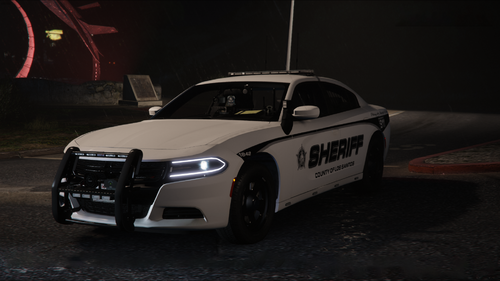
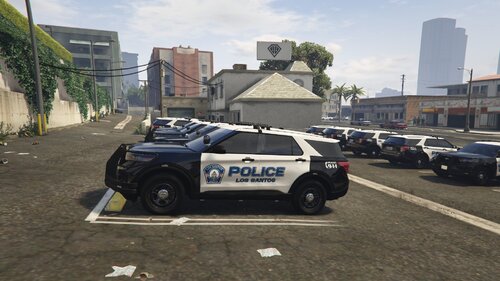 what cars does this go on
 -
Ty
-
i will try it, when i get a chance. i spent a couple of hours trying to figure it out lol
-
So I have my file like this, and i am having trouble doing like the description transparent dot. can anyone tell me how that would be great thanks!
-
.thumb.png.fa0afa5d751cc36bda233112af598d4a.png) the installation tutorial you linked is for another vehicle that isnt this one?
the installation tutorial you linked is for another vehicle that isnt this one? -
 Thank you for the suggestion. I will look into it, and possibly get it added in the next update. I plan on improving some stuff and other such. so expect a somewhat medium update. will probably be a couple of days or so through, not really sure.
 -
what do you mean?
-
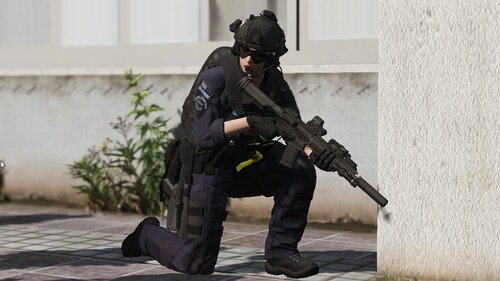 Yeah, im tryna figure out what model it is as well. i dont really understand.
 -
where can i get the shirt model
-
did you update rage native ui? create your own thread. do not hjack someones thread
-
Yes, it will apply to both of them.
-
-
Manage vehicle extras using XML configuration.
-
Hey so i recently uploaded this file. I have accidentally put it into the gta iv section instead of gta v section. can it be changed?
-
ExtraManager is a GTA V plugin designed to provide effortless control over vehicle extras through XML configuration. With ExtraManager, you can easily manage, configure, and synchronize the extra components of vehicles, ensuring they meet your precise specifications every time you play. To install this plugin, the .dll file must be placed in a "plugins" folder. This folder can be reached by going to the Grand Theft Auto V directory and placing the .dll file in the "plugins" folder. If this plugins folder does not exist, then you can simply create it. Drive where GTA V is installed → Programs (x86) / SteamLibrary → Steam → steamapps → common → Grand Theft Auto V → plugins If you need support, please join our discord server and create a ticket eventually someone will get to you! Discord Server: Venoxity Network [www.discord.com] Installation Video: BlueLine Vibes [www.youtube.com] I would be happy to receive feedback. If there are any Bugs, please let me know!
-
 what about x scanner? lol
 -
Currently addon weapons are not supported. i been looking into this. and tryna figure out how to do it. im not sure if this is possible through. its planned through, just haven’t had time to go through it. as i been focused on other stuff
-
-
I fixed it.





.thumb.png.fa0afa5d751cc36bda233112af598d4a.png)