-
hasek82 changed their profile photo
-
LSPD First Response 0.2a Update
Not working on Windows 10 Pro :( I cant get LSPD to work on Windows 10 any help?
-
LSPD First Response 0.2a Update
ok nice :) this fixes console?
-
LSPD First Response 0.2a Update
Hey :) any updates on this mod :)?
-
LSPD First Response 0.2a Update
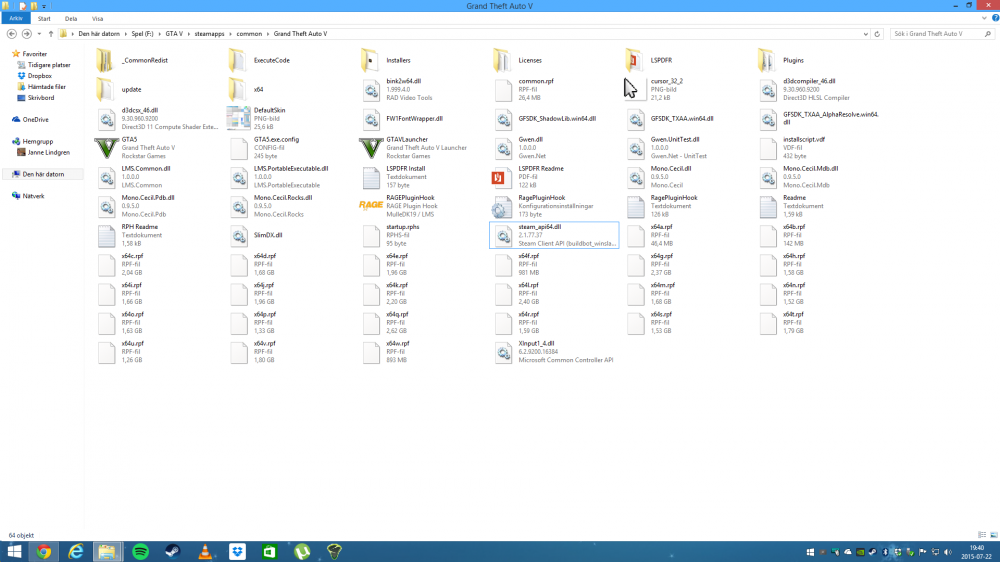
Ok :) here RagePluginHook.log
-
LSPD First Response 0.2a Update
ok its not working anyways the game freezing when i type F4
-
LSPD First Response 0.2a Update
ok hehe i understand :) like this? RagePluginHook.ini
-
LSPD First Response 0.2a Update
-
LSPD First Response 0.2a Update
ok :) how do i provide my log?
-
LSPD First Response 0.2a Update
- LSPD First Response 0.2a Update
can you give that fix please :)?- LSPD First Response 0.2a Update
which key do i open the console in game ? i have try with F3 and F4 not working :(- LSPD First Response 0.2a Update
ok i have try that but which key do i need to press to see the console?- LSPD First Response 0.2a Update
Hey guys :) i cant open the console when i go on duty please help mehasek82 started following LSPD First Response 0.2a Update- LSPD First Response 0.2a Update
I have try the latest mod on GTA V one time but now the plugin not starting - LSPD First Response 0.2a Update

Account
Navigation
Search
Configure browser push notifications
Chrome (Android)
- Tap the lock icon next to the address bar.
- Tap Permissions → Notifications.
- Adjust your preference.
Chrome (Desktop)
- Click the padlock icon in the address bar.
- Select Site settings.
- Find Notifications and adjust your preference.
Safari (iOS 16.4+)
- Ensure the site is installed via Add to Home Screen.
- Open Settings App → Notifications.
- Find your app name and adjust your preference.
Safari (macOS)
- Go to Safari → Preferences.
- Click the Websites tab.
- Select Notifications in the sidebar.
- Find this website and adjust your preference.
Edge (Android)
- Tap the lock icon next to the address bar.
- Tap Permissions.
- Find Notifications and adjust your preference.
Edge (Desktop)
- Click the padlock icon in the address bar.
- Click Permissions for this site.
- Find Notifications and adjust your preference.
Firefox (Android)
- Go to Settings → Site permissions.
- Tap Notifications.
- Find this site in the list and adjust your preference.
Firefox (Desktop)
- Open Firefox Settings.
- Search for Notifications.
- Find this site in the list and adjust your preference.