


iAintADemon
Members
-
Joined
-
Last visited
Everything posted by iAintADemon
-
You said that it works without the mod folder right? Then just remove it and make a new one. I believe a lot of people went through this sh*t 😂🤭 If you dont want to delete, resent me your Rage log. but sometimes its nice to start clean 😉 Edit, you could try out this: https://www.bejoijo.com/post/alprlite It is replacing all files of alprlite, maybe it fixes it.
-
Hey, this is what i mean: (vids were too big to add here, so i added it here:) <iframe title="vimeo-player" src="https://player.vimeo.com/video/690113893?h=c0fb03f5f3" width="640" height="1137" frameborder="0" allowfullscreen></iframe> The loudness is great, everything is nice. But its like there is a filter added into it. In openiv it sounds perfect, same for media player. But ingame not, i dont have any other mods or filters. Just the cars (sirens) Sirens was my first mod. So nothing could cause this. I heard people talking about some kind of filter. I dunno how it sounds for you guys, but it sounds a bit weird 🤭
-
Hey, It crashes for everyone, so its outdated. To unistall the plugin, go to your main directory and delete stealth.common.dll Then go to your plugin folder, click on lspdfr then remove alprplus_readme, alprplus.dll & alprplus.ini Then it should work.
-
 Sorry, i had 2 pages open. Downloaded yours and wanted to comment on the other guys page. Yours work great! 😋 Ignore my previous message please. Did edit the message for you!
- 1,024 comments
- 63 reviews
-
-

- 1
-
-
-
Thats a shit task to be honest, thats why i most likely do 1 mod at the time. So if my game crash or what ever, i know which mod is to blame. Like i said, try to change name of mod folder to something else. Doesnt matter what, just write 123 or what ever. If your game then works, you know its something caused by a mod. You can then change your folder name back to mods. And try figure out what it was. A tip, even when adding cars. Add 1 at the time. Go ingame, spawn the car. Check if there any bugs or crashes. Maybe the handling will be shit or what ever. It takes more time but it takes more time to re-install everything again 🙂 Let me know if its working without the mod folder. EDIT: You said that you reinstall the game. Does that means that you don't have any mods? If so, then check the website above. Make sure you did install everything right. Go step by step. Add the gta map where eveything is in to your anti virus ignore folder (If you have any A.V)
-
Make sure you got the latest scripthook that is within the lspdfr download. If you have a MOD folder. Rename it to something else. And see if it works, if that works you know its something to do within your mods file. I had this issue first. Some mods caused my lspdfr to crash. https://www.lcpdfr.com/lspdfr/how-to-install/ Follow this tutorial step by step.
-
Hey guys, after spending a nice amount of time on google, i decided to disturb you guys and ask for help 🙂 I did download some siren packs, and added a few of my own, but i have a problem. When opening OpenIV - Resident. Vehicles.awc etc the siren sounds really perfect. But ingame it sounds like it has a filter. Firetruck siren & police (Wall_02) Both sounds filterd. Any ideas? If needs i can tomorrow record it. But tought, till tomorrow. Maybe someone already has the golden tip 😄
-
 Heyhey, also tried this. Perfect 😉 You doing so much work, if you keep going like this. Im pretty sure you'll change every street lol 😄
- 100 comments
- 19 reviews
-
-

- 1
-
-
-
OP. You did not answer his questions, hes trying to help you. Also if it only crashes at call-outs its probably caused by the callout it self.
-
Post your RAGEPluginHook.log Everbody else who is willing to help you will ask for that. Do you have a Mod folder? If yes, change name. See if it works, turn (temporary) off your Anti Virus. Test it like that. Anything else you put in the main directory? Everything up2date? etc etc.. Many possibilitys. Add your log.
-
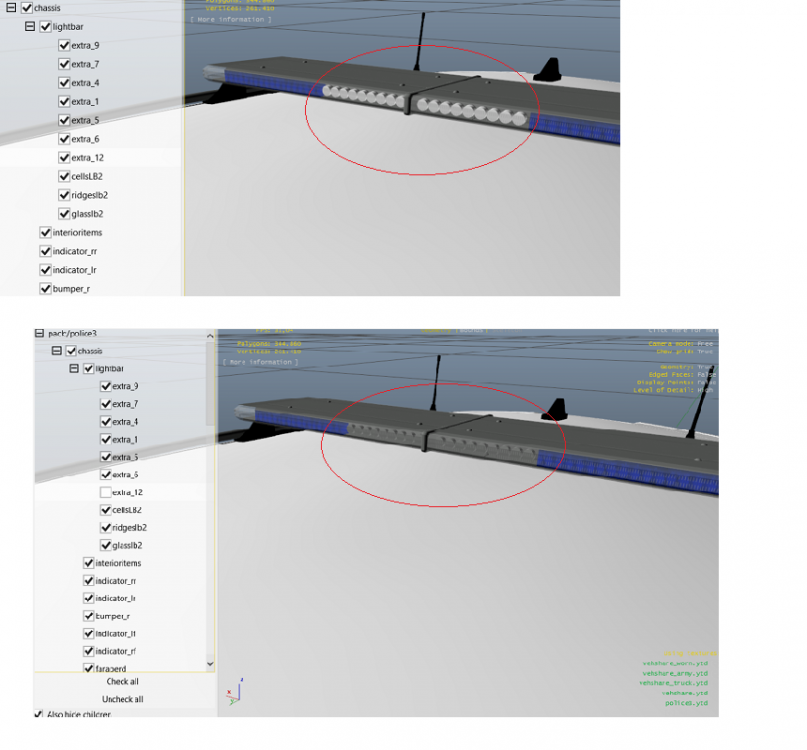
Hey guys, i need help/tips from you guys. When i disable Extra #12 from ELS. It kinda works. But the problem is, it's not working every time. Means i still see AI driving with bright lights. And when i spawn the car, 1 out of the 3 times it spawns with light off. The other 2 times it's on all the time. So, i decided to look further in the car files and noticed this: (See uploaded images) When i turn off #12 the light option disappears. Great, but i cannot save it. So my question is, how can i disable this permanently? I don't mind to download a extra program or what ever. I just want to get rid of it. (Its for personal use, no uploads/video's etc of the car)
-
Thanks 😉 Yeah, i'm left with exact 12gb, had no chance to create a mod folder. Lol 😛
-
~ Visualsettings.dat >Update>Update.rpf>common>data needed. Had no mod folder due space issues. I did order a new game pc, but the delivery is 6 weeks. And everything else is perfect, don't want to re-install everything again. (Then i will work with mod folders) God bless y'all.
-
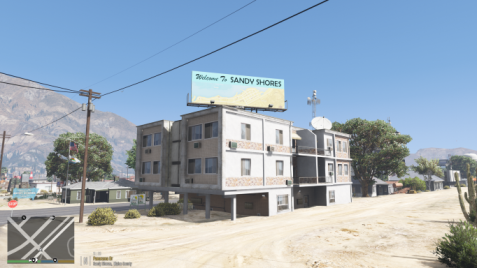 Looking really great! No fps issues etc. Finally a Remastering without any lagg. I have some suggestions: 1. Can you add more peds? Nightlife, people walking at night. Maybe even a party spot? 2. Also about more peds, maybe a building where you can chill on the roof. With more peds, and a pool or what ever. 3. Upgrade the hospital & police station. That are my suggestions, however. This one stays forever in my game 😁👍🏻
- 47 comments
- 10 reviews
-
-
- 1
-
-
Yeah, forgot to say Temporary 🙂
-
Hey, welcome back. If you downgrade, you probably have plenty of driver updates. Graphic card etc.. Also check if you have the latest microsoft visuals. Check windows for new updates. Turn off Microsoft defender, and anti virusses. Firewall.
-
Hello Lenny, https://www.lcpdfr.com/lspdfr/how-to-install/ If you done with this, you can download pretty much anything you like. Callouts, police trafficer etc.. https://www.lcpdfr.com/downloads/ Here you can download them all. And if you want to add costum cars etc: Thats pretty much the basic, once you learn to copy paste things. It will be easier to do other things. Good luck!
-
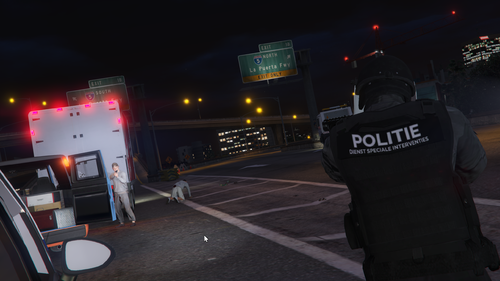 Hey, which version of EUP is this? i got 2.1 & 7.4, the outfits rly messed up on both. Which EUP & Menu you using? Could you upload it, so we can use it? The newer versions is no longer working.
- 37 comments
- 1 review
-
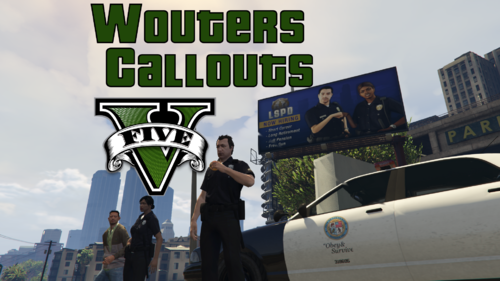 Cant edit again, but i got 2 suggestions, 1. Maybe you can do that the helicopter personal when you bring them to the location, will perform cpr on someone, and that the person gets escorted by a other police officer, or maybe your self, or you can do that we have to wait there, and bring them back to the heli for code 4. Or both, so you have 2 ways of the story maybe. En kan je misschien groot schalig politie controlles maken? Met pionnen etc, blaastesten. Wegafzettingen, ook op snelweg 😉
 -
Hey Wouter, i think you might be Dutch, dutch name & EMS Helicopter pick up haha 🙂 I would like to report a few bugs / hints. 1. Dispatch emergency call: Indecent exposure Location: GWC Golf club. The waypoint is wrong, you cannot enter the golf club from there, so you have to drive all the way arround. 2. Medic Helicopter pick up, the time to be there before they land is too short, you have to drive wreckless to be there on time. Please make a ini edit for that, so we can choose the landing time.. Would be much appriciated 3. When you go help out the EMS, (Also valid for the helicopter call) They just idle with sirens on, which can be annoying.. Could you make a option where we can turn off the sirens, and example only turn on lights. Looking forward for the fixes, it's a great mod. I really hope you will bring more & more. Im sure the downloads will be out of control 😉 You got a great callout package.


