


iAintADemon
Members
-
Joined
-
Last visited
Everything posted by iAintADemon
-
 Great callout pack, my only complain is that the sfx is loud compared to other callouts. Wish we could lower it.
- 356 comments
- 25 reviews
-
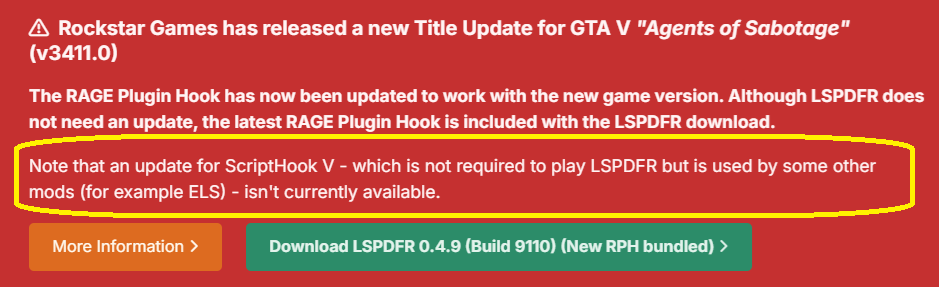
Problem is that they don't read and try to launch the game with a outdated scripthookv
-
Guys please read the website first.
-
Go to your GTA 5 Main folder and remove scripthook.v As the note said, some mods might not work. You have to wait for a update or revert to a older version if you have any backup.
-
Hello, A week ago i decided to start fresh and re-install GTA 5. I had all my call out packs back, and made everything as i like. But i found a weird thing. Whenever i go to a call out and suspect flees i call in for backup (chase pursuit) My backup goes the wrong way and dissapear. Only the air assist (Helicopter) follows the suspect. So i did re-install gta 5 today and got a fresh install of LSPDFR and decided to test it again. Guess what? The same. Suspect chase, i call in for backup ''Pursuit'' i call in for 6-7 cars and they all go other ways. Only the helicopter (With search light) Follows the suspect. At this point i have no Mods other then LSPDFR, and no call-outs installed. Whats going on?
-
I know it is not a model thing, but you said you only saw it on taxis. Also what @UnknownBastion said should work. Try this:
-
Simple fix, just replace the taxi. Example:
-
Any of you guys have ''weird'' backup last times? My plugins are: JM Callouts Remastered v3.7.8.2 SuperCallouts 3.9.1.0 IG Callouts 1.1.0 686 Callouts SM Callouts Kuchera Callouts v2.0.2.1 Section136Callouts v1.11.1796.3 (Build 1796) For some reason, when i get shot and i use panic button, or call for back-up they come to chill and watch how i die. They will not shoot at the suspect. Also, when a car flies and i call for backup, they will just circle arround but not chase.
-
Hello, quick question that i cannot find anywhere. In vehicles.meta there is a option <extrasrequired) If i put example, ''<...>EXTRA_1</...>''. It will always spawn with Extra 1. But the modder of my police car made sure that a EXTRA is always turned on, so i have to manually turn it off. Also AI drives arround that EXTRA. is there a line to turn it off permanently? Example >EXTRA_1_OFF< or what ever?
-
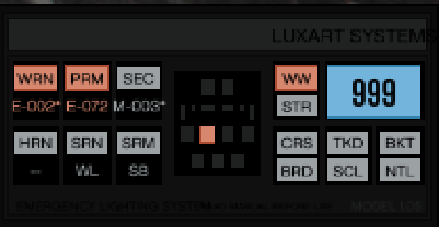
Problem 1: The standard PRM pattern sucks, i went ingame with the ELS Menu and found the perfect pattern. Thats 072 for me. Is there a way to save this somewhere? so AI will also use this settings? I saw someone that did that, but i cannot find the thread anymore. Problem 2 (Since i dont want to create 2 threads for nothing) Whenever i turn on ELS, the car's beamlight go fully bright. How can i turn that off? (I dont speak about the headlight, but beamlight (brightlight)
-
Got this beast since a week. https://www.alternate.nl/html/product/1887205?utm_source=GoogleShopping&utm_medium=cpc&utm_campaign=GoogleShopping_Gaminglaptop&utm_term=PL9AZNA1&gclid=CjwKCAiAr4GgBhBFEiwAgwORre4isDQw_dAO6CsyozMumixV0ZkpP8-xDmBPlsnj0uwXIL5jXqKL6hoCGLcQAvD_BwE Seems like 18 inch gaming laptops are making a come back.. Big issue so far: Coil whine... It's really bad. So bad, that i will return it tomorrow. (I did return my first one, because i tought that it was a fabric error. Now i got a other one since yesterday. This coil whine is even worse.. Asus laptops & 4080 / 4090 is a no go.. Never again.. I noticed that LENOVO making the best quality gaming laptops... Any suggestions for a laptop with a 4080 or 4090?
-
-
Didnt want to update, but tought well. I got backup anyways, lets try. Everything works flawless. But... My police officers walking in firefighter jackets with paramedic jeans 😂 The Paramedics & firefighters works. This is my only issue, any tips? (NON EUP, just ingame replacing..)
-
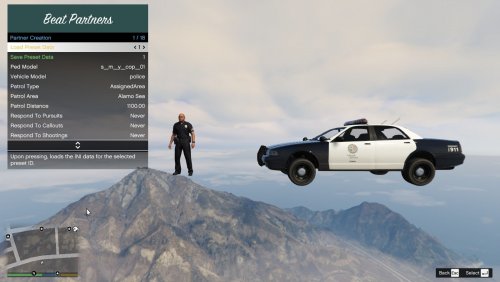 Did you place everything in plugins - lspdfr? And try pressing Alt while pressing f12 or f5. That worked for me. Not sure what for keyboard you have.
 -
My game also crashes each time that i attach a unit to a call. Start up doesnt crash after the rage update, and they patrol flawless. Only issue i see for now is the crash when they respond to a call. I tried a few calls from different creators. RagePluginHook.log
-
Hello, i have the same as Cut56, whenever i go on Duty, Lspdfr crashes. Tried to forceduty & Go to the station. RagePluginHook.log
-
Hey guys, i got my dream police suv car. But it flips over, i already changed handling ID to gresley, and some other suvs, even vans. I tried to lower the Veccentreofmass. Without any succes, i went -10 (The limit and it still tips over) I changed it to a ambulance, and all. Still tips over, only thing that worked was firetruck. But thats slow as hell.. Since i got permision and all files of the car, is there a way to edit the handling? When the car gets created, it gets his handling i assume? How to go in that file? I would love to copy paste a working handling from a different suv police..
-
 Don't worry about the English part. Not all of us speak English as first language. OP is trying his best. Good callouts is all that matters. Nice to see people making callouts again, it was death for a while.
 -
Thanks, i did that and it still tipped over. I found a solution. I added some numbers to the cornering grip and now it works perfect with thr stock handling lines. Nothing changed, only increased the cornering grip. People said its something with a Z, that i had to lower that. But then it fell over even faster. This was a police van btw, forgot to mention that. But it all works perfect now 👍🏻 For my suv i indeed changed it to baller2. And that one works flawless too. Thank you!
-
-
Hi guys, So ingame ''Pranger'' Is now a cop car, and its getting used as a cop car, the handling is so perfect that i want my other cop car to handle the same. I changed the handling name to Pranger, that did not work. Then i copied all of the handling lines, and replaced it. So now it has the same handling names, weight everything is exact the same... It still is not even 5% close to the handling of the pranger while everything is the same. What do i have to do? People said its because the creator put other lines in the car. But i am able to edit this car and do what i want with it. But where and how do i start? Any advice?
-
 Uk callouts, of course it has stabbing 😂😂👍🏻
 -
Great job doing that. Have fun playing 👍🏻
-
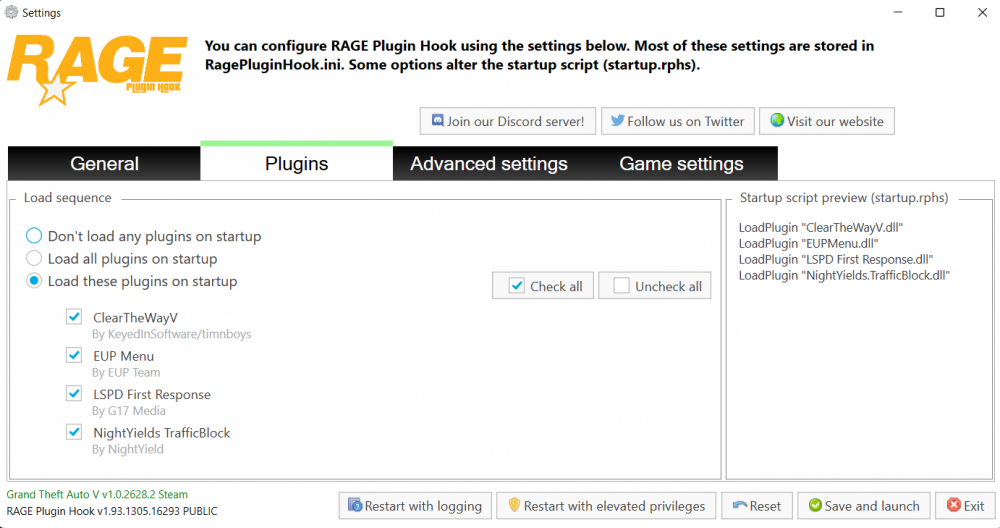
So Rage notices it? And you followed each step of the Eup Tutorials? Look at the image, did you select load on start up? If not, do it. If you did, try to go ingame, press F4, write reloadallplugins and click enter. See if that works. Should be one of those 2. Otherwise you messed up somewhere else.
-
 Nice job, great to see people trying to code and share their progress. Honest review? Most of us will probably skip this, since it uses multiple keys. Lots of people have shortcut keys, example. My Numpad keys are all full. Advice: 1. if you want, create a 1 button menu. Then have the 4 options in the list. 2. Make a .ini file, so we can choose which button to use. (Most of us like that) 3. If you want, add more police cars fbi, policeold etc. That would be my suggestion. Keep up the great work. Looking forward to see more from you 🤭



.thumb.jpg.37cdb54de83d6dee03b6b15e76b2f5fd.jpg)


