


McAwesome6934
Members
-
Joined
-
Last visited
Everything posted by McAwesome6934
-
 This is awesome! It would be cool to have parking lights as well! Also is this multiplayer compatible?
- 21 comments
- 2 reviews
-
 Thanks(:
 -
 My apologies, I guess that is a bit confusing, and not very clear.
 -
From the album: McAwesome's Awesome Pics :D
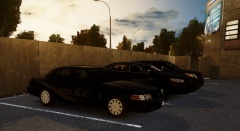
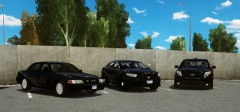
3 Stunning Cars Sporting Stealth Decals, And Posing For A Picture. Skin Was Made Exclusivley For RBRP, By xxijumpxxx and StealthyOne6 Both The CVPI And FPI Were Both Made By Cj24. The FPU Was Made By NickieB. All Car Models Are Released Publicly. -
haha "confidential information" ? I am familiar with your whisper system due to polecat's video tutorial on how to set it up... We use one similar to that except our's doesn't involve Channels.
-
Hmmm, a department repairing all their AEDs at the same time, that is a recipe for disaster.. And the community I am apart of also uses a whisper system for our radio communications, which is how I knew what to change to get rid of the psst.
-
I would recommend you edit your 1st post, rather than continually adding a reply. As far as the videos go, I have only watched the 4th LCDOJ episode, but I couldn't finish it because the echo was too obnoxious. Also if you guys are a 'role play' community for the first incident, you should have grabbed and utilized your AED, continued compressions until EMS took over care, as well as cleared his airway. Also for further follow up on what happened to the male you should have recovered CCTV footage from both the auto shop and apartments to your north. Finally the "Psst" noise is also really obnoxious and annoying, you can change that to sound like a radio click by re-naming and copying your mic click sound in your TS3-Sound folder. Just a few suggestions to improve upon your videos. ~McAwesome
-
It's not gonna f--- up my game right?
-
Someone please tell me!(:
-
-
The problem was that you didn't ask where you could download it, you asked if it was released. And clearly in the caption it states that the model was released, and also provided who the author was.
-
Amen. Yes as Greenaid stated the FPI was released, http://bit.ly/1geaOPE look down about 5 links. You are welcome.
-
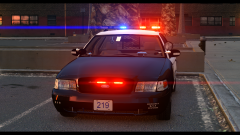 I am liking this pack a lot! Looks clean and simple, but very similar to other cvpi's with a whelen liberty.
 -
Thank you!(: Skin is private, model was released publicly, but I couldn't find the link.
-
Sorry :/
-
From the album: McAwesome's Awesome Pics :D
3 Stunning Cars Sporting Stealth Decals, And Posing For A Picture. Skin Was Made Exclusivley For RBRP, By xxijumpxxx and StealthyOne6 Both The CVPI And FPI Were Both Made By Cj24. The FPU Was Made By NickieB. -
I personally am not a moddler, but from a 'consumer's ' standpoint, I would like to see the lights in the rear window to be raised up to the top left and right of the window. Opposed to in the middle of it. Also the whelen liberty's TA should be 3 extras, so that the TA can act as a TA and blink from right to left (or vice versa). Finally I would like to see a rambar or a variant with a rambar as well. These are just a few suggestions, overall this still looks very nice, especially only being your second model.
-
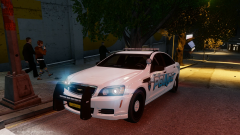 Oh my damn :O
 -
.
-
-
'?do=embed' frameborder='0' data-embedContent>> -- Here is the uniform featured in that video. http://www.gta4-mods.com/misc/gtaiv-general-v8-engine-sound-mod-f15532 -- Engine sound mod. http://www.gta4-mods.com/misc/gtaiv-realistic-weapon-sound-hd-f18450 -- Weapon Sounds. Addtional list of suggested mods - '?do=embed' frameborder='0' data-embedContent>> You're Welcome, McAwesome
-
Quick suggestion, download a siren.
-
Depends on the day, here are my most used - http://files-
-
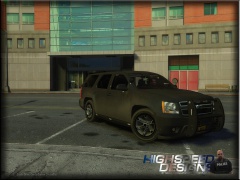 I actually think those rims look badass, different yes.. But cool nonetheless!
 -
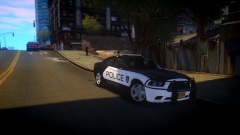 Was this skin released, cause I would love to use!


