FallOsprey
Members
-
Joined
-
Last visited
Everything posted by FallOsprey
-
 UpperMidnight, Thank you for trying out my callouts,, and I am sorry you have experienced issues. The intention for that outcome within Medical Emergency is for you to place the Ped in your vehicle via StopThePed (or a similar plugin) and transport it to the lifeguard station. As for the blip/directions remaining on your minimap, I have just pushed a fix in 1.1.5.3 that should squash that bug! Enjoy! ~FallOsprey
- 24 comments
- 10 reviews
-
-

- 1
-
-
Glad you are enjoying them! The crash you experienced was due to the callout still running while the suspect had respawned via STP transport. To ensure it doesn't happen, just end the callout after the suspect is taken away. There isn't much to do anyway at that point. Just made the edit and it will get pushed with the next update. 😁
- 24 comments
- 10 reviews
-
-
Did you go into the Rockstar Games launcher and manually check the box for disabling BattleEye?
-
DARKVALSIDE, The issue may be in your mods folder. The first thing I would do is rename your mods folder to "_mods" and try to see if you experience any crashes then. That said, based on your RPH log, it looks like one of your callout packs may be causing the crash, potentially Regular Callouts. Try to remove it and see if you are still experiencing issues.
-
-
-
Try opening GTAV in story mode and then launching RPH.
-
Hey all, I am FallOsprey, the developer of Beachfront Callouts. I am revisiting this callout pack and would like to know what YOU (the community) would want to see in a callout package like this. Looking for any input on your experience with this specific callout pack or if you have suggestions to implement in a near release. The pack does still work if you want to try it out before leaving your suggestions. Thanks all! ~ FallOsprey
-
A lot of your plugins are outdated which could be the cause of "unpredictable" crashes. You are also using LSPDFR+ which is installed incorrectly; another potential cause for issues.
-
-
 @SoCal Thero Can we get the templates? My discord is @fallosprey if you could send please.
- 6 comments
- 1 review
-
Join the discord linked above, I'm always happy to take on more people to help test things!
- 24 comments
- 10 reviews
-
Took the ideas right out of my planner! As soon as Beachfront Callouts has more callouts and I have squashed all those pesky bugs, the Los Santos Port is my next stop!
- 24 comments
- 10 reviews
-
Thanks for the video! Pier is incorporated in both the Illegal Camping call as well as a few locations for the Dis. Person (both callouts you didn't show haha). I definitely plan to do more with the pier in the future; Love the idea of teenagers screwing around.
- 24 comments
- 10 reviews
-
 I am eager to see what this callout pack brings in the future. Love the idea of a house raid!! 👀 Keep development up with more original callouts that have a bit of storyline! (Dialog, Investigation, etc.)
- 46 comments
- 3 reviews
-
-
- 1
-
-
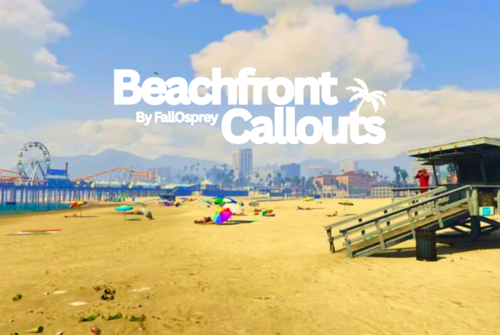
Beachfront Callouts is a highly immersive LSPDFR callout pack that brings the excitement of beachside law enforcement to life. With a vast array of custom dialogues, dynamic locations, and unpredictable scenarios, every callout feels fresh and engaging. Whether you're patrolling the shoreline or responding to emergencies on the pier, this pack ensures no two shifts are ever the same—keeping you on your toes and fully immersed in the action. Installation 1. Download the ZIP file titled Beachfront Callouts (Version) by FallOsprey.zip 2. Extract the contents of the ZIP file 3. Drop both folders, plugins and lspdfr, into your Grand Theft Auto V directory 4. Load your game, start your shift, and enjoy the callouts! Having issues? Reference the install and showcase video by Geoffrey_Gamer below! Callouts 💊 Drug Activity – Reports of a suspicious individual using drugs and causing a scene on the beach! Will they comply or escalate? 🏕️ Illegal Camping – Unauthorized campers are setting up on the shore—assist beach security before things get out of hand! 🚯 Illegal Dumping – Someone's treating the beach like a landfill—track them down before the tide washes away the evidence! 👊 Lifeguard Assault – Lifeguards are under attack! Will you arrive in time to protect them? 🚑 Medical Emergency A life is on the line—respond quickly and administer first aid in a high-stakes beachside rescue! 🍻 Public Intoxication – A drunk beachgoer is causing a disturbance. Will they go quietly or turn your routine call into a full-blown incident? 🚲 Stolen Rental Bike – A tourist's relaxing ride turns into a crime scene—track down the thief and recover the stolen bike! 🌴 Every Callout is a New Challenge – Are You Ready to Patrol the Beach? Features 7 Unique Callouts – Each one designed for maximum variety and engagement. Dynamic Scenarios – Multiple outcomes keep every callout fresh and unpredictable. Diverse Locations – Respond to incidents all across the beach, from boardwalks to lifeguard stations. Rich Dialog Choices – Custom conversations make every encounter immersive. Deep Storylines – Engaging narratives unfold as you play, making each callout feel real. Multi-Step Missions – Some callouts require travel between locations for added depth. Toggleable Settings – Customize your experience with adjustable options. Custom Interaction Keys – Set up controls that work best for you. Realistic Animations – Smooth player and NPC movements enhance immersion. FUN FACT: With unique callouts, locations, outcomes, and dialog, there are 2000+ different ways to play. Bugs & Feedback Hey everyone. My name is FallOsprey, the developer of Beachfront Callouts. If you find any bugs or unintended features within this callout pack, please report them to me. Additionally, if you would like to leave any feedback, ideas for new callouts, different outcomes, etc... the best way is to join https://discord.gg/quGBmCN7uc. This is the fastest way to surely contact me. Additionally, I will read and respond to any reviews or comments on this page. What's Next? Despite being a full time college student, I want to and will keep adding to this callout pack. I want to add more callouts, more options for locations, highly customized dialog, and more. Stay tuned to #dev-log in my discord server where I post my ideas and sneak peeks! Showcases Showcase By: Geoffrey_Gamer (Nov 14 2022) Showcase By: Benzo Effect (Nov 23 2022) Message for Content Creators Thank you for taking time to download and check out the pack! ~ FallOsprey
- 24 comments
- 10 reviews
-
-
-

-

- 23
-
-
 Good work! I really like the ideas surrounding this callout pack! All of the storyline and dialog within the callouts adds a lot to both the pack and the roleplay experienced achieved. One suggestion I have is to clean up the dialog (Proper grammar when appropriate AND/OR use of color codes) which will make the pack look a lot nicer. Keep up the great work!
 -
It could just be random. Have you tried launching the game several times with the same result?
-
If you are asking for support, upload your RPH log.
-
FightAgainst() = Fist/Knife/Bat FireWeaponAt() = Gun
-
Use FireWeaponAt() instead of FightAgainst(). That should work better.
-
I believe the error has something to do with the custom stations you put into your game. Best thing would be to try and remove that and see if it works.
-
 Amazing and fresh callout pack geared towards those who enjoy patrolling the highways of Los Santos with unique and diverse calls. Would recommend!
- 160 comments
- 20 reviews
-
Love that you choose a specific theme to base your callout pack on. We need more of that in this community! Great callout plots too which I hope to see more of in the near future! 😁
- 160 comments
- 20 reviews