


vm.tyas
Members
-
Joined
-
Last visited
Everything posted by vm.tyas
-
 How to install it? I put dlc.rpf into mods folder, then into the dlc list. But shows up in-game incorrectly. The door are missing, and flashes when turn on ELS stage 3. Edit: Thanks for nothing...
 -
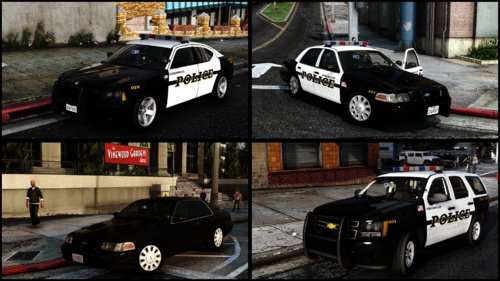 I love the pack, but the vehicle handling a but too slippery, like "drifting" is enabled. Is it me, or anybody else noticed this?
 -
Did you add the new dlc to dlc list? Because thats what blocked me to spawn the new police cars.
-
Can anyone help me with this one?
-
Hey guys, so i try to make the new DLC emergencs vehicles ELS compatible. After i put the xml files to the ELS folder, the lightbars disappeared, beside that all of the lights work, but i want to keep the lightbar. How is it possible? I didn't do much of a modding, is there any easy way to kepp the new lightbars, and make the new police cars ELS compatible? Thanks in advance,
-
Thanks for the reply. Turns out i forgot to check one of the new plugin (i always check new plugin's ini. for ambient events) for ambient events, which caused the red blips. So the Lspdfr worked great.
-
I get the red blips on the map after a go on duty. I disabled the ambient suspect encounter, but they keep pop up on the map. What could be the problem? I attach the RPH log. When i try to disable with setvar ( or enable it to disable) ia get a weird message, it is in the log. RagePluginHook.log
-
 I always got disregard on pursuit intervention callout, is it working for anybody else?
 -
Thank you, i wanted to avoid using two computers, but it seems i can't. 🙂
-
Thanks, generally my problem is that i can't find the suspect in compulite, however as far as i know it should pop up if i search for the name. So, thats the only solution that i use two computers, or there is a way to find the suspect in compulite?
-
So i got this (as far as i know, and i read from the log, it is a LSPDFR default callout, so no plugin related) callout, but i can't look for the suspect, so because of this i can't continue to solve this callout. I use compulite, but everything else is compatible with it. I tried search for a fix, but i couldn't find anything similar like this issue.

