The Real Ron Swanson
Members
-
Joined
-
Last visited
Everything posted by The Real Ron Swanson
-
Im usually pretty good with these things but this one is bugging me, i get the error "dlclist.xml end tag smandatorypackdata does not match start tag paths" Below is my DLCLIST.XML if anyone could help? Rookie Error - Forgot to close paths. Solved, please ignore
-
Yeah unfortunately most most require scripthook
-
Be aware the game has just received an update - meaning ScriptHook no longer works and in turn possibly RagePlugin/LSPDFR. Haven't seen an announcement on main page yet though
-
You'd be better off installing EUP L&O / S&R, then installing a custom uniforms pack for it. But that's my opinion.
-
Have you tried to do what it says?
-
Try adding the latest patchday to your mods folder, then stick it there.
-
You attach it to your post, have you updated everything? As NVE needs to be updated and reinstalled with the new game update.
-
A moderator should close this thread, the mod hasn't been updated in a long time and no longer works
-
SHV hasn't been updated yet, you need this for asi based mods
-
-
Back ups don't work with Rockstar Launcher unfortunately and never have. Unless they've changed it that is...
-
As per the red banner on the homepage, you can update once the update is available. Until then the only thing you can do is revert to a back up if you have one.
-
This information is available on the red banner on the home page.
-
Do what everyone else has to do, wait for LSPDFR/RPH/SCRIPT HOOK to update. There is a massive red banner on the homepage that states this. Alternatively if you've got a back up, you can always revert.
-
Hi, Can anyone help me with this please? Ive updated the game, downloaded and updated LSPDFR, Rage Plugin Hook and Script Hook V. However I can no longer load the game, its crashes 5 seconds into loading. Ive attached my log here. Thanks! RagePluginHook.log
-
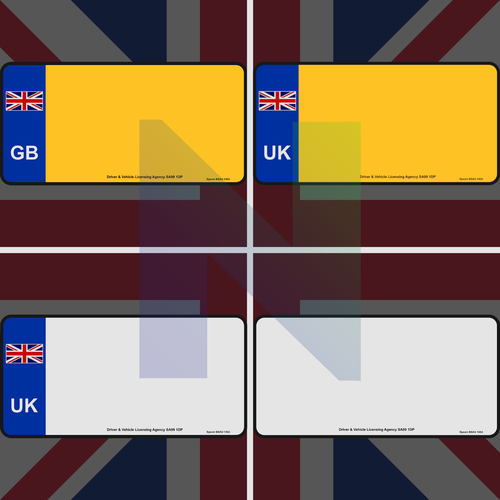 Mate, Im so sorry. Ive had like the dumbest moment of my year so far! I had downloads the required plate changer, however being an idiot, I completely forgot to add it to my main directory. So ive retested, all works as it should. Thanks for this mod as the plates look perfect, again apologies for the dumbass mistake.
- 6 comments
- 1 review
-
Great idea, unfortunately after installing the OIV it makes RPH crash on start up. Uninstalled and games works again, re-tested and again mod makes RPH crash.
- 6 comments
- 1 review
-
Anyone at all?
-
Hi, Im terrible at working out the problem via the crash log. I've looked it over multiple times and still cannot work out what is wrong. Everything was working fine yesterday when I played, today I'm getting a constant crash when starting up. I've not added anything new to either mods or plugins, so for the life of me I cannot work out what's going wrong here. If anyone could give it a look over and point me in the right direction, it would be very much appreciated. Please see below the full crash log... Thanks, Officer Swanson
-
Faulty VCF - going by your log, this is the problem. Maybe worth deleting the file and putting it back in. Side note Script Hook V needs an update so the game may crash anyway
-
Are you answering from your own experience? Or is legitimately you cannot revert due to RockStar Launcher?
-
Hi everyone! I know you can revert the game version using the backup that you create with RPH. I unfortunately bought the game through RockStar rather than Steam. Does anyone know the method of being able to revert the game to a previous back up while using the RockStar Launcher? Obviously the launcher is horrible and doesn't have an offline mode, I've tried to put a command line in to make it work in offline mode (which works). However when I then go to revert to my back up, it will go to launch the game before it decides to not do anything, if I try while online, well all it does is then force me to update again. Its literally driving me nuts, I have the feeling I cannot use my backup due to the RockStar Launcher being a pile of trash. If anyone has any experience with reverting and using a back up while using the RockStar Launcher, please reach out and let me know. Thanks!
-
-
Hi guys! Ive been playing with no problems, hoped on today and i can no longer play. Ive not added anything new, nore have i removed anything at all. Ive attached the RPH log for anyone to take a look at, any help would be greatly appreciated. RagePluginHook_22052023_142656.log Here is the full RPH log from the crash
-
Ive solved the issue, It seems that Scriphookdotnet was the culprit! Ive removed all entries from the game folder and it now works fine. For others having the same issue, remove SCRIPTHOOKDOTNET. Also make sure that you plugin threshold is set correctly