


To Be Announced
Members
-
Joined
-
Last visited
Everything posted by To Be Announced
-
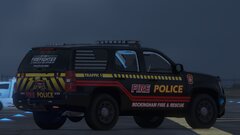
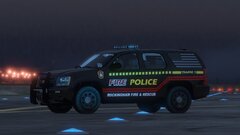
This state is coming soon. Stay tuned for the ultimate texture pack!
-

-
-
-
Hello! I'm in need of assistance regarding errors on 2 vehicles that I attempted to mod. After I deleted the mods folder and created it again. I decided to add the replacement mods on patchday 26, which is the latest patchday. I mod both the sheriff AND pranger vehicles inside the vehicles.rpf. Once I joined, I used Native Trainer to spawn the sheriff cruiser, but to no avail. It didn't spawn and it only gave me a bit of texture loss. I then spawned the Park Ranger vehicle and it instead gave me the ERR_FIL_PACK_3 and shut down my game. However, the sheriff2 vehicle works and everything else, but not those 2 specific vehicles! I have updated the game as well as reinstalled OpenIV but to no avail. Is there any solutions to this? Let me know so I can continue playing LSPDFR.
-
Anyone else have any ideas excluding "renaming mods folder to _mods"?
-
Nah, I doubt if it's because of Rage Plugin Hook, I've tried starting GTA 5 without RAGE Plugin Hook, but if your "_mods" suggestion doesn't work, then I'm sure there's something else. UPDATE: That useless suggestion didn't work, so I've tried starting the game with RAGE Plugin Hook again, but to no avail. Here is the results.
-
Hello! Here is some context of what I've exhibited in this video here. When I was just typically modding GTA 5 for LSPDFR, after I've dragged all the modded vehicles down to OpenIV's mods folder at once, I launched up the game, thrilled to see the mods in real life. However, I've received a last notice warning from Rockstar Games Social Club, (which I don't remember what it said as I quickly ignored and proceeded, probably regarding the internet connection or something) and clicked off of it and started the game regularly. After that, I've probably made a big mistake as the game was not fully loaded in correctly, and closed out completely returning to my desktop. I was so appalled to see this happen once again, so I've restarted my PC. That didn't work. I have also verified the integrity of the game files, and all of them were successful, but loading up the videogame wasn't once again. Last but not least, I reinstalled GTA 5 and to no avail. If you have any experience as to what the warning actually said or any solutions on how to fix this ongoing problem, please reply immediately. https://drive.google.com/file/d/1JgJEnY1C1-hWhQocoCJ-h9RuHc2vpatm/view?usp=sharing
-
Hello! Since the new RagePluginHook update, I haven't been playing LSPDFR for 3 days trying to install the new version, as it would show an error screen until I have fixed it. After many attempts of updating everything including the game files, along with restarting, I have completed it. However, when I tried starting the game whilst being thrilled about fixing the error message, the game simply crashes. I've done multiple attempts to boot it again and it won't start. In addition to this problem, I can't even boot up the unmodified story mode of the game. Here is the full RagePluginHook log and the error log. Here is the error log. If you have any solutions to this problem (this tells that you have experience,) please notify me immediately. I cannot be having this problem every day now. Thanks!
-
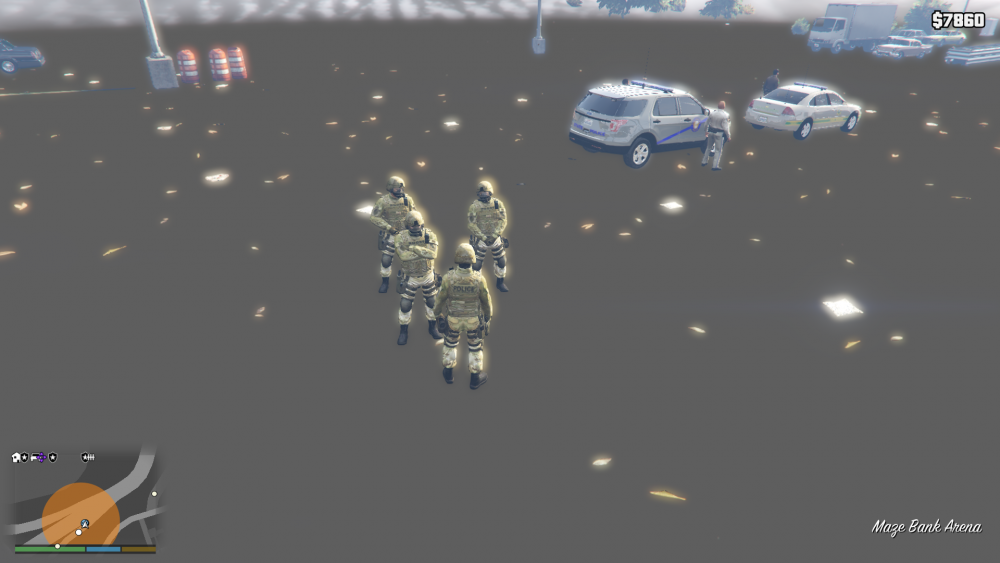
Down below is a picture of cancerous texture loss when I was trying to make a convoy via Menyoo. This pisses me off. Sorry for my language, but I'm trying to make a YouTube Video and I just don't want texture loss occurring when I'm attempting to set up the convoy.
-
Hello! I have an issue with Grammar Police here. Please see the provided proof for a reference. When I try installing Grammar Police, it gave me an error message whenever I attempt to start talking. If you have any experience with this issue, please comment your suggestions immediately.
 Hello! I need some assistance in fixing a bug that I had since the start of adding plugins to LSPDFR 0.4. Recently, I used all the specific controls for the plugins to be used and none of them worked. I then noticed that the plugins didn't load in, so I tested multiple out in the plugins folder and to no avail. It gave me an "Error Message" stating that there is an error loading in plugins, hence the picture provided. If you have any solution as to what this problem is and if you had any experience with such issue, please reply to this form immediately.
 Here is the visual of what I was talking about. Whenever you look at the compromised image from another angle, it returns back to normal.
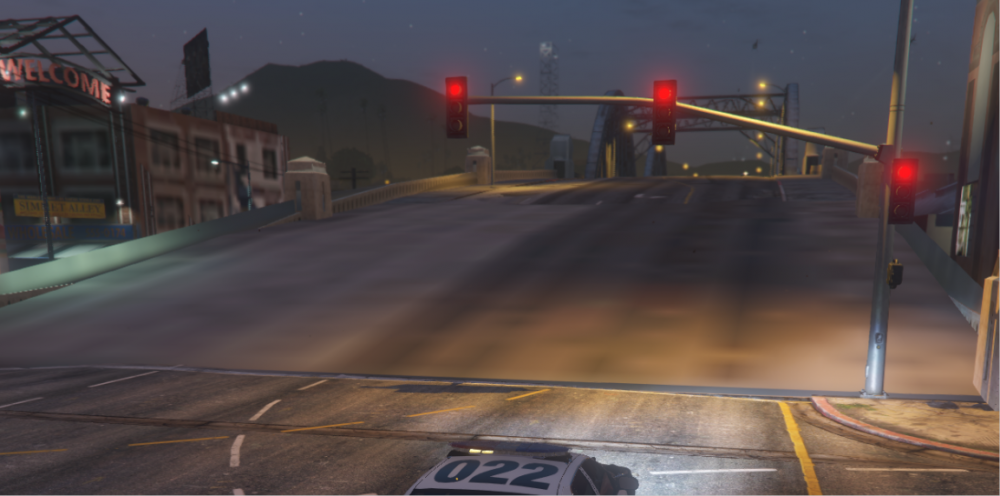 I screenshotted the reference but I do not know where the location for all the screenshots are at. That is why I didn't provide a visual.Hello Developers! I just want to ask you why does the texture in objects such as roads, items, buildings, etc. look compromised/deformed? If there are any solutions please provide to me as soon as possible so I can play the game without having any problems.This state is still in progress, but this livery pack will soon be released! Stay tuned!


Account
Navigation
Search
Configure browser push notifications
Chrome (Android)
- Tap the lock icon next to the address bar.
- Tap Permissions → Notifications.
- Adjust your preference.
Chrome (Desktop)
- Click the padlock icon in the address bar.
- Select Site settings.
- Find Notifications and adjust your preference.
Safari (iOS 16.4+)
- Ensure the site is installed via Add to Home Screen.
- Open Settings App → Notifications.
- Find your app name and adjust your preference.
Safari (macOS)
- Go to Safari → Preferences.
- Click the Websites tab.
- Select Notifications in the sidebar.
- Find this website and adjust your preference.
Edge (Android)
- Tap the lock icon next to the address bar.
- Tap Permissions.
- Find Notifications and adjust your preference.
Edge (Desktop)
- Click the padlock icon in the address bar.
- Click Permissions for this site.
- Find Notifications and adjust your preference.
Firefox (Android)
- Go to Settings → Site permissions.
- Tap Notifications.
- Find this site in the list and adjust your preference.
Firefox (Desktop)
- Open Firefox Settings.
- Search for Notifications.
- Find this site in the list and adjust your preference.