


Yat Yun Sei
Members
-
Joined
-
Last visited
Everything posted by Yat Yun Sei
-
 does addon vehicles flagged as emergency vehicles also gonna be chosen or only emergency vehicles added in recent online updates are in the list ?
- 356 comments
- 25 reviews
-
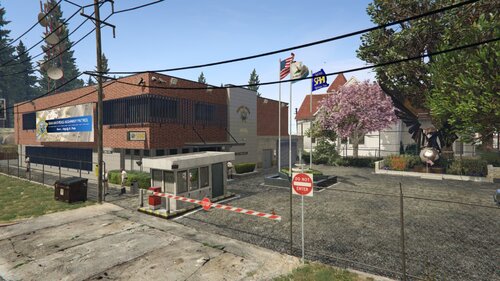 I'm using EUPFR config and set every agencies spawn ambitiently , and looks like this line will not just spawn peds on streets but also spawn them near the station randomly .
 -
Very gooooooood mod , I was always wondering enhance my lspdfr with more playable stations on maps and this is the one I've expecting for all these years. And seems like peds and cars spawn by lspdfr itself are more tend to spawn on this fountain .
-
Sorry for interrupt you after so many years , but my tear drop light can't roate , any idea to fix it ?
- 19 comments
- 2 reviews
-
SUCH A GREEEEEEEEEEAT WORK THAT YOU HAVE DONE!!!!!! THANK YOU FOR A TRILLION!!!!!!!!!!! When I was updated my GTA5 in mistaken , I thouht I cloud now free me from it andgo to do something else like finish my paperwork , but soon after a minute I realized that I can stop playing lspdfr and do something more important else , but I can't stand that I couldn't play the game and being forced to do something else.
-
IT's late 2021 now.....and almost the end of 2021, it still haven't released.......
-


