Oslop
Members
-
Joined
-
Last visited
Everything posted by Oslop
-
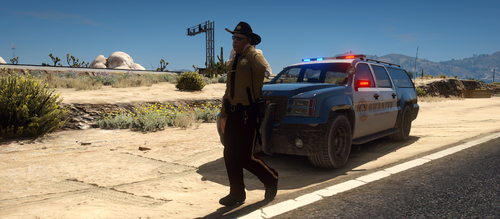 Hello, I enjoy the pack and really like the uniform pack, only issue I have run into is when I use the uniforms from the file, all the BCSO shirts, whether with lapel or not from the pack have a large white spot in the front and a spot on the back. Only those shirts have it, the other uniforms from EUP don't have it, even the LSSD. Is this because the file is outdated or just a problem on my part? I followed the installation note exactly by using OpenIV to go through my mods folder since I cannot open x64 without it. I have attached a screenshot.