


Mytical49
Members
-
Joined
-
Last visited
Everything posted by Mytical49
-
I see, it may be stupid but if I was you i will create a variable and when you take a drog package the variable take one and for exemple when you sell it lost one.
-
Hi, what were you doing when the game crashed ?
-
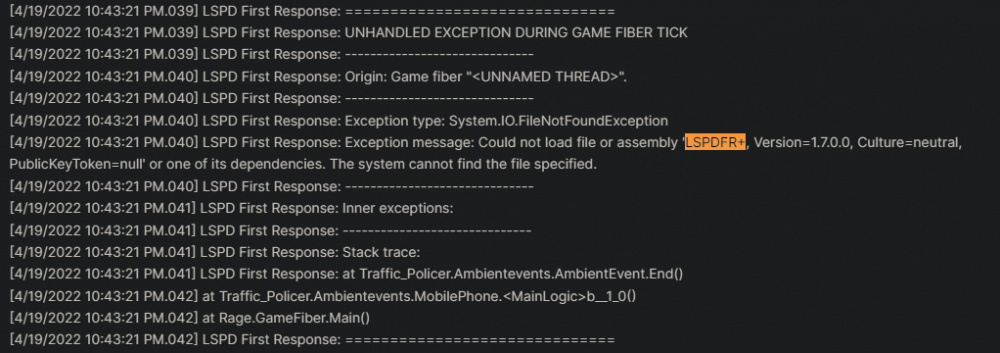
Hi, Traffic Policer is good because he as the newest version but we can see here than LSPDFR+ cause the crash and is version: 1.7.0.0 but the actual version is 1.9.0.0
-
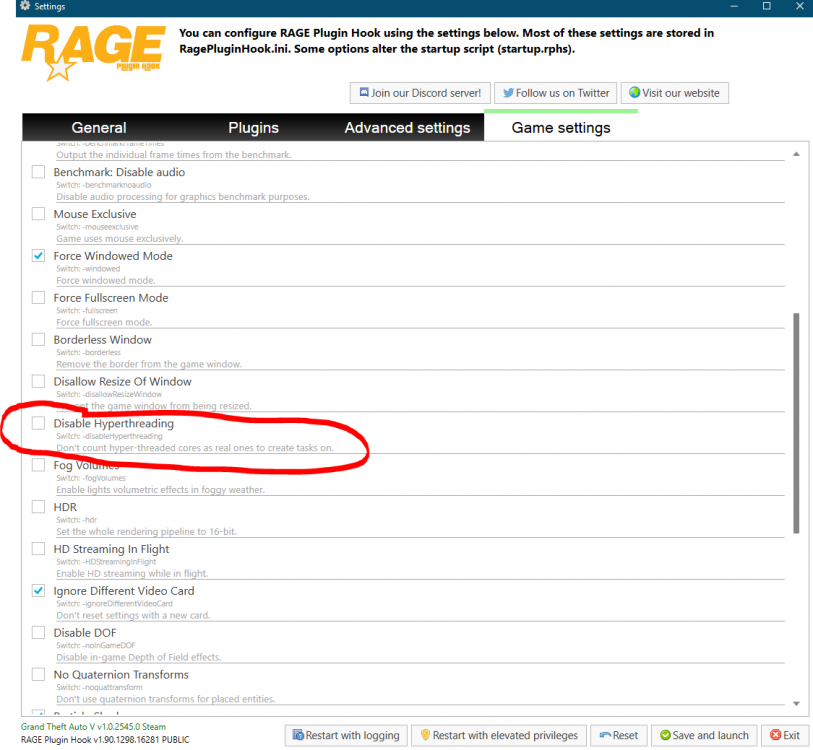
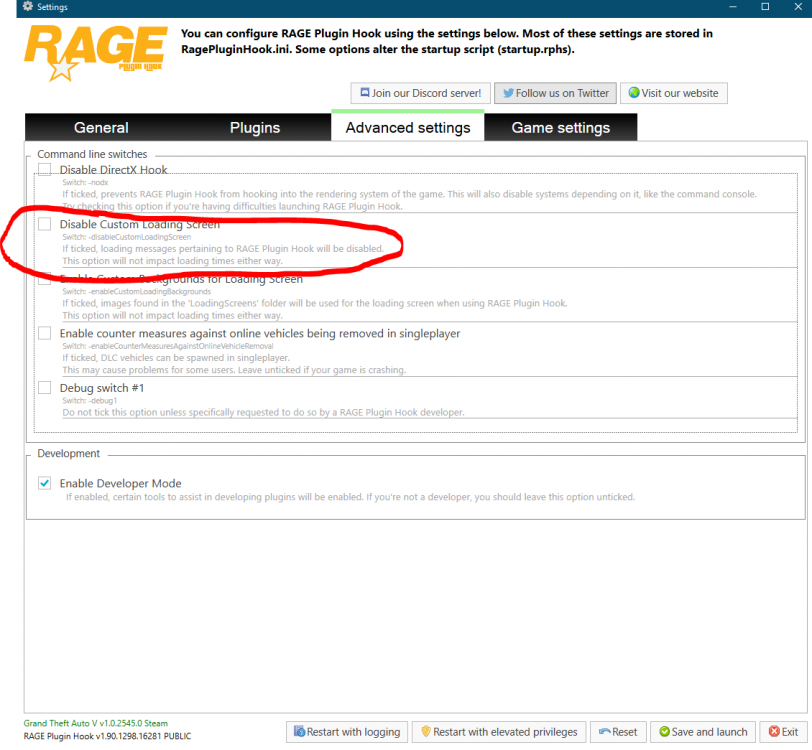
Hi, can you try to leave these boxes blank
-
Hi, can you try to install CSharp 4.0 here: https://www.microsoft.com/fr-fr/download/details.aspx?id=17851
-
Hi, this file is unreadable, post here the Ragepluginhook.log please
-
Hi, can you post the ragepluginhook.log here please
-
No problem glad I could help you 🙂
-
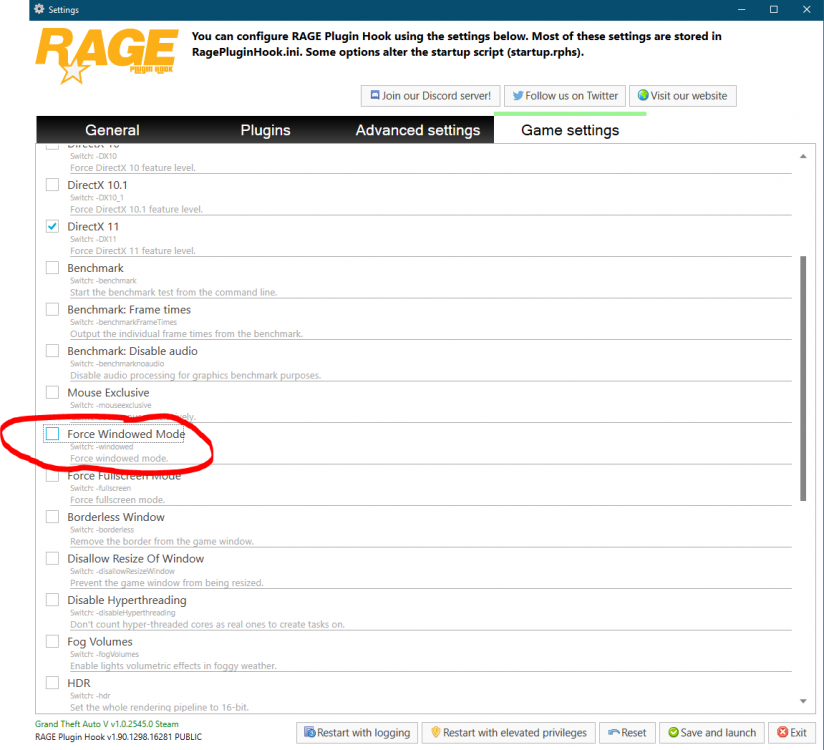
You need to disable forced windowed mode. I don't know for this but maybe
-
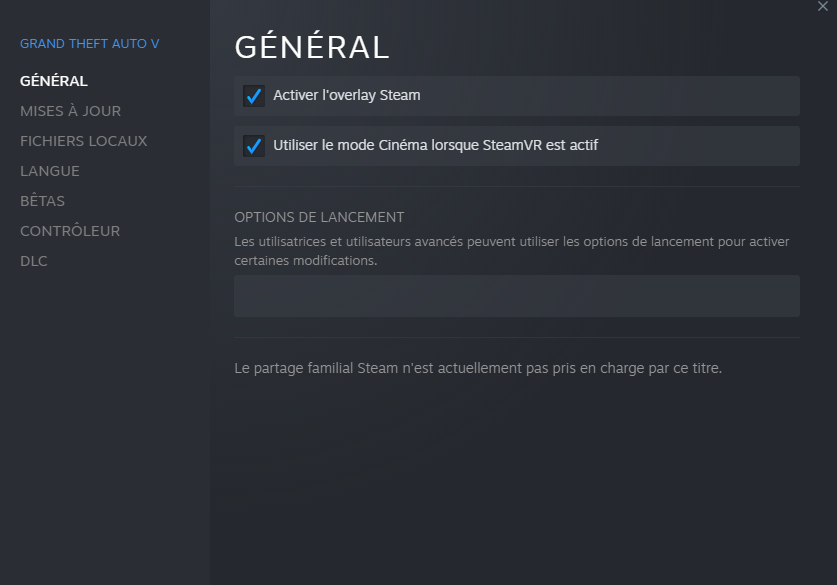
It looks like you have a launch command in steam for GTA 5 Try to remove it with right clicking your game in steam --> properties and remove the line like this : Check also this is empty I also noticed than you are on windows 8 and i don't know if it supported by lspdfr or others plugins
-
Glad to have been able to help you 😀 If you have any other question or problem you can ask me
-
Try to go to one file back like update\x64\dlcpack\patchday14\dlc.rpf\x64\levels\gta5\ Then right click Vehicles.rpf and click Show in "mods" folder
-
Glad to have been able to help you 😀
-
In the task of OpenIV: click Tools click ASI Manager Install everythings go back and it should show SHOW IN MODS FOLDER
-
Can you send a screenshot of openIV please
-
Okay so if the way doesn't exist go to update\x64\dlcpack\patchday14\dlc.rpf\x64\levels\gta5\vehicles.rpf and click SHOW IN MODS FOLDER, then you can put the files
-
Hi, it looks like Lidar plugin make the game crash, try to remove it
-
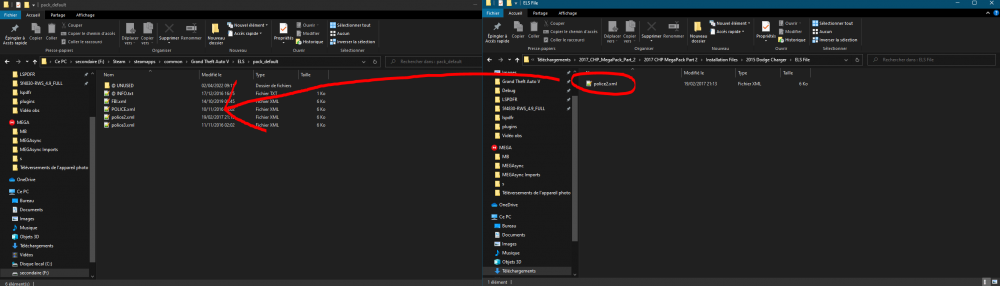
Oh okay, so ELS is just for vehicle lights and sirens, if you want to install an ELS vehicle you have to install the vehicle (by putting the yft files (following the installations)) then you have to take the ELS file (in your case for example: Installation Files\2015 Dodge Charger\ELS File) and put it in your GTA ELS files, so Grand Theft Auto V\ELS\pack_default For this Vehicule pack you need to install vehicule like this : -Select the vehicule you want to install, go in the folder -Take all the file except "ELS File" and put them in mods\update\x64\dlcpack\patchday14\dlc.rpf\x64\levels\gta5\vehicles.rpf (BE CAREFUL TO BE IN THE MOD FOLDER if the way doesn't exist go to update\x64\dlcpack\patchday14\dlc.rpf\x64\levels\gta5\vehicles.rpf and click SHOW IN MODS FOLDER, then you can put the files -finally like the picture show, take the file in "ELS File" and put it in Grand Theft Auto V\ELS\pack_default\
-
Do you mean the ELS file for the vehicule ?
-
Yeah he doesn't have to pay for something who is free, lspdfr is very huge and there is not much help for some things. If he want I will try to help him personnaly.
-
Salut quand tu télécharge LSPDFR dans le dossier il y a déjà un ragepluginhook, donc installe juste LSPDFR et c'est bon
-
Hi, can you please send us the RagePluginHook.log locate in the GTA's root please
-
Hi, try to reinstall LSPDFR+
-
Because the guide you follow doesn't work or is outdated so you need to remove CalloutInterface because CalloutInterface will show your the callout even if he is not registred. 1- Delete CalloutInterface from your plugin 2- Re open GTA 3-After LSPDFR and other plugin are initialized go on Duty 4- type StartCallout Dangerous_Callouts in the Rage terminal (F4) 5-Tell me if the command work or not 6- Send here the Main.cs here 7- Verify you write CRIME_RESIST_ARREST_02 and not CRIME_RESISTING_ARREST_02 8-Verify your audio file : lspdfr/audio/scanner and search for "CRIME_RESIST_ARREST_02"
-
If you want i can help you, add me on discord Mytical#9830




