


EIPEPE
Members
-
Joined
-
Last visited
Everything posted by EIPEPE
-
Sorry about that, Thank you though!
-
I have installed EUP menu, it doesn't show up, I have both of the DLC packs installed, the Rage Native UI it came with and the newest version (neither one work) I've uninstalled and re installed everything. Currently I have 4 things installed. EUP Menu, both EUP Packs, and Realistic Gun Sounds, EUP menu doesn't work. Any Ideas?
-
 The Native UI it comes with crashes my LSPDFR. I changed the native UI and it worked for LSPDFR but the menu never showed up.
- 635 comments
- 72 reviews
-
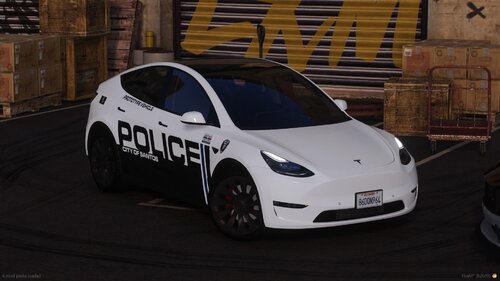 Bro I just started seeing these at my school and thought it would be cool to have in lspdfr.
 -
I have used lspdfr for about a month or so before the LS Tuners DLC, Since then i have had problem after problem. I have found a way to fix everything besides what im going through now, I had problems with it not hooking GTAV, I got the error about my anti-virus or slow system. I looked on youtube and tried everything I could and nothing worked. I then redownloaded GTAV through epic games launcher and installed LSPDFR. If I run it normally without starting Rage plugin it will load fine, but as soon as I try to load Rage I get something about temporary files and cant find anything about this. Anyone know somewhere i can look or have a solution?
