.png.f6e5ff7488dfe04aa5fdaefbbe086c7f.png)
Coldalliance
Members
-
Joined
-
Last visited
Everything posted by Coldalliance
-
-
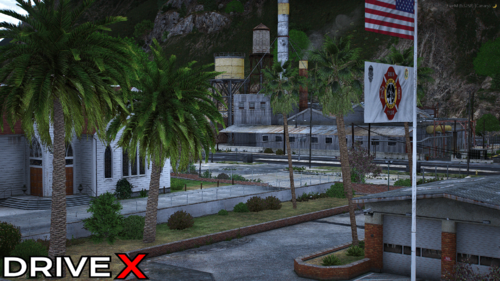 Look intersting! Will defo take a look when I next do some dev work on my server!
 -
I appoligise that hasn't helped fix it. I personally use "Simple Trainer" by sjaak327 which can be found on GTAVMods and I use the ped customization. I will keep looking for a solution for this menu as I am unsure why its happening as the RageNativeUI fixed my error which is identical to yours.
-
I do believe as long as your replacing a default in-game vehicle that path can be used. I do use it to also replace normal civilian vehicles such as the tow trucks etc. And you can rename a vehicle that is a addon (A vehicle that doesn't replace ingame vehicles) to then replace. I don't personally as sometimes it might not work completly correct but it can be done in terms.
-
Oh ok, So I did just test it for myself. Which I dont personally use this plugin due to having other methods. However I noticed i get the crash till I've updated my RageNativeUI. Could you attempt to update this? The updated NativeUI can be found by searching on Google "alexguirre RageNativeUI" and then go to the github webpage and get the latest copy of RageNativeUI. Should be RageNativeUI 1.9.3 which was released December 12th 2024. After I updated it with that file EUP Menu works fine for me.
-
Hey there! Is your main question how do you add custom vehicles into your game to patrol in? Instead of using the default GTA Police vehicles? Most vehicles espically on this website are made in mind of repalcing the default vehicles. THe main vehicles that are police vehicles will be listed below. Ambulance, Firetruk, Police, Police2, Police3, Police4, Sheriff, Sheriff2, FBI, FBI2, polmav (The Police/Ambo Helicopter) There is a few other ones but I dont personally remmeber the names of tehse vehicles; However the ones listed above are the main vehicles. Below is the path that I use to replace my vehicles and as long as they follow the name above you can just drag and drop them into this. GTAV Root Dictonary > mods > update > x64 > dlcpacks > patchday22ng > dlc.rpf > x64 > levels > gta5 > vehicles.rpf In regards to finding good vehicles I do recommend this site in the downloads section they is alot of good vehicles posted on here, Most will be ELS vehicles which will require a seperate plugin called "ELS" AKA "Emergency Lighting System" This can be foudn in Downloads > Essential Mods > Emergency Lighting System by Lt. Caine Hopfully this helps you achive what you want to do! Edit: You will require a application called "OpenIV" to be able to install custom vehicles which is also used to create teh Mods Folder.
-
Might sound stupid; But im not actually seeing any error for the EUP menu in your log? Is they an actual error that pops up when it crashes? Or is it just saying its errored and unloaded?
-
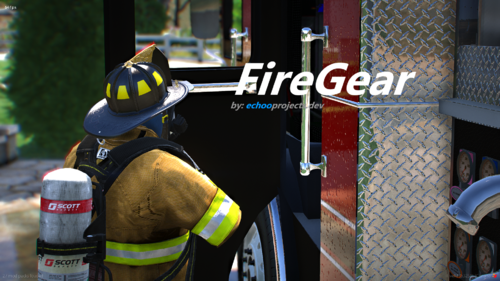
.thumb.png.7ac5f502e29b3977dd96b74028e272ca.png) Very intersting! Will give this a try and a look. Will give it a mention in my next video. Intesting to see if you can change things such as the whole rockstar recorder keybind as I use that would be intresting to keep that working instead of removing it!
Very intersting! Will give this a try and a look. Will give it a mention in my next video. Intesting to see if you can change things such as the whole rockstar recorder keybind as I use that would be intresting to keep that working instead of removing it!- 19 comments
- 1 review
-
-

- 1
-
-
Have you disabled battle eye in the rockstar launcher? I know when its enabled it wont load
-
 Absalutly love the pack! So great to see a massive variety of callouts into one pack! Can't wait to see future updates to this callout pack! Can't wait to get videos of these callouts for YouTube! Keep up the hard and great work!
- 356 comments
- 25 reviews
-
-

- 1
-
-
 Amazing plugin! Very much what you need! Great being able to call back-up pre scene arrival! Amazing plugin man!
 -
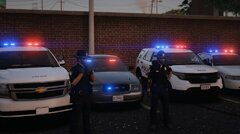
From the album: Colds Vehicle Gallery
-
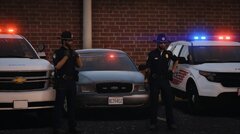
From the album: Colds Vehicle Gallery
-
This is where I will be posting pictures of vehicles I install in GTAV
-
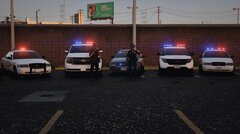
From the album: Colds Vehicle Gallery
-
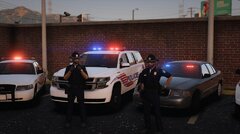
From the album: Colds Vehicle Gallery
-
From the album: Colds Vehicle Gallery
-
From the album: Colds Vehicle Gallery
-
From the album: Colds Vehicle Gallery
-
From the album: Colds Vehicle Gallery
-
From the album: Colds Vehicle Gallery
-
From the album: Colds Vehicle Gallery
-
From the album: Colds Vehicle Gallery
-
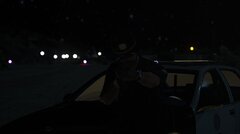
From the album: Colds Vehicle Gallery
-
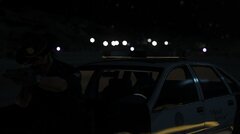
From the album: Colds Vehicle Gallery
.thumb.png.d7d34f55f1da52d81c07a7eb41ac97f2.png)

.thumb.png.7ac5f502e29b3977dd96b74028e272ca.png)