


cshada97
Members
-
Joined
-
Last visited
Everything posted by cshada97
-
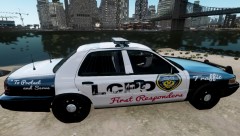
From the album: My Textures
Side-Daytime view of my first texture -
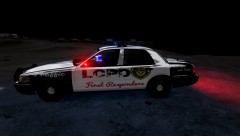
From the album: My Textures
night-side view, ELS v7 Enabled and online -
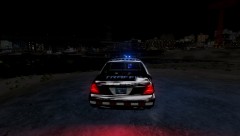
From the album: My Textures
Night-Tail View of my first texture ELS v7 Enabled and Online -
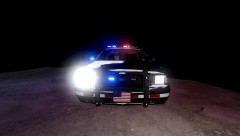
From the album: My Textures
Night-Frontal view of my first texture with ELS v7 Enabled and online -
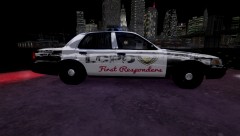
From the album: My Textures
Side-night view of My first Texture -
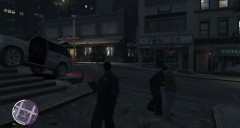 As opposed to them walking them to their car with their hands up, effective but not realistic. I wanna see an animation for throwing subjects on the ground and zip-tying their hands behind their back
 -
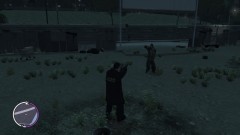 awesome! I've been waiting for something like that, sure will be interesting to see how players in mp cooperate to resolve the situation, I see multiple "Sierra shots" in the future
 -
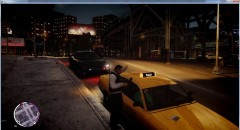 Should have this as a toggle in the .ini if possible
 -
Hi, is there no way to change this to work how it does in SP?
-
Its great, it mainly focuses on the lights though, so if you want EVERYTHING to look smexy, including the lights, get Neolux's ENB v4, I switched to it, and unless something goes terribly wrong, I'll stay on it. --Cheers
-
I use the Federal Signal Unitrol Omega 90, which is the same as this one http://www.youtube.com/watch?v=6IaksVckMsg, with out that priority, it uses the Whelen 295 priority
-
Often wondered that myself, I use Game4Video http://www.gta4-mods.com/misc/game4video-enb-107-f17186
-
Well, when I first started, I piddled around stopping people, on many occasions, I would check ID, and as I was talking to him, whether to let him go, cite, or arrest, as you can guess, I repeadetly get my cruiser rammed into, usually leading to my death, since then I have become more self-concius on where I park!
-
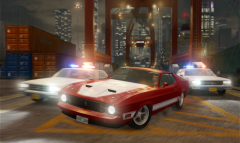 What graphic enhancer do you use? I use Game4Video ENB, it does NOT look that smexy
 -
One issue I ran into, was this intended for a certain model? or am I just a noob at changing out skins? It looks great on one car, but I put it on another and one side is super low to the car
- 4 comments
- 3 reviews
-


