Veutum YT
Members
-
Joined
-
Last visited
Everything posted by Veutum YT
-
thanks ill see if thats the problem. Honestly i think that your right about script hook v i didnt get a error or anything for script hook v. So i didnt check the version. ill be backk here to see if it workks after the update.
-
I've unchecked battle eye in the rockstar launcher and I've also deleted the dinput8.dll and then it works but when i try and use the trainer v it doesn't work. I went into open iv and the asi loader has been uninstalled which means i need dinput8.dll to use the trainer v. Is there a fix?
-
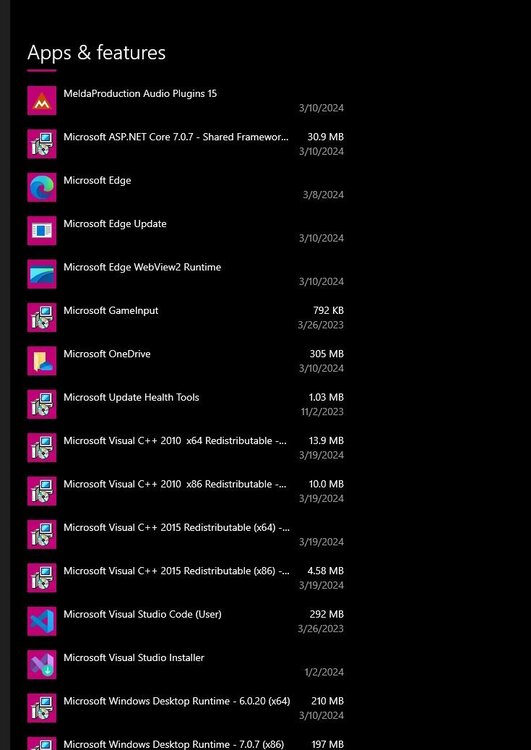
@Yasdi have it installed and it still dont work. @Yasdive also uninstalled and reinstalled over 3 times in the past 6 months
-
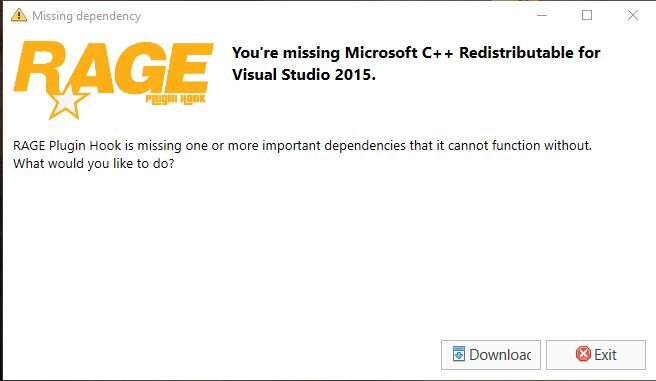
I've uninstalled and installed various versions that i got from other peoples topic on here but they aren't working. HELP PLEASE i wanna play.
-
ive went to websites read off here about how to fix it and it wont work, i could use help to fix it so i can play the fabulous game
-
ive went to websites read off here about how to fix it and it wont work, i could use help to fix it so i can play the fabulous game