JSR94
Members
-
Joined
-
Last visited
Everything posted by JSR94
-
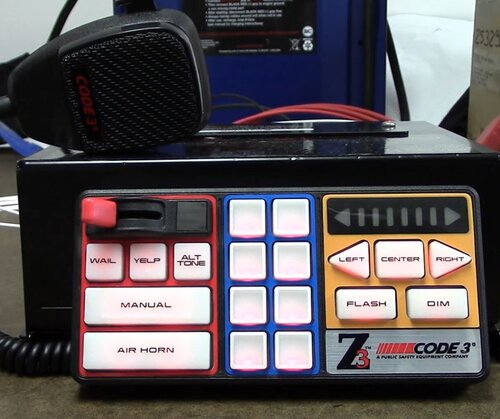 Yeah same problem as everyone else is describing, the ambulance's and some cruisers just blast off their horn constantly which is incredibly annoying, great siren but that's making me want to browse for another as being in a pursuit with a backup unit that has their horn going the ENTIRE time is headache material.
- 33 comments
- 5 reviews
-
 Everything appears to be working however when I press available on the interface, the popup above the map shows im available but the actual Status still appears as not available, I attached an image. Any ideas? @opus49
- 452 comments
- 50 reviews
-
 Thanks for the response! I just managed to get the same call out to the park and this time it managed to open and close the phone without a problem! It may of been a one time freak error, I will continue to use it for sure and try to replicate it, if not it seems to have fixed itself anyway! (Although I got the park and couldn't find anything but that's on me haha) Thanks for the suggestion aswell that would be much easier than restarting the game! Great callouts bro, really enjoying them!
- 202 comments
- 18 reviews
-
- rph
- lspdfr callout
- legacy
- rph
-
Tagged with:
-
So I installed the mod correctly a few moments ago, I received a text about broker park and as soon as I opened the phone, that phone display is now stuck on the screen indefinitely, I cant press escape at all in game, the back button doesn't close the phone so im now stuck with it on my screen unless I reload the game by using task manager to quit the game as again the escape button wont work at all, any ideas? @ZPhDevs
- 202 comments
- 18 reviews
-
- rph
- lspdfr callout
- legacy
- rph
-
Tagged with:
-
 So i have other bugs right now, but i fixed this issue. It seemed to be a case of checking it was installed correctly first off, Then unloading and reloading the plugin in game in the Rage console. Worked flawlessly after that!
- 561 comments
- 97 reviews
-
So i have no idea what went wrong, but as of last night my AI police lights are not working. I use DLS and have the config addon for packs, I use 11John's11 LSPD pack. Weird thing is i can use them just fine, but the lights will not work at all for the AI.
-
Never mind Installing EUP seemed to fix this issue.
-
Anybody have any ideas why Felony Stop crashed my game? Not the standard, its a separate plugin. It only happened when i selected "Terminate Felony Stop" in the menu, Log is attached below. RagePluginHook.log
-
I'm sure just actually holding E on the peds still uses the default animations, Makes them lie down and then hold E again to cuff them while on the ground as it is without Stop the Ped
-
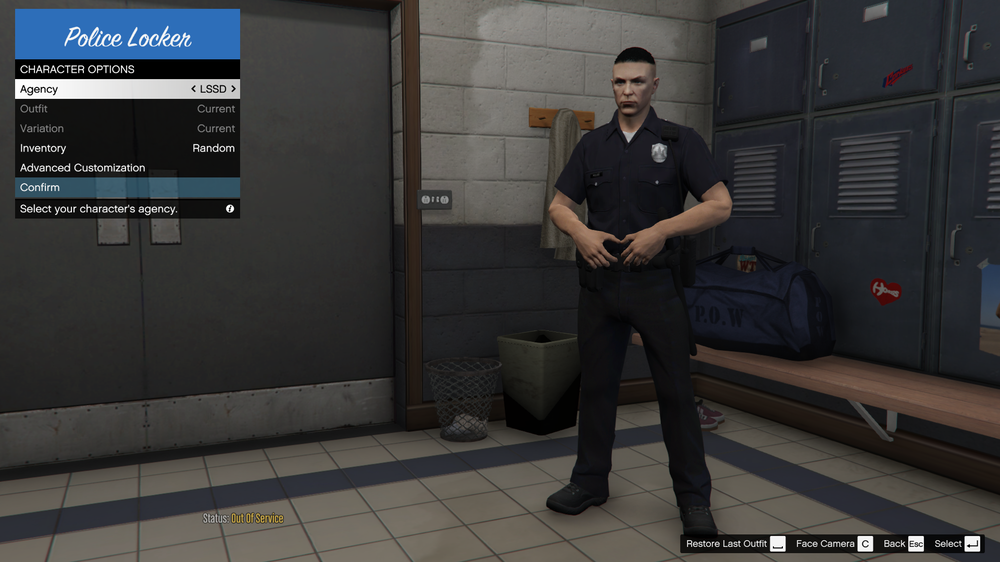
So i can only use a very limited number of agencies. Agencies greyed out are: LSSD, SAHP, NYSP, DOA and SAPR See screenshot below for example, Any ideas?
-
Installed and plugin says it's loaded, Standard LSPD officer locker choice in LSPDFR doesn't have the holster, Also even with a model with the holster the gun stays in there and my Char pulls the gun as a normal GTA char would. The intimidate button also doesn't work. Any ideas?
- 561 comments
- 97 reviews
-
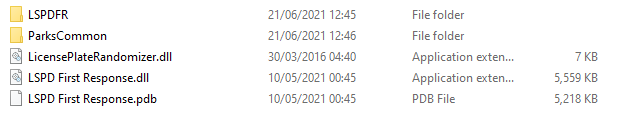
So I've had a day off work today and decided to install and play this mod. Feel like I waisted the entire day restarting the game because of crashes. This attached file is my latest Log: I think it could be callout's crashing me but i don't know. I have no custom vehicles installed, Also I don't actually have Police Smart Radio installed although i have the folder, I believe that folders from a dispatch sound mod. My plugin List is as follows in the images: Thanks for looking and possibly helping. RagePluginHook.log