Skip to content
View in the app

A better way to browse. Learn more.

LCPDFR.com

A full-screen app on your home screen with push notifications, badges and more.

To install this app on iOS and iPadOS
  1. Tap the Share icon in Safari
  2. Scroll the menu and tap Add to Home Screen.
  3. Tap Add in the top-right corner.
To install this app on Android
  1. Tap the 3-dot menu (⋮) in the top-right corner of the browser.
  2. Tap Add to Home screen or Install app.
  3. Confirm by tapping Install.

Drxpzy qt

Members
  • Joined

  • Last visited

    • 1,615 downloads
    • Version 1.0.0
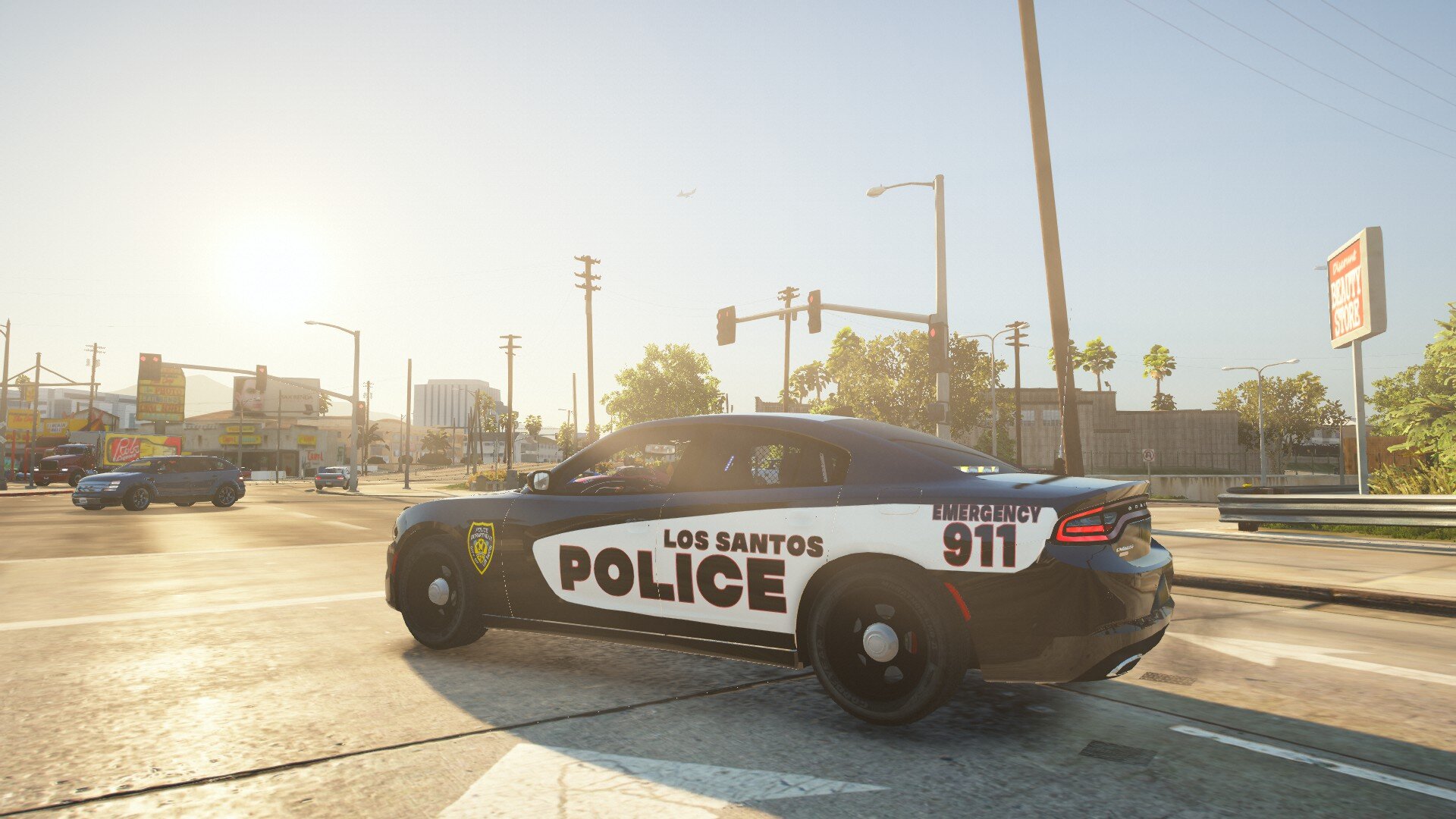
    Fourth Skin. 2018 Doge Charger (Blaine County Special Operation) -------2018 Doge Charger made by Drxpzy qt------- ---DO NOT UPLOAD WITH OUT PERMISSION OF THE CREATOR--- --DO NOT CLAIM THIS TEXTURE AS YOURS-- -THIS IS MY FOURTH TEXTURE EVER- --MAKE SURE YOU USE A 2018 CHARGER-- -A GOOD ONE IS https://www.lcpdfr.com/downloads/gta5mods/vehiclemodels/23691-2018-dodge-charger-awd-non-els-fivem-ready/ (ONLY FOR FIVEM)- ==================================== INSTALLATIOM GUIDE ==================================== 1. Have any type of 2018 Doge charger 2.Go in to OPENIV, Go to the vehicle location (Make sure your in edit mode), then open the ytd. 3. Then in the search bar on the top left search "sign", then chgr_sign_1 should pop up, In the WinRar drag and drop the "Livery_chgr_sign_1" into OPENIV in the ytd. 4. Launch your game and the texture should be there! Enjoy. How to install Video:
    • 9 downloads
    • Version 1.0.0
    This is my third texture. This texture is made to represent Pancreatic Cancer Awareness. -------2019 Tahoe Texturer made by Drxpzy qt------- ---DO NOT UPLOAD WITH OUT PERMISSION OF THE CREATOR--- --DO NOT CLAIM THIS TEXTURE AS YOURS-- -THIS IS MY THIRD SECOND TEXTURE EVER-
    • 55 downloads
    • Version 1.0.0
    This is a texture for a 2015 Doge Charger. This is my second ever texture. Don't make front of me lol. Hope you guys enjoy it! -------2015 Doge Charger made by Drxpzy qt------- ---DO NOT UPLOAD WITH OUT PERMISSION OF THE CREATOR--- --DO NOT CLAIM THIS TEXTURE AS YOURS-- -THIS IS MY SECOND TEXTURE EVER-

Account

Navigation

Search

Search

Configure browser push notifications

Chrome (Android)
  1. Tap the lock icon next to the address bar.
  2. Tap Permissions → Notifications.
  3. Adjust your preference.
Chrome (Desktop)
  1. Click the padlock icon in the address bar.
  2. Select Site settings.
  3. Find Notifications and adjust your preference.