TheNotSoModMaster
Members
-
Joined
-
Last visited
Everything posted by TheNotSoModMaster
-
Update 2: Did not work still searching for solutions i'll keep you updated!
-
Same type thing really (sorry for late reply) (Check the spoiler) Update: I found out the problem it isn't GTA it is Windows! Here is how to fix it (hopefully) https://www.thewindowsclub.com/how-to-fix-error-0xc0000005-on-windows-10
-
Hi, I'm having a problem were I launch my game either with or without rph (rage plugin hook) when running with rph it will give a crash report and the last thing on it is "Loading Message" and nothing else. If anything is required to help just say. (Disclaimer: Don't tell me to stop using old plugins or anything like that or clean up folder as I want everything I have in there)
-
If a addon emergancy vehicle (ect.lego city ambulance) with the els file that comes with it. DO I just put it in as that dose not work for any add-on emergancy vehicles I have tried. Link for leg city ambulance: https://www.gta5-mods.com/vehicles/lego-city-ambulance-add-on-replace-els
-
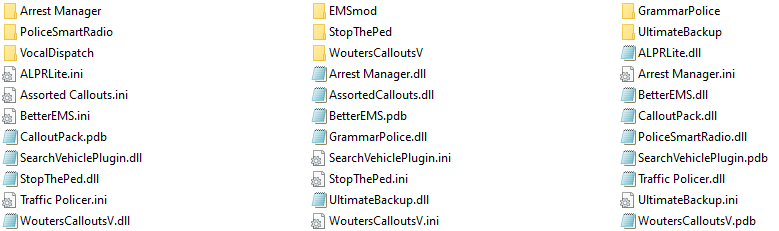
When I boot LSPDFR it automatically gives me a pistol and some other stuff and when I go to add weapons to my inventory it instantly removes them. I do use stp but I have disabled the realistic weapon system through the ini. I am using no loadout plugins. My LSPDFR plugins folder \/ Btw I understand I am using old plugins please don't tell me to remove them they work perfectly fine for me.