Skip to content
View in the app

A better way to browse. Learn more.

LCPDFR.com

A full-screen app on your home screen with push notifications, badges and more.

To install this app on iOS and iPadOS
  1. Tap the Share icon in Safari
  2. Scroll the menu and tap Add to Home Screen.
  3. Tap Add in the top-right corner.
To install this app on Android
  1. Tap the 3-dot menu (⋮) in the top-right corner of the browser.
  2. Tap Add to Home screen or Install app.
  3. Confirm by tapping Install.

Firefighterzach621

Members
  • Joined

  • Last visited

  1.    sebek91 reacted to a comment on a file: FDLC Script
  2.    10oClock reacted to a comment on a file: FDLC Script
  3. Firefighterzach621 started following MedicRyan
  4. MedicRyan started following Firefighterzach621
  5.    Thomas119987 reacted to a comment on a file: FDLC Script
  6.    OfficerHamann reacted to a comment on a file: FDLC Script
  7.    elitoxxx reacted to a comment on a file: FDLC Script
  8.    Drake_fito reacted to a comment on a file: FDLC Script
  9.    kodzi95 reacted to a comment on a file: FDLC Script
  10.    fireking2321 reacted to a comment on a file: FDLC Script
  11. DOES ANYONE HAVE A WAY TO FIX THIS TRUCK FROM TIPPING ON EVERY TURN???
    • 37 downloads
    • Version .png
    a quick fdny engine skin for the marauder II
  12. Does anyone have the new rescue 1 from GTAPOLICETRUCKER??? Couldn't find it anywhere.. can anybody help me?
  13.    miloo reacted to a comment on a file: FDLC Script
  14. waited so long simply amazing!!!!!!!!
    • 61 downloads
    • Version png
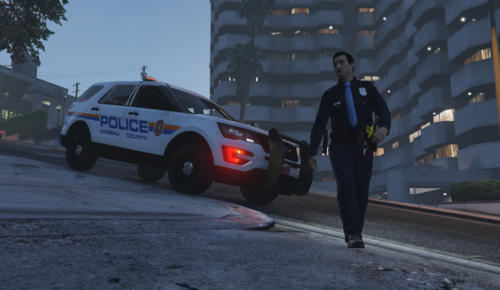
    Nassau County ,NY Police Highway Patrol ...new skin for the 2012 Dodge Charger and here is the link to it... http://www.gta4-mods.com/vehicles/florida-highway-patrol-2012-dodge-charger-els-f12254

Account

Navigation

Search

Search

Configure browser push notifications

Chrome (Android)
  1. Tap the lock icon next to the address bar.
  2. Tap Permissions → Notifications.
  3. Adjust your preference.
Chrome (Desktop)
  1. Click the padlock icon in the address bar.
  2. Select Site settings.
  3. Find Notifications and adjust your preference.