GrantK12
Members
-
Joined
-
Last visited
Everything posted by GrantK12
-
 Currently using the 1.8 Patreon Early Access version. My traffic is all over the place. I uninstalled the old version before installing 1.8. Any fix?
- 189 comments
- 9 reviews
-
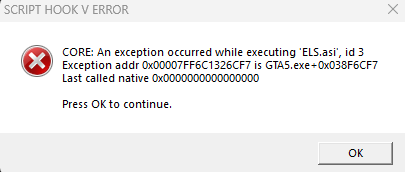
Alright fellas! I have come to you with a fix. I don't know why the crash was showing ELS.asi, but it was crashing because I didn't have mpstubpatch installed for my addon EUP. It was causing my game to crash. I did a fresh install of LSPDFR and forgot to reinstall that script. Thanks everyone for the help and I hope this helps those of you in the future.
-
AdvancedHookV.log Here you go! Thanks again for trying to help!
-
Tried this ^^^ still getting the same crashed.
-
ScriptHookV.log Here you go! Thank you in advance!
-
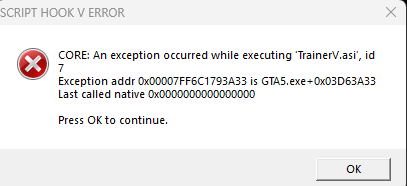
I have Updated the Latest version of ScriptHookV I have used the advanced hook from both ELS 1.0.5, and the separate one when downloading ELS I have deleted NVE.asi I have deleted args.txt I am out of ideas and was posting to the forums to see if anyone has any solutions that I have not tried.
-
 I am replying to this, to get it bumped. I am currently suffering with the same issue. I have reinstalled scripthookV, I have reinstalled advanced hook from both the patch and from the ELS 1.0.5 file like it says to do on newer versions, I have deleted NVE.asi, I have deleted args.txt, I have tried everything with still no fix.
- 2,698 comments
- 240 reviews
-
 Hey all. So I added the EUP and my game crashed so I added the fix as well that is linked in the file. My game still crashed. Is there a start order to the fix file, or is it my game that is just messed up? I am using the EUP L&O and S&R from this website. Thanks in advance!