Sasrical
Members
-
Joined
-
Last visited
Everything posted by Sasrical
-
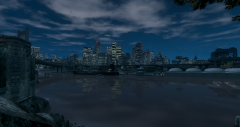
From the album: Sasrical on Patrol
A shot from the Dukes graveyard looking across to the RON Gas oil Refinery on Charge Island! -
On patrol shots. Anything from RCMP to LCPD. Police to Fire and Fire to EMS! Maybe even some towing stuff!
-
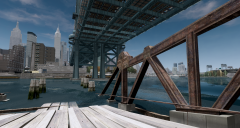
From the album: Sasrical on Patrol
Stunning shot from under the Algonquin bridge in Broker! -
From the album: Sasrical on Patrol
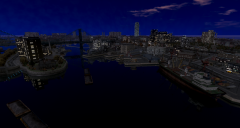
Beutiful night shot of the East hook ports in Broker. -
From the album: Sasrical on Patrol
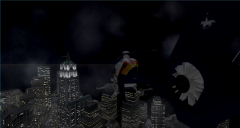
RCMP Air 1 on duty over Algonquin! -
From the album: Sasrical on Patrol
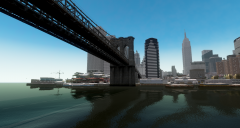
Beautiful shot of the Broker Bridge towards Algonquin! -
Definitely some skills I will use in the future. Thanks :P
-
-
This is an excellent post sir!! Great Job! :D
-
-
For those of you who said you couldn't play because you NAT is strict there if a simple fix. Go into your router settings and port forward: Ports: 2074, 3074, 88 That should OPEN your NAT Type! :D
-
ooooo well this finally makes sense lol thanks :D
-
I still dont get this. There is a picture of a monkey and no texture
-
why cant you upload??? Awesome car BTW lol
-
None: You are always full of suprises :P Good Job! :D
-
 Ummmm. What exactly happened lol
 -
A quick question. I have yet to try this but when you enable the ELS in the ini like for a civilian car like Patriot will it also give you the siren?
-
Wait is this just a joke or do you actually want feedback on a texture?
-
OMFG that truck. Im downloading that beauty! :D
-
O hell no thats a lot of textures :P I actually adore your textures. Good job man! Keep up the great work! :D
-
-
I'm not sure if the carwash script is possible simply for the fact that Rockstar Games' wrote that and we don't have access to the code! Is this to be included in 0.95 RC3 or is it already a feature
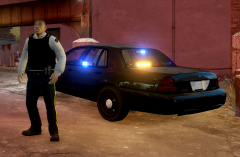 Not for download sorry dude!It wasn't Srgt Scales that asked you.....