


Hessen Mods
Members
-
Joined
-
Last visited
Everything posted by Hessen Mods
-
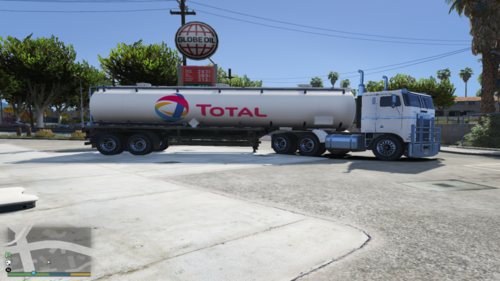 English text bellow DE: Da dies eine Lakierung ist, musst du das Original Modell herunterladen. Hier der Link: https://www.gta5-mods.com/paintjobs/cisterna-e-camion-shell !!!WICHTIG!!! Du benötigst zur Installation OpenIV. Hier der Link zu OpenIV: https://openiv.com/ Installationspfad: GTAV\mods\update\x64\dlcpacks\patchday25ng\dlc.rpf\x64\levels\gta5\vehicles.rpf Viel Spaß! EN: Since this is a paint job, you have to download the original model. Here is the link: https://www.gta5-mods.com/paintjobs/cisterna-e-camion-shell !!!IMPORTANT!!! You need OpenIV for the installation. Here is the link to OpenIV: https://openiv.com/ Installation path: GTAV \ mods \ update \ x64 \ dlcpacks \ patchday25ng \ dlc.rpf \ x64 \ levels \ gta5 \ vehicles.rpf Have fun!
 -
 Hey jo, WTF??? Hab gesehen, das du aus Deutschland kommst, darum die frage auf Deutsch: hat ds Virensystem es nur als PUA oder als richtigen Virus erkannt? Frage 2: Ist es einer? hab da etwas sorge. Darum bitte nicht beleidigend sehen ok? 😉
- 319 comments
- 17 reviews
-
 Preview: Update Video: english text bellow DE: Ich empfehle dir, vor der Installation ein Backup vom mods-Ordner oder von STREAMED_VEHICLES_LOW_LATENCY.rpf zu machen, falls was sein sollte. !!!! WICHTIG !!!! Du benötigst zur Installation OpenIV. Hier der Link zu OpenIV: https://openiv.com/ Installationspfad: GTA V\mods\x64\audio\sfx\STREAMED_VEHICLES_LOW_LATENCY.rpf Ersetzte dort die hunter_helicopter.awc indem du meine per drag and drop reinziehts. EN: I recommend that you make a backup of the mods folder or STREAMED_VEHICLES_LOW_LATENCY.rpf before the installation, if that should happen. !!!! IMPORTANT !!!! You need OpenIV for the installation. Here is the link to OpenIV: https://openiv.com/ Installation path: GTA V \ mods \ x64 \ audio \ sfx \ STREAMED_VEHICLES_LOW_LATENCY.rpf Replace the hunter_helicopter.awc there by drag and drop mine into it.
 -
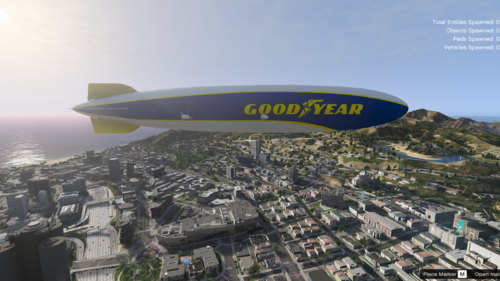 DE: Da dies eine Lakierung ist, musst du einmal das Original Modell herunterladen. Hier der Link: https://www.gta5-mods.com/vehicles/hindenburg-zeppelin-addon-replace-i-lods !!! WICHTIG !!! Du benötigst zur Installation des Luftschiffes OpenIV. Hier der Link zur OpenIV: https://openiv.com/ Installation: Als erstes musst du das Addon / Replce in dein GTA mods Ordner installieren. Die ReadMe des Original Luftschiffes musst du für die Installation durchlesen. Installationspfad: GTAV\mods\update\update.rpf\x64\dlcpacks\hindenburg\dlc.rpf\x64\vehicles.rpf\hindenburg.ytd Dort gibst du in die Suchleiste der .ytd datei "Sign" ein. Dort findest du alle 3 Texturen des Luftschiffes. Du kannst dir aussuchen, welche Textur du ersetzen möchtest, und wählst oben rechts "Ersetzen". Nun musst du meine .zip entpacken und in den "File" Ordner gehen. Wähle "TEMPLATE.bmp" aus und klicke auf "Öffnen". Wenn das Template fertig gelden hat, wähle "Speichern" Fertig. Genau so geht es ach mit dem replace Luftschiff diese Dateien heißen dort allerings "blimp" dort musst du auch einfch nur in die .ytd gehen, und alle Schritte wiederholen. EN: Since this is a paint job, you have to download the original model once. Here is the link: https://www.gta5-mods.com/vehicles/hindenburg-zeppelin-addon-replace-i-lods !!! IMPORTANT !!! You need OpenIV to install the airship. Here is the link to OpenIV: https://openiv.com/ Installation: First you have to install the addon / replce in your GTA mods folder. You have to read the ReadMe of the original airship for the installation. Installation path: GTAV \ mods \ update \ update.rpf \ x64 \ dlcpacks \ hindenburg \ dlc.rpf \ x64 \ vehicles.rpf \ hindenburg.ytd There you enter "Sign" in the search bar of the .ytd file. There you will find all 3 textures of the airship. You can choose which texture you want to replace and select "Replace" in the upper right corner. Now you have to unzip my .zip and go to the "File" folder. Select "TEMPLATE.bmp" and click on "Open". When the template has finished loading, select "Save" Done. That's exactly how it goes with the replace airship these files are called "blimp" there, however, you just have to go to the .ytd and repeat all the steps.
 -
 @Hadyfaik Thank you 😉
 -
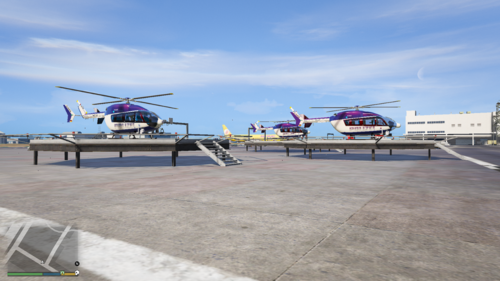 Update ist in arbeit! Update is in progress!
 -
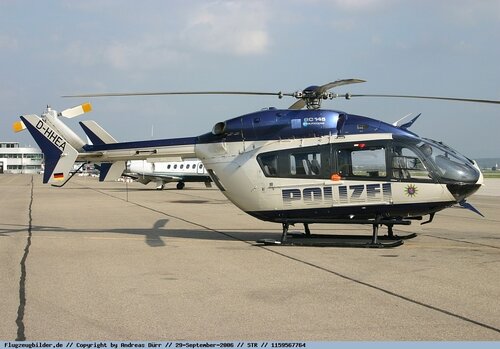
English text bellow !!!!!Wichttig!!!!! Du benötigst zur Installation OpenIV. Hier der Link: https://openiv.com/ Da dies eine Lackierung ist, musst du den Original Helikopter herunterladen. Hier der Link: https://www.gta5-mods.com/vehicles/mps-npas-ec145 Installation: GTAV\mods\update\x64\dlcpacks Kopiere hier d-hhea, d-hheb, d-hhec rein, und füge die beiden .yft Dateien in allen drei Ordnern unter folgendem Pfad ein: dlc.rpf\x64\levels\gta5\vehicles\vehicles.rpf dlclist.xml: Kopiere dort folgendes ein: <Item>dlcpacks:\d-hhea\</Item> <Item>dlcpacks:\d-hheb\</Item> <Item>dlcpacks:\d-hhec\</Item> !!!!!Important!!!!! You need OpenIV for the installation. Here is the link: https://openiv.com/ Since this is a paint job, you have to download the original helicopter. Here is the link: https://www.gta5-mods.com/vehicles/mps-npas-ec145 Installation: GTAV \ mods \ update \ x64 \ dlcpacks Copy d-hhea, d-hheb, d-hhec in here, and paste the sworn .yft files in all three folders under the following path: dlc.rpf \ x64 \ levels \ gta5 \ vehicles \ vehicles.rpf dlclist.xml: Copy the following there: <Item>dlcpacks:\d-hhea\</Item> <Item>dlcpacks:\d-hheb\</Item> <Item>dlcpacks:\d-hhec\</Item>
-
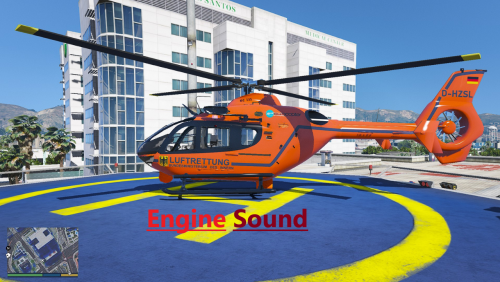 DE: Sollten weitere Fehler vorhanden sein, meldet mir diese bitte hier. EN: If there are other errors, please report them to me here.
 -
Wenn du noch Vorschläge hast, schreibe sie hier gerne rein 😉 If you have any suggestions, please write them here;)
-
Preview: English text bellow Deutsch: !!!WICHTIG!!! Du benötigst zur Installation OpenIV. hier der Link: https://openiv.com/ 1. Installation: GTAV\mods\x64\audio\sfx\STREAMED_VEHICLES.rpf ersetze dort die "cargobob_helicopter.awc" zu meiner. 2. Installation: GTAV\mods\x64\audio\sfx\STREAMED_VEHICLES_LOW_LATENCY.rpf ersetze dort die "cargobob.awc" zu meiner. English: !!!IMPORTANT!!! You need OpenIV to install. here is the link: https://openiv.com/ 1. Installation: GTAV \ mods \ x64 \ audio \ sfx \ STREAMED_VEHICLES.rpf replace the "cargobob_helicopter.awc" with mine. 2. Installation: GTAV \ mods \ x64 \ audio \ sfx \ STREAMED_VEHICLES_LOW_LATENCY.rpf replace the "cargobob.awc" with mine.
-
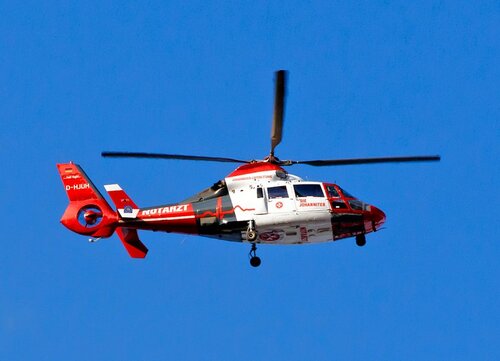 @Hadyfaik Preview:
 -
@Hadyfaik I plan to do it in the next half hour;) I send the link then here in the comments
-
Deutsch: Sollte es Fehler geben, melde sie mir. Ich schaue was ich tun kann um diese zu beheben. English: If there are errors, report them to me. I’ll see what I can do to fix it.
-
Final Preview: https://www.youtube.com/watch?v=13ih5kFP9co&ab_channel=Leon_Gaming01 EN: Associated helicopter: https://www.lcpdfr.com/downloads/gta5mods/vehiclestextures/34280-eurocopter-as-365-die-johanniter-rettungshubschrauber/?tab=comments#comment-288308 go to GTA V / mods / x64 / audio /sfx then go to any AS-365 dlcpack and go through the following file path to specify the sound modification. NameOfDlc / dlc.rpf / common / data / levels / gta5 / vehicles.meta then look for the following value in the Vehicle Meta: "<audioNameHash>" then copy my value at <audioNameHash> to this: <audioNameHash>HUNTER</audioNameHash> you're done! I hope I didn't explain it too complicated 🙂
-
DE: Solltet ihr Fehler finden, meldet sie gerne hier 😉 EN: If you find any errors, please report them here😉
-
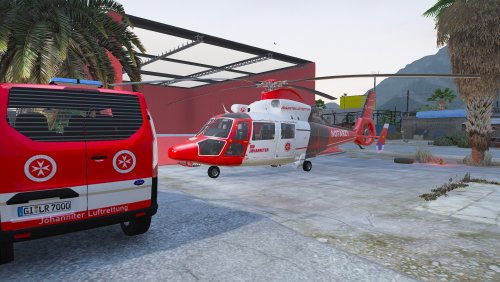
English text bellow De: Da dies eine Lackierung ist, musst du einmal den Original Helikopter herunterladen. Hier der Link dazu: https://www.gtainside.com/gta5/helicopter/119413-eurocopter-as-365-air-ambulace-v2-add-on/ !!!!WICHTIG!!!! Du benötigst OpenIV. hier der Link zu OpenIV: https://www.gta5-mods.com/tools/openiv Installationspfad: Lies dafür bitte die ReadMe beim Original modell Bekannter Fehler: "DIE JOHANNITER" Schrift ist auf der rechten Seite spiegelverkehrt. Dies kann nicht gehoben werden auf Grund des Models und dem Template En: Since this is a paint job, you have to download the original helicopter once. here is the link: https://www.gtainside.com/gta5/helicopter/119413-eurocopter-as-365-air-ambulace-v2-add-on/ !!!!IMPORTANT!!!! You need OpenIV. here is the link to OpenIV: https://www.gta5-mods.com/tools/openiv Installation Path: Please read the ReadMe for the original model Known error: "DIE JOHANNITER" writing is mirrored on the right side. This cannot be lifted due to the model and template
-
Hay, Ok dann machen wir's so 😄
-
Hmm, das scheint es nicht zu sein. Weil eben gerade hat sich LSPDFR verabschiedet, Aber GTA stürzte diesmal nicht ab.
-
Guten tag, vielen Dank, ich werde es eben mal ausprobieren 😉
-
Exception code: 0xc0000005 (EXCEPTION_ACCESS_VIOLATION)
-
Von heute: Error vom 01.04.2021.txt
-
Crashreport sind immer unterschiedlich hier einen vor einer Woche Fehler.txt
-
Gurten tag, Mein PC hatte aus irgendwelchen gründen schon immer irgendwelche Probleme mit LSPDFR. Was ist das Problem?: wenn ich GTA V Mit RAGE Plugin Hook starte, startet es eigentlich ganz normal. Aber nach ca. 1-3h stürzt Rage Plugin Hook ab, unten ist der Crash report. Vielleicht kann mir da ja irgend wer helfen, weil es nervt echt extrem wenn es alle 1-3 stunden abstürzt. Liebe grüße: Leon Crash Report.txt ich habe GTA V von Epic Games geholt, als es kostenlos war.



