


Hilth0
Members
-
Joined
-
Last visited
Everything posted by Hilth0
-
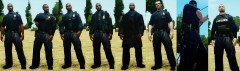 I am speechless, That vest is amazing.
 -
That looks very nice! But it looks like tim98 or az or whoever edited it swapped bumpers with the DSF one.
-
Unless they used a Boeing 747, Cut the building in two
-
-
It's isn't that much taller just like two stories or so :/
-
Hell yes.
-
-
I personally like the old ones better.
-
I run GTA IV 15+ fps no texture loss at 2gb of ram and AMD sempron 150 single core 2.00ghz and an ATI Radeon 4200.
-
Well there not like cars where you have to check for bugs just check them in openIV it has a 3d view of the cars you install!
-
Excellent skins man! I would rate em about a 5/5 I'd say!
-
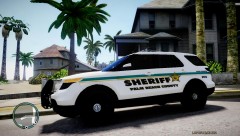 Nice man!
 -
-
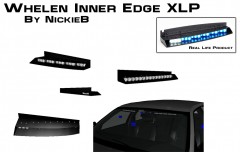 Wow that looks great man. best one i've seen!
 -
-
If he got it of steam it's not a virus.
-
I hope I don't sound stupid but what actually is the difference between PI and civilian models?
-
WHA?WHA? NOOOOOOOOOOO
-
Sorry It said it was an Impala.
-
I agree 50% with you ^^ I think it would look cooler if it was not called an Impala....
-
Personally I think this is just a revamped Chevrolet Cruse here is.
-
Nice work, although I don't like the FS Valor that much (not going to rate down though :P) 5/5!
- 18 comments
- 18 reviews
-
-
-
![[W.I.P] LCSO 2006 Chevrolet Suburban.](//s3-gallery.int-cdn.lcpdfrusercontent.com/gallery/album_1567/sml_gallery_49005_1567_85133.jpg) I cancelled the Swat Suburban.
I cancelled the Swat Suburban.

![[W.I.P] LCSO 2006 Chevrolet Suburban.](http://s3-gallery.int-cdn.lcpdfrusercontent.com/gallery/album_1567/sml_gallery_49005_1567_85133.jpg)