
Zaiyukii
Members
-
Joined
-
Last visited
Everything posted by Zaiyukii
-
 To everyone saying it doesn't work or is having issues, check the second recommended comment. The plugin has been outdated with GTA's current version for quite a while because Connor has been working on updates that will revamp it.
 -
 Did you update from 8.2 to 3? 3 never included a presetoutfits.ini so it's using 8.2's configs. Try deleting the presetoutfits and see if that helps.
- 637 comments
- 75 reviews
-
-

- 1
-
-
you can find it on alexguirres's github. just google rage native ui and it (should) be the first link
- 637 comments
- 75 reviews
-
 The preset outfits.ini gets updated to the new 8.3 style with different divisions once you delete the current one. Idk why he didn't just include it in the release of 8.3 to make it easier
- 954 comments
- 24 reviews
-
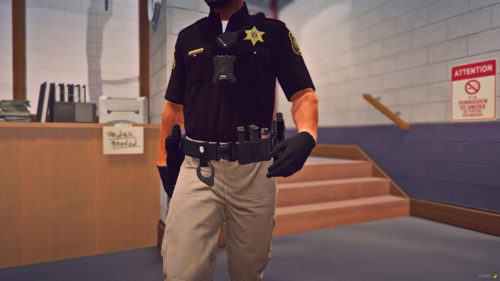 What mic are you using in the screenshots?
 -
 What's new in this update vs the previous one?
 -
-
Randomly started getting this when I loaded DLS after LSPDFR even though earlier tonight it was working perfectly fine, nothing in the files was changed since install.
-
Had to completely wipe the mods folder since some random needle was corrupting all the files. Rockstar loves to make us cry
-
Yeah, especially since the night before it all went to heck they were working perfectly. But it's not GTA if something is hectic or going wrong
-
Yep. Even reinstalled them to make sure they were the most recent versions and it still said nope.
-
Surprisingly it's only addon vehicles that are in the the MDPV from Albo that makes it crash. Other dlc packs show up 50% of the time
-
Started digging through everything removing it brick by brick and found a few vehicle files had gotten corrupted when installing with the .oiv
-
Left it on desktop. Tried reinstalling lml and still ctd so i just left em alone
-
Yep. Even pulled a new dinput8 from a fresh download of scripthook and still ctd
-
Disabled lml addons and removed LML but continues to CTD when dinput8 is in the main directory
-
That one got it to load into the game
-
Still ctdYep. Verifying files, removing mods folder, plugins, or scripts doesn't help either.Same crash log after renamingGame was working perfectly fine last night but when I went to try to load it up this morning it just kept crashing. Only thing I've updated since last night is Ghost's Unmarked pack. I've searched for the same error elsewhere and tried some of the fixes that worked for other people but to no avail. Crash log below, any help appreciated!
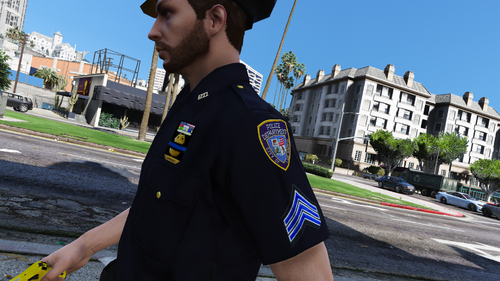
 Is anyone else having issues with 8.2 with decals not showing? I see the files in OpenIV perfectly fine but when i load into the game they're invisible. Tried reinstalling L&O and S&R yet nothing changed. 8.1 works perfectly fine for some reason. 13 is the sergeant stripes
- 2,350 comments
- 238 reviews