


Slimory
Members
-
Joined
-
Last visited
Everything posted by Slimory
-
Thanks Sharp :) +1, big help, i'll look further into my problem
-
the majority of you OBVIOUSLY missed the point of this topic.... i'm not trying too pick an arguement.... i just misunderstood... @leonov, if you really wanna pick an arguement or pardon my french, be a prick, get married.... nuff said
-
What Kind of graphic's card do you have?
-
it say's my GPU is at 73 C? good or bad?
-
I can't remember what they were, i never changed the res when i got the monitor, just left it factory settings, thanks, i'll try the 1st step :) +1
-
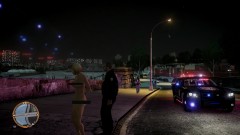 Cavity search? :P LOL
 -
Turn the lights on
-
I haven't had my computer on in a few day's and i turned it on a few hour's ago and i could feel my computer getting hot, i took the side off too see if it was the graphic's card getting hot (i've been a cook for 6 year's so i have no feeling in my finger tip's) so i can't tell how hot the card is, my screen resolution somehow changed itself miraculously, and when i turn the video mode up in-game it say's "out of range" what's going on?? i didn't have this issue last week :( Graphic's Card: Sapphire Radeon HD 6790
-
Sounds like GPM should just die, i don't really go there too often anymore cuz either the site is down, or they don't put my work back on the site, it's frustrating, and on facebook if you say something completely honest, BUT the truth they remove the comment, i think LCPDFR is a great site, most modders i've chatted with on the forum are very respectful too other modders and there work, but some can be annoying, like the ones that want you too team view them too install mods for them.. now THAT is annoying, or the ones that download the World Trade Center mod because they think they can destroy them, EXTREMELY disrespectful, honestly there should be a rule about age on mod sites, i'm 22 and just started modding early last year, i love it, and don't want anoyone ruining it for me, i'm also a smoker, so it takes my mind off of smoking for a few hour's :)
-
HAVE MY BABIES!!!!!
-
-
Well if you made them why did you even ask.... lol
-
Window's 7 Ultimate AMD PhenomII X2 555 Processor 3.20GHZ 4GB RAM Sapphire Radeon 6790 Asus 19" Monitor Thermaltake case this baby run's GTAIV SMOOOOOOOOTHLY since i got the new graphic's card :) before i got this computer, i went too staples and bought an HP computer, and was VERY specific about what i wanted, he said oh yes you can run GTAIV on this computer, you can put as many upgrades as the computer can handle (yeah right). i get it home, hook it up, install GTAIV and once i get in game the CPU is only 256MB.... i opened it up, and there was absolutely NOTHING in the tower i could upgrade, i wanted a ferrari..... they gave me a lemon...... so i took it back and complained, they gave me my money back after about 3 hour's of arguing with them until i brought up the Better Business Bureau, used the $700.00 from that computer and put it towards custom part's and just bought a graphic's card upgrade for around $170.00, so my computer is now worth 3X what they sell those shit bag computer's for at Best Buy or Futureshop, moral of the story is, if you wanted what your paying for, build your own gaming computer :)
-
Pretty sure you need IV too even use SparkIV, i had a problem with it so i just went out and bought both
-
I don't speak french nor do i know how too read it lol
-
the thing i noticed about this though, is when you list them side by side in the cargrp, they appear in-game side by side all the time, as for the actual traffic flow mod from the toronto mod, ALL different car's appear everywhere, even the beach in hove, theres alot of car's but what i do is i shut the traffic of it's just traffic from the Toronto mod :)
-
-
@Nutt, i found that video last night :P, there's no link :(
-
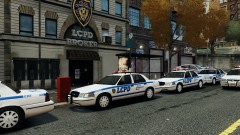 A Police force i would NOT screw with! lol beautiful car's bro!
 -
that really does suck, like if someone could make a ped as gay as 5 cent, why not a rick ross ped? hell, i haven't even seen an eminem ped, why not just stick a big ass beard on the fat cop, good too go ( seeing as rick ross was a correction's officer)
-
-
That my friend is what he call's himself hence "rick ross the boss", by you saying "culturally deprived" i'm going too take that as racism, i have no time for racism, or prejudice people of ANY kind :) SIDE NOTE: The biggest boss you've seen thus far is a line from 1 of his song's....
-
i have searched and searched and searched and searched lol there has too be one somewhere lol
-
Kind of a dumb question, and might be the wrong forum too post this in BUT does anyone know where i can find a Rick Ross mod?
-
An hour and a half? really? i LOL'd, as for the light's, if i was a cop i would probably drive around with them on ALL the time, no emergency necessary :D, also it seems that your automobile is rolling away :D


