.jpg.03c8e04a3df1ee31a91ce2eecdd6146e.jpg)

TimmyLuke017 Gaming
Members
-
Joined
Files posted by TimmyLuke017 Gaming
-
Force Duty Diagnostics
A LSPDFR plugin that provides advanced crash detection, plugin fingerprinting, and diagnostic logging during the LSPDFR duty‑switch process. This tool identifies which plugin crashes when going on duty, generates detailed crash reports, and scans your plugin installation for missing or broken files.
No More Force Duty Crash
The correct response to criticism
ForceDuty Diagnostics is not a replacement for RPH.log. It solves a specific problem RPH.log cannot: identifying which plugin crashes during the duty‑switch event. RPH.log does not show which plugin threw the exception — it only shows that the event failed. This plugin fingerprints each handler, logs the responsible plugin, reconstructs its path, and generates a dedicated crash report. Developers still request RPH.log because it contains startup information and unrelated plugin logs, but ForceDuty Diagnostics provides the missing link: the exact plugin responsible for ForceDuty crashes.
What the plugin actually does (and RPH.log cannot)
1. It identifies which plugin crashed during duty switch
RPH.log does not tell you which plugin threw the exception. It only shows:
Unhandled exception in OnDutyStateChanged Your plugin shows:
PLUGIN CRASH DETECTED during duty switch! Plugin: StopThePed Path: Plugins/LSPDFR/StopThePed/StopThePed.dll Exception: Object reference not set... That is the entire purpose of the mod.
This is not “copying exceptions.” This is fingerprinting plugin handlers, something RPH cannot do.
2. It reconstructs plugin paths even when assemblies load from memory
RPH.log cannot do this. Your plugin can show:
Exact DLL path
Plugin folder
Plugin name
Whether the plugin was loaded from memory
This is critical for debugging.
3. It isolates duty‑switch crashes from unrelated noise
RPH.log is full of:
Fiber ticks
Native calls
Game events
Unrelated plugin spam
LSPDFR internal logs
Your plugin produces a clean, focused diagnostic log.
4. It generates per‑plugin crash reports
RPH.log is one giant file. Your plugin creates:
CrashReports/StopThePed/StopThePed_Crash_2026-06-02.log This is far more useful for mod developers.
5. It detects missing dependencies BEFORE crashes happen
RPH.log only shows the crash after it happens.
Your plugin warns:
ERROR: RAGENativeUI.dll is missing! StopThePed may crash. This is preventative diagnostics, not reactive logging.
Why developers still ask for RPH.log
Developers ask for RPH.log because:
It contains startup logs
It contains plugin load order
It contains game version
It contains RPH version
It contains native call failures
It contains fiber exceptions
It contains non‑duty‑switch crashes
Your plugin is not meant to replace RPH.log. It is meant to fill the one gap RPH.log cannot fill:
That’s it. That’s the mission. And it does that perfectly.
Features
Crash Fingerprinting
When LSPDFR switches duty states, Force Duty Diagnostics:
Wraps every plugin subscribed to OnOnDutyStateChanged
Detects when a plugin throws an exception
Identifies the exact plugin responsible
Logs the plugin name and DLL path
Captures the full exception and stack trace
This makes it easy to pinpoint which plugin is breaking ForceDuty or causing duty‑switch crashes.
Timestamped Crash Reports
Every detected crash generates a standalone crash report:
Saved per‑plugin
Timestamped down to the millisecond
Includes plugin name, path, exception, and stack trace
Organized for long‑term debugging and tracking
Crash reports are stored in:
Plugins/LSPDFR/ForceDutyDiagnostics/CrashReports/ Plugin Integrity Scanner
On startup and every duty change, the plugin scans:
Plugins\
Plugins\LSPDFR\
All subfolders recursively
It checks for:
Missing DLLs
Missing config files
Empty or incomplete plugin folders
Incorrectly installed plugins
This helps identify installation issues before they cause crashes.
Duty Change Diagnostics
Whenever the player goes on duty or off duty, the plugin logs:
Duty state
Thread ID
Game time
Player position
Plugin scan results
Crash fingerprints (if any)
This creates a complete picture of what happened during the duty switch.
Cleanup & Stability
ForceDuty Diagnostics is fully passive:
Does not modify LSPDFR behavior
Does not interfere with other plugins
Only observes, logs, and reports
Generates clean, timestamped logs
All logs are stored in:
Plugins/LSPDFR/ForceDutyDiagnostics/ForceDutyDiagnostics.log Requirements
RagePluginHook
LSPDFR
Installation
Place ForceDutyDiagnostics.dll into:
Grand Theft Auto V\Plugins\LSPDFR\ The plugin loads automatically when LSPDFR starts.
Known Bugs
There are currently no confirmed bugs, but the plugin is actively monitored and updated as needed.
If you encounter any issues, check the RPH.log for my plugin to see if there are any encounters.
Latest Game Version 3751.0 Current Game Version 3788.0
- 1,006 Downloads
- 14 Comments
-
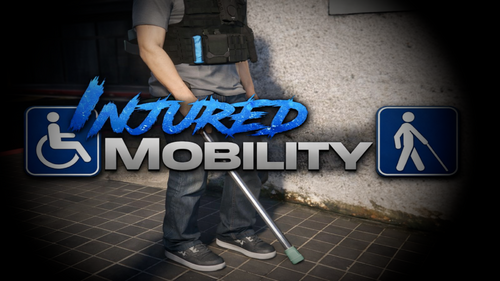
INJURED Mobility
A LSPDFR plugin that adds a realistic post‑injury recovery system, automatically equipping the player with medical crutches after they are revived at the hospital.
Features
Recovery State
After the player dies and respawns at the hospital, they automatically enter a Recovery State. During this state:
The player moves slower
Uses a limp‑style animation
A crutch is equipped for support
This creates a natural and immersive post‑injury experience.
Automatic Crutch Attachment
When the player is revived at the hospital:
The plugin detects the fade‑in
Spawns and attaches the crutch model v_med_crutch01
Uses stable bone attachment
Applies custom offsets and rotation
Prevents duplicate props from spawning
The crutch remains equipped until the player fully recovers.
Limping
While in Recovery State, the player uses a limp movement animation to simulate injury. The limp ends automatically once the recovery period is over.
Model Switching Support
If the player switches to a new ped model:
The plugin automatically re‑applies the crutch
Only if the model is Freemode
Removes the crutch for non‑Freemode models
No configuration required.
Cleanup & Stability
The plugin automatically removes the crutch when:
The player recovers
The recovery timer expires
The player dies
The player switches models
No leftover props. No duplicates.
Requirements:
RagePluginHook
LSPDFR
Installation: Place InjuredMobility.dll into Grand Theft Auto V\Plugins\LSPDFR\
LET ME KNOW IF ANY Fixes Needs To Be Fixed.
Known Bugs
I'm aware that there are unknown bugs at this time.
Latest Game Version 3751.0 Current Game Version 3788.0
- 172 Downloads
- 8 Comments
-
Realistic Lightbar Responce Status ™
🚨 Realistic Lightbar Response Status – for LSPDFR
Realistic Lightbar Response Status™ enhances patrol realism in LSPDFR. This plugin focuses on the sounds and immersion for realism.
This works alongside with ELS which adds a beep sound periodically to notify you to know that your lights are on when they are activated once when the lights are in Stage 3 or Code 3.
THIS WORKS ALONG SIDE OF ELS BUT DOES NOT REPLACE IT ITS WORKS FOR THE CUSTOM BEEP SOUND.WAV THAT IS MADE FOR THIS PARTICULAIR PLUGIN.
A lighting status beep sound, coming soon with an buzz interior sound.
🎬 OFFICIAL TRAILER:
NO VIDEO COMING SOON!
SUPPORT THIS OTHER PLUGIN
Defibrillator™ aka Automated External Defibrillator (AED) - Script Modifications & Plugins - LCPDFR.com
🚔 Features
Seamless compatibility with most ELS and non-ELS setups
⚙️ Technical Details
Fully compatible with LSPDFR
Designed for long, stable patrol sessions
Lightweight and performance-friendly
Configurable settings for advanced users
📦 Requirements
RagePluginHook (latest recommended)
LSPDFR (compatible version)
⚠️ Important
This plugin requires RagePluginHook.
Ensure RagePluginHook is properly installed and launched before starting GTA V.
❤️ Support Development
If you enjoy Emergency Lighting Response Status and wish to support continued development, optional support helps:
Maintain compatibility with future GTA V updates
Expand lighting realism and response control systems
Support is always optional. The plugin will continue to be developed regardless.
What's New in Version 5.0.0
What got updated?
5.0.0 - 5/26/26
✔FIXED
RENAMED the DLL file name and assembly name of this plugin from 'Realistic Lightbar Status Audio', but after the update, it is now called 'Realistic Lightbar Response Status ', which is simple and has drag and drop no chances of overwriting the older file (that only works if they are named the same).
✔FIXED
Clean up the README put the files in the correct name and cleaned up the file ordnance to be in order to make it look neater.
✔ FIXED
the assembly version of your plugin is: 4.0.1.0 instead of: 5.0.0.0
LET ME KNOW IF ANY Fixes Needs To Be Fixed.
Known Bugs
I'm aware that there are unknown bugs at this time.
Latest Game Version 3751.0 Current Game Version 3788.0
- 3,674 Downloads
- 56 Comments
-
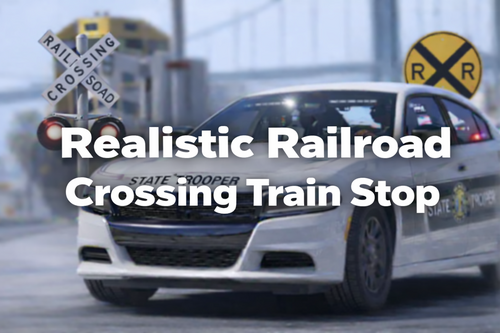
🚆 Realistic Railroad Crossing Train Stop – for LSPDFR
Train Stop increases realism and officer safety while on LSPDFR duty. Prevent collisions with passing trains while conducting scenes on railroad crossings.
Quickly stop an oncoming train with your police vehicle during traffic stops, crime scene investigations, accidents or any other incident occurring on or near railroad tracks. Don’t put your patrol vehicle or partner at risk by getting hit by an oncoming high-speed train. Stop trains quickly and safely while you conduct your scene hazard free. Train Stop also adds realism to players while driving around on patrol and interacting with railroad crossings.
🎬 OFFICIAL TRAILER
NO VIDEO – COMING SOON!
📹 Features
– Prevent accidents with oncoming trains while scenes are taking place on train tracks
– Stops your patrol vehicle or partner from getting hit by high-speed trains
– Adds additional officer safety while on scenes involving train tracks
– While on patrol or en route to calls
– Adds more immersion while on railroad crossings
🔧 Technical Info
– Compatible with RagePluginHook
– Made specifically for LSPDFR patrolling
– Lightweight and performance friendly
– Background process while on patrol
📦 Requirements
– RagePluginHook (Current Version is Recommended)
– LSPDFR
⚠ Remember
This plugin requires RagePluginHook.
Please have RagePluginHook launched before launching Grand Theft Auto V.
❤ Help Support Development
If you like Realistic Railroad Crossing Train Stop please help support me so I can continue to make this better.
Support goes towards…
…Keeping the plugin up to date with new releases of Grand Theft Auto V
…and adding more features to increase realism while on patrol
…and creating more systems to immerse yourself as an officer.
Support is not required. I will continue to make updates whether you choose to support me or not.
📌 Version 3.0.1
• Updated:
- Added Config to plugin to be able to configure the settings.
-FIXED the issue where the train would randomly stop when you are on the outside of the tracks like going on the side roads of the tracks.
-Added Where the train stops near the crossarm of the train tracks BEAWARE the train may still slam into you when you are moving on the tracks because the train will start moving when you are moving.
-Added a couple of new settings into the config like example: TrackBlockRadius and CrossingRadius
[TrainSettings]
StopDistance
ResumeTrainSpeed
StopTrainSpeed
StopTrainCruiseSpeed
TrackBlockRadius
CrossingRadius
🐞 Bugs
None at the moment but if you do find a bug please report it and we’ll get it fixed in a future update.
🎮 Supported Game Version
Current Game Version: 3751.0
Version I have Tested: 3751.0- 978 Downloads
- 10 Comments
-
🚨 Realistic Fast Draw™ – for LSPDFR
Realistic Fast Draw enhances officer readiness in LSPDFR. This plugin focuses on faster, smoother weapon draw when exiting vehicles for maximum immersion and safety.
This script allows your ped to draw a pistol instantly while exiting a vehicle. Hold the vehicle exit key (default: F) to activate Fast Draw. Tap the key normally to exit without drawing. Hold the aiming key (default: Right Mouse Button) while exiting to be ready to shoot immediately, leaving the vehicle door open.
🎬 OFFICIAL TRAILER:
NO VIDEO COMING SOON!
🚔 Features
Smooth and intuitive pistol draw while exiting vehicles
Works seamlessly with all standard GTA V and LSPDFR setups
Lightweight and performance-friendly
Fully configurable for advanced users
Designed for immersive, realistic patrols
⚙️ Technical Details
Fully compatible with LSPDFR
Designed for long, stable patrol sessions
Optimized for performance and stability
📦 Requirements
RagePluginHook (latest recommended)
LSPDFR (compatible version)
⚠️ Important
This plugin requires RagePluginHook. Ensure it is properly installed and running before starting GTA V.
❤️ Support Development
Optional support helps maintain compatibility with future GTA V updates, expand immersive patrol features, and ensure ongoing development. Support is always optional; the plugin works fully without it.
What's New in Version 3.0.1
(FIXED) SMALL Update Info (Version 3.0.1) - March 17, 2026
Xbox Controller Button Codes (Comprehensive Reference Table)
PlayStation Controller Button Codes (Comprehensive Reference Table)
Known Bugs
No major issues reported; minor bugs may exist and will be addressed in future updates.
Latest Game Version 3751.0 | Current Game Version 3751.0- 1,922 Downloads
- 20 Comments
-
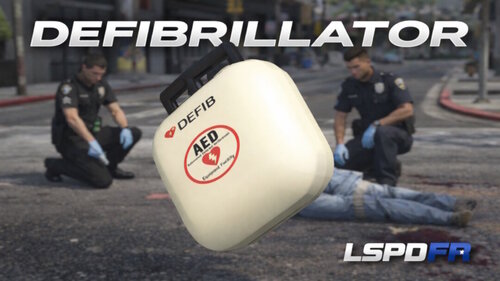
Defibrillator™
⚡ Defibrillator Plugin – Advanced Medical Resuscitation for LSPDFR
The Defibrillator Plugin enhances medical roleplay in GTA V by introducing realistic cardiac arrest and resuscitation mechanics for law enforcement and emergency response scenarios.
Designed to integrate seamlessly with LSPDFR, this plugin focuses on immersion, realism, and stability—bringing authentic life-saving procedures into routine patrols, traffic accidents, and critical incidents without disrupting vanilla gameplay flow.
OFFICIAL TRAILER:
NO VIDEO COMING SOON!
🩺 Features
Realistic defibrillator usage with staged resuscitation flow
Cardiac arrest detection for downed or unresponsive peds
Timed shock cycles and CPR interaction logic
Context-aware prompts and animations
Success and failure outcomes based on response timing
Clean integration with LSPDFR and scenarios
Non-intrusive design that preserves vanilla behavior
🚑 Gameplay Design Philosophy
The Defibrillator Plugin is built to enhance immersion without turning medical gameplay into a minigame-heavy or unrealistic experience. Actions are deliberate, grounded, and consistent with real-world emergency response procedures while remaining intuitive for long play sessions.
🆕 Early Access / Development Notes
This plugin is actively maintained and may receive incremental updates to expand medical logic, animations, and compatibility with other emergency or realism-focused mods.
⚠️ Known Issues
In rare cases, heavily scripted callouts or conflicting medical mods may override ped states
AI-controlled peds may occasionally enter non-revivable states due to native GTA limitations
These edge cases are tied to GTA V’s internal systems and not indicative of plugin malfunction.
🔢 Version Notice
If the in-game or assembly version number does not match the release version, this is a known labeling issue only.
The plugin file reflects the correct release version. Apologies for any confusion caused.
⚙️ Technical Details
Fully compatible with LSPDFR
Designed for long, stable patrol sessions
Lightweight and performance-friendly
Configurable values for advanced users
📦 Requirements
RagePluginHook (latest version recommended)
LSPDFR (compatible version)
⚠️ Important
This plugin is built specifically for RagePluginHook and Ensure RagePluginHook is properly installed and launched before starting the game.
❤️ Support Development
If you enjoy the Defibrillator Plugin and want to support continued development, optional support helps:
Maintain compatibility with future GTA V updates
Expand medical and emergency realism features
Support is always optional—the plugin will continue to be developed regardless.
What's New in Version 5.0.1
What got updated?
5.0.1 - 2/8/26
-You can change the ini file to your liking with the key bindings and the prop model that best fits you.
(FIXED) The version with the menu. I didn't know that the keybindings where still there but is now removed.
The Menu Key is F7 for anyone that wanted to know. Sorry that I forgot to mention about that once I had uploaded the new version.
(FIXED) I didn't know that the keybindings where still in the config but is now removed.
The Menu Key is now changeable for anyone that wanted to know.
(Added) A version checker to the plugin to remind you of what version you are on of this plugin.
Known Bugs
I'm aware that there are unknown bugs at this time.
Latest Game Version 3751.0 Current Game Version 3751.0
- 1,358 Downloads
- 22 Comments