


brickNader
Members
-
Joined
-
Last visited
Everything posted by brickNader
-
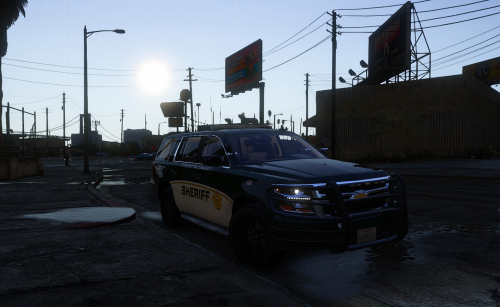 First off wanted to say the models look great, and work really well with ELS. The one issue I'm having is it seems like the models are made of paper when getting into collisions. I tried pitting, and the FPIU flipped over the car, spun at like 1000rpm, and finally landed. My screenshot doesn't do it justice. I'm assuming it's spawning and throwing the pushbars off of the model constantly during this due to me having god mode on, so I'll just ignore that. Is there any way to fix the collisions?
 -
Love the mod, but I'm having an issue where the LSPDFR crashes every time I complete a coastal callout dropoff. What were you doing when the crash/bug occurred? Completing a coastal callout mission. Did the game crash to desktop, or did the plugin crash? LSPDFR plugin crashes during black loading screen, leaving me stranded. Does the same crash or bug happen consistently? If so, describe the steps to reproduce the issue. Yes, this occurs every time I complete a callout. It happens when I park the vehicle (boat or heli, doesn't matter) at the drop off zone, and the screen fades to black as if it was going to a cut scene. The plugin fails during the black screen, and I get a loading spinner of death in the bottom right corner of my screen. I've tried reloading the plugin while in this screen, but to no avail. Upload a copy of RagePluginHook.log from your main GTA V folder. Upload any relevant in-game screenshots. RagePluginHook.log
