



Aaron's Workshop
Members
-
Joined
-
Last visited
Everything posted by Aaron's Workshop
-
Hello @xe10. Your issue is with the AdvancedHookV.dll 1. Make sure GTAV and LSPDFR/RPH are Updated and you have the crash pursuit test fix in. 2. When Installing SHV make sure it's updated and try redownloading it. Only install the following files I list below; dinput8.dll ScriptHookV.dll The other files in there besides NativeTrainer.asi are made for the Enhanced Version of GTAV and not Legacy. Installing them can most likely cause that issue. Also try reinstalling ELS and replacing the AdvancedHookV.dll, DO NOT download the separate AdvancedHookV.dll download file as thats for game versions 3570 and below which current GTAV is way above that and can also cause that issue. NOTE: If you have NVE. The NVE.asi is also a guaranteed issue for that! As for me I had the same .asi errors until I removed it and it fixed it for me.
-
-
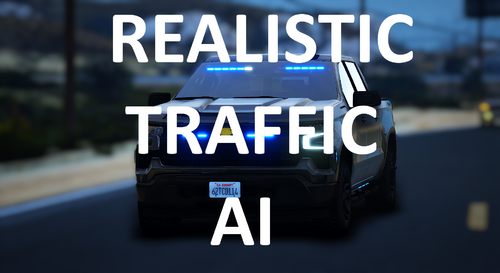 How's it heavy? @EndeRz Make sure your on the latest version for performance improvements.
- 133 comments
- 15 reviews
-
@Agent's WorkshopSorry to hear that, I'm working on a Update to address these issues. Stay tuned in the new few days for an update! Then lmk in my Discord or here if it improved or not.
- 133 comments
- 15 reviews
-
-

- 1
-
-
No. It's not, lol If it was for Developers it wouldn't be released.
-
Yes @Lukas5434233233342 Install the Crash Pursuit Test Hotfix and see if that fixes your issue.
-
Hello @covenantkillerIf you crash when you click Load Story Mode if it crashes a few seconds after clicking it or it gets to loading populating and loading game world. That means you have a Mods Folder Issue!
-
@AndreSenaSS1.0.0.5 or the latest 1.0.0.8 Update fixed these Performance Issues. Redownload it! @StrandedReilYeah, I haven't added Compatibility, plus I already have a Move Over feature with checkers to make sure the 95% move out the way with the 5% chance not too, I will see what I can do to add support. I don't know if I will at all as I see no point too, however I will look into this. @StrandedReilIt would be MTFO causing the issue since MTFO and my Plugin both have the moveover feature and it's conflicting. In my Opinion Try mine by it's self and if it works then congrats, if you want to stick with MTFO then remove RTAI. @BrayI haven't added any Compatibility for any other Plugins on this Website, if you want to recommend the Names of what you would like to see Compatible with, then join my discord and send the links to them by making a forum or ask to DM me. @LSPDFR LoverThanks!
- 133 comments
- 15 reviews
-
Leave a Review rating 1 thru 5 Stars on what you guys think of the Plugin at it's Current State. Leave any Suggestions / Recommendations here or on my Discord.
- 133 comments
- 15 reviews
-
Thank you so much @LSPDFR Lover. Your the BEST! Leave any suggestions here or on my Discord on what you want to see improved. @VRDogI am planning to do that in the 1.1.0.0 Major Update, but I can release it in the 1.0.0.9 Update. Maybe! 👀Lol. Most likely the 1.1.0.0 Update it'll be included unless I decide to do it while adding or fixing another thing for the 1.0.0.9 Update.
- 133 comments
- 15 reviews
-
-

- 1
-
-
@CyanSo I'm just waiting till RPH updates sometime in the future or whatever?
-
So this is a Nvidia Driver Fault? @Cyan
-
So what do I do at this point @Cyan?
-
What do I do then @Lennyy?
-
How do I make a Exception? Well how am I suppost to play without using it? I want to use it though and the render code for RPH can't even work.
-
@LennyyWill the Render Code be updated? Cause it's trying to draw textures but there invalid since Nvidia changed those textures via updating DX11 which RPH isn't supported for causing this.
-
@CyanI uploaded the log. The Render code for RPH is being weird for some reason!
-
-
.thumb.png.656f907bc2febc81911b0b821cb502c8.png) Would there be a Update to add like a Internal button to open the CAD In-game like a API or something like a embed or whatever? Or will it not be possible and just stay external. Would be cool if it was able to happen!
Would there be a Update to add like a Internal button to open the CAD In-game like a API or something like a embed or whatever? Or will it not be possible and just stay external. Would be cool if it was able to happen!- 351 comments
- 45 reviews
-
-
 Amazing! Faya, your plugins are the BEST! They make LSPDFR Amazing, keep up the Great Work. 👍
 -
The Edit of the Message needs to be approved then you should see it.
-
Yes I can @Cyan It's like 70-96MB large https://drive.google.com/file/d/1v3ugixVovYJ_XpjOxUK2BpFXhMWI2Dgw/view?usp=sharing Here
-
Figured out the issue. The Render Code that RPH uses for DX11. Got changed entirely with the new nvidia update. So updating your drivers/ turning on Smooth Motion it's using the new code and RPH isn't supported for the new code, so it's failing to render which is causing the console to go invisible but still work and spam the log with render errors. Render code needs an update. Smooth Motion Explanation and why it correlates with RPH. NVIDIA Smooth Motion alters the timing and frame interpolation of rendered frames . This changes how DirectX buffers or textures are handled internally.RAGE Plugin Hook's rendering code, specifically in the Rage.Texture.Draw method, tries to access texture data indices that are no longer valid due to these internal DX changes caused by Smooth Motion. So when the code updated on the driver updates RPH isn't using the latest so it needs an update to support the New DX11/DirectX.
-
 Add QuantV Graphics for compatibility



.thumb.png.656f907bc2febc81911b0b821cb502c8.png)
