


apollyon666
Members
-
Joined
-
Last visited
Everything posted by apollyon666
-
From the album: MP Pursuit
-
-
-
-
-
-
-
-
-
-
-
-
-
-
-
-
-
-
-
Ctrl+Backspace turns express mode off. If you have the files placed right you just use CTRL+M to open the ELS menu in game. All of the controls are in the User Guide.
-
 I do have a question and maybe I'm just missing the answer somewhere. In multiplayer can you cycle through your sirens? For some reason I'm having trouble with that.
- 534 comments
- 206 reviews
-
-
Okay, I'm not sure if this has already been posted on here, I'm sure it has but I couldn't find it! Anyways, I recently replaced my handling for all vehicles and it helped in the sense that vehicles don't lean as much as the original. But the problem is it made controlling the cruisers extremely hard, and it even slowed them down to the point that you can barely keep up in a pursuit. So my question is, where can I get a better file to replace the vehicle handling while keeping it semi realistic. I hope this made sense, because I somewhat confused myself while writing this. :p
-
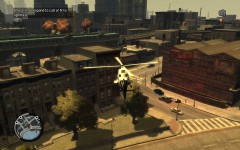
My Father and I got into a game together. He took the Helicopter and I took the ground. These are random air shots of that patrol. -Shots fired -Multiple pursuits -Traffic Stops


