


fuhwurd
Members
-
Joined
-
Last visited
Everything posted by fuhwurd
-
 This is really accurate and cool, its just that the text looks weirdly stretched out on the FPIS. Other than that this is really accurate, especially me from Oahu too. You did an outstanding job with this.
- 5 comments
- 1 review
-
-
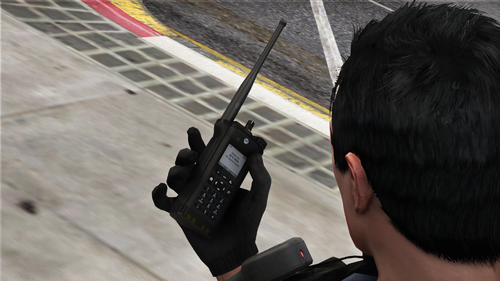 I feel bad for the original creator thats from a 3rd party source who isnt getting all the credit for this model. Great mod otherwise
- 14 comments
- 6 reviews
-
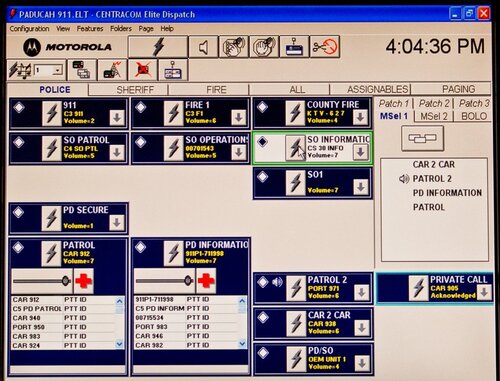 DEMO SOUND LOCATED IN FILE Created this because some callout developers don't understand the difference between dispatch intro and officer intro so I decided to do stuff on my own and edit some audio files What's included is that I added alert tones (by Motorola Solutions) into the sound files that usually starts whenever a callout is made Example: "BEEP BEEP BEEP.....Assistance needed at..." Installation is easy and simple, just drop it in lspdfr\audio\scanner This will replace sound files in "ASSISTANCE_REQUIRED" and "ATTENTION_ALL_UNITS." Highly recommend to delete Dispatch intro in lspdfr\audio\scanner\RESIDENT Audio recorded from a Motorola MCC7550 console
- 2 comments
- 2 reviews
-
.thumb.jpg.de23d09958bd0c11d342ff09adbdccf9.jpg) Welcome to the awesome world of digital radio systems
Welcome to the awesome world of digital radio systems -
.thumb.png.c366ae9561e919b0740af6f3a354a4f6.png) since this asshole couldnt put where to install the files install the hat textues in eup_componentpeds_p.rpf then click mp_m_freemode_01_p_male_apt01, drag and drop textures install the shirt textures in eup_componentpeds.rpf then click mp_m_freemode_01_male_apt01, drag and drop textures
since this asshole couldnt put where to install the files install the hat textues in eup_componentpeds_p.rpf then click mp_m_freemode_01_p_male_apt01, drag and drop textures install the shirt textures in eup_componentpeds.rpf then click mp_m_freemode_01_male_apt01, drag and drop textures -
 mandown.zip emergency/mandown tones following sound files in the zip are the man down tones used in xts and apx series radios normal man down "man_down" can be repeated but it has the button press sound so it will sound weird if it is repeated "man_down_hotmic" cannot be repeated since it has the hotmic option enabled
- 1,365 comments
- 87 reviews
-
 These tones were recreated using Audacity, there are three alert tones in this file. Alert 1 – steady 1000 Hz Alert 2 – alternating 1500 Hz and 900 Hz Alert 3 – 1000 Hz on and off Most of these are used by both law enforcement and firefighting agencies.
 -
 Thanks!
 -
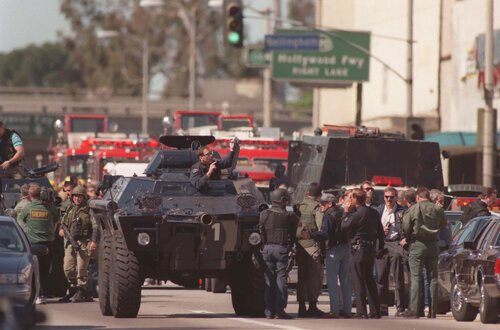
PLEASE MAKE SURE YOU BACKUP YOUR FILES Demo sound file is included in the folder. INSTALLATION ROUTE: GTAV\lspdfr\audio\scanner\RESIDENT This audio pack features the old analog LA dispatch tones and background static sound. It may possibly be accurate to the old system but I am currently unsure. File also uses some sounds from the original GTA "Resident" sound files. This file pack replaces the following DISPATCH_INTRO_01 DISPATCH_INTRO_02 INTRO_01 INTRO_02 NOISE_LOOP_01 OFFICER_INTRO_01 OFFICER_INTRO_02 OUTRO_01 OUTRO_02 OUTRO_03 CREDIT: LosAngelesDailyNews: Motorola Saber TPT Tone


.thumb.jpg.de23d09958bd0c11d342ff09adbdccf9.jpg)
.thumb.png.c366ae9561e919b0740af6f3a354a4f6.png)

