


FletcherLV
Members
-
Joined
-
Last visited
Everything posted by FletcherLV
-
-
 okey i installed but- swat & noose npcs dont have hands xd and fbi swat too- but only for man peds
- 954 comments
- 24 reviews
-
 idk but swat or noose not responding. Console says ''bermund trinagle'' but i instaled all vehicle packs
- 263 comments
- 20 reviews
-
-
 I install grammar. I move all the files to my GTA V directory, I started LSPDFR, but it doesn't work - neither the F2 settings nor the microphone itself, only the bottom left shows up, my callsign and out of patrol.I have a microphone and he is connected to GTA V.
- 1,366 comments
- 87 reviews
-
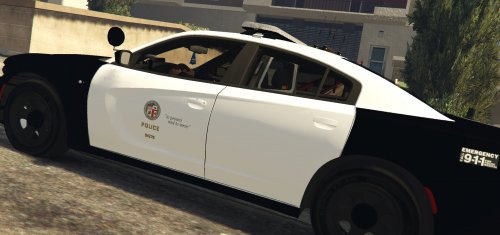 Why is there only 1 file for each machine? What do they mean blue & red? Why so many questions but so few answers? Normal textures usually have some 3-4 files but here only 1, why is that? Does this package work?
 -
I install all the files as stated in the xxx file. I tried to activate through the console, but I couldn't, this one was thrown away - The calls themselves have not come, I had read the comments.
