


Lucster
Members
-
Joined
-
Last visited
Everything posted by Lucster
-
So i had been playing for 1 hour straight when i started a pursuit callout and my game crashed. It happens with every pursuit, even with ones randomly started. I do have HeapAdjuster.
-
I am connect to the internet and have the latest files (i reinstalled them)
-
Ok thanks man, ill test it soon.
-
When i go on Duty LSPDFR crashes, i'm not using many plugins at the moment.
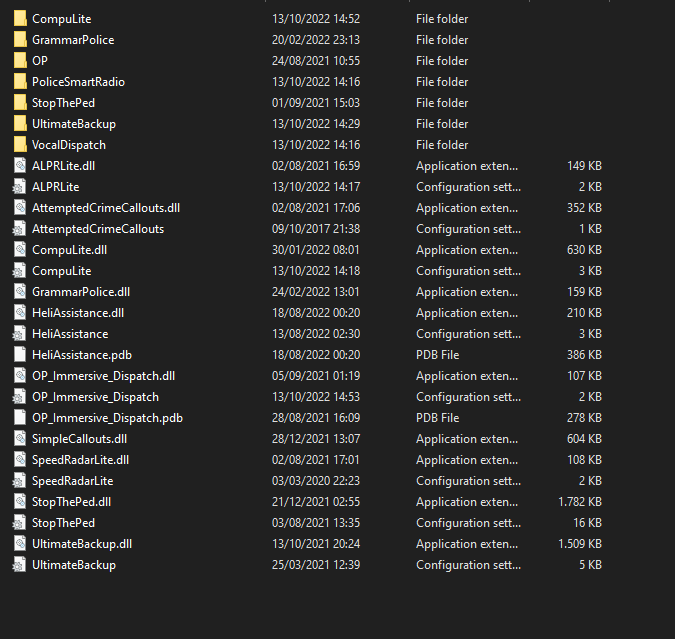
-
So, whenever i try to start LSPDFR it crashes and i cannot understand why it does that.
-
This has just started after i tried to download an Sheriff Maverick, it made my game crash so i deleted it and just added new textures to the polmaverick in game. I found out what was my issue, turn's out the vehicles.meta that came with the mod had lot's of errors. So i just used my backup.
-
i have also tryied removing the pack, and the game still crashed.

-
RagePluginHook.log
-
Yes i did.I have downloaded the Sheriff's Office pack from, State Wide's Pack and when i tried starting GTA it would Crash on the loading screen. CrashReport_Windows 10_637807841957616017.zip LSPDFR Version: 0.4.9 RAGE Version: 1.90.1298.16281 Game Version: 1.0.2545.0 From Epic Gamesthanks man i did that and it fixed itRagePluginHook_29122020_161619.log So i was able to play it normally before downloading these plugins: SuperCallouts 2.7.1 YetAnotherPartnerMod 1.7.04.1750 Deadly Weapons 2.0.2 Assorted Callouts 1.2.0.0 Stop the Ped 4.9.4.1 UnitedCalloutsV 1.5.7.3 I not expert on downloading mods and also my RagePlugin version is 1.84.1279.16097

