


Mr.Client
Members
-
Joined
-
Last visited
Everything posted by Mr.Client
-
-
 Will do
 -
 I like it
 -
 Does It work with 8.1 and Is it ok if I ues it on a FiveM Server? Amazing Work
- 10 comments
- 3 reviews
-
-
.thumb.png.ef3dc39c78c15bd9dc4a0abce00f1a9c.png) @TKPhantom You Belong to the FiveM community. Thanks For the cars, They are amazing.
@TKPhantom You Belong to the FiveM community. Thanks For the cars, They are amazing. -
-
-
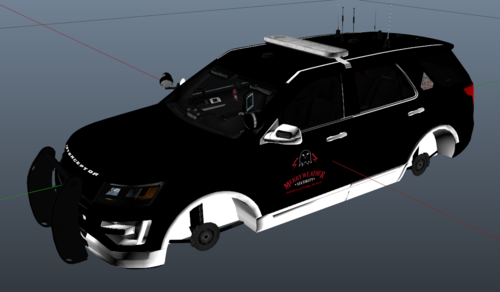 Its for redneck's cars
 -
-
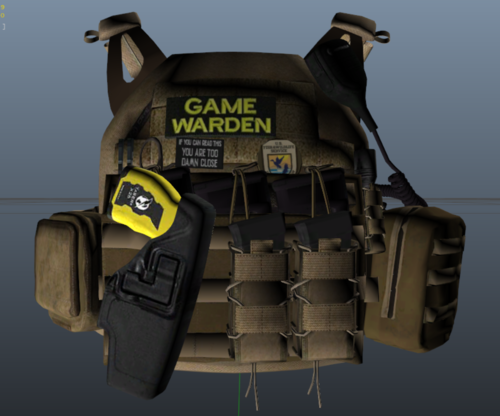
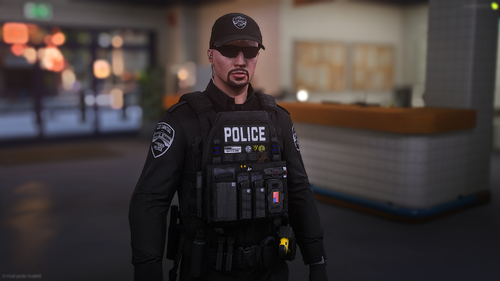
VEST: Vest 2, Set 2 from https://www.lcpdfr.com/downloads/gta5mods/character/25692-eup-vest&earpiece/
-
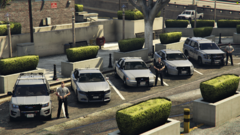
From the album: OSRP LSPD
-
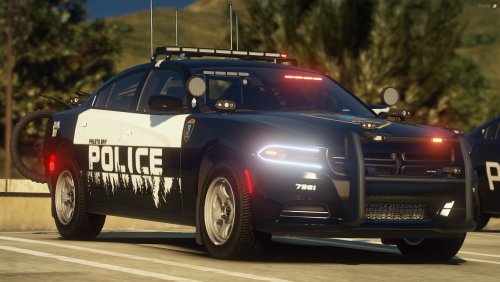
Car Pack: https://redsaintmods.com/shop/listing.php?id=8
-

From the album: OSRP LSPD
-

From the album: OSRP LSPD
-

From the album: OSRP LSPD
-

From the album: OSRP LSPD
-

From the album: OSRP LSPD
-

From the album: OSRP LSPD
-

From the album: OSRP LSPD
-
This is my first skin I have made in my life so its not the best. Please comment what you think about the skin. How to install: Import the Vest 2 Set 2 from EUP VEST&EARPIECE by Hanako in it to open iv, Then Open the ytd in edit mode and replace the ytd.


.thumb.png.ef3dc39c78c15bd9dc4a0abce00f1a9c.png)



