



.jpg.7c82860f766edaa525e31a3505ca6409.jpg)
BayAreaBuggs
Members
-
Joined
Everything posted by BayAreaBuggs
-
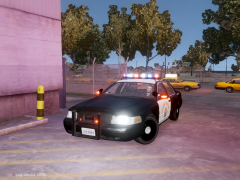 That's looks very very good!
 -
![[WIP] Hillsborough County, FL CVPI](//s3-gallery.int-cdn.lcpdfrusercontent.com/gallery/album_33/sml_gallery_523_33_441516.jpg) Wow! That's awesome! Great work!
Wow! That's awesome! Great work! -
-
-
I can't replace the PX2_DECONSTRUCTION with the one in SCRIPT_MISSIONS.RTF, it says the file doesn't exist. Not sure why. UPDATE: My buddy figured it out, you have to add .ivaud at the end of the PX2_DECONSTRUCTION and it changes the file type.
- 80 comments
- 22 reviews
-
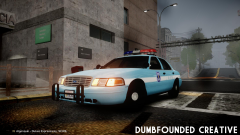 Wow this is really cool! Nice work again AZN!
 -
-
I don't care what system it's on I just want it!
-
I went to Gamestop and pre-ordered and got a post and some other thing for being 1st 100 people to pre-order.
-
LOL wow, this was awesome!
-
Go into your vehicles.ide in your common > data and go to the vehicle line you want to change and go all the way to the end and add +livery to the line and save, that will enable multiple liveries.
-
Hopefully you can fix some the things wrong with it and you can release it!
-
Also if you want to enable being able to pick from what livery your using, go into your trainer.ini in your main folder, then it F3 type in livery then change the 1 to a 0.
-
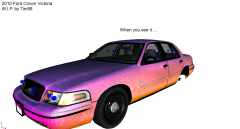 Nice! Good to have low poly cars, great work!
 -
Awesome! How many KB's did you lower it by?
-
Me either :(
-
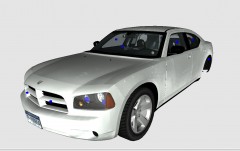 You should put a Code 3 x2100 on it like on your DSF CVPI.
 -
 Love it! Release!
 -
It looks really good, just like the original. The only thing is that the lights on the poles for me are just white, they don't flash white they are just covered up with white. Not sure why that is but great to see a bike, please keep updating it! Nice work!
- 11 comments
- 5 reviews
-
-

- 1
-
-
 I can't wait for the release! I was just thinking about a DSF CVPI with a x2100 and thought that would be great and now your making it. Nice work!
 -
 oh really nice! Hope to see it on some models!
 -
In the enbseries.ini what do I edit to change the bloom on the police lights? It looks really good but I just think maybe it's to bright.
- 18 comments
- 8 reviews
-
-
 Yes Sir! This are really nice! Great work and glad to see that your back!
 -
I thought people would like a CHP Texture for the Driver: San Francisco model CVPI, so I made one. I also made the emerglight files as well. Use emerglight files for this car: VIDEO HERE: http://www.youtube.com/watch?v=wcHCyRV-dtw&feature=youtu.be ENJOY!
- 1 comment
- 7 reviews
.jpg.7c82860f766edaa525e31a3505ca6409.thumb.jpg.e9f4dbe74d1d39eb82facd4c399feca7.jpg)
![[WIP] Hillsborough County, FL CVPI](http://s3-gallery.int-cdn.lcpdfrusercontent.com/gallery/album_33/sml_gallery_523_33_441516.jpg)
