


WMFong
-
Joined
File Comments posted by WMFong
-
-
10 hours ago, Roberto. said:
Let me ask you one more thing: I saw that it is possible to choose which troops will respond in Code 2/3. Is there a way to get the units to use their primary weapons when answering code 2 as in code 3?
For example, let's say I set up my "gang units" to use carabine as my primary weapon. Whenever I call them code 2, they appear 100% of the time armed only with pistols.
Yes you can. Doing it in a complicated way. Make one special unit for code 2 and one special use for code 3. And customize their weapons there
-
Edited by WMFong
11 hours ago, Roberto. said:Well for some reason mine doesn't show up as shown in the print. Another thing I noticed when the FBI SWAT support is requested unlike the other tactical teams that are formed by 4 members the FBI swat appears with only one person.
Change it to something like this if you want the FBI SWAT backup to have 4 members come when called
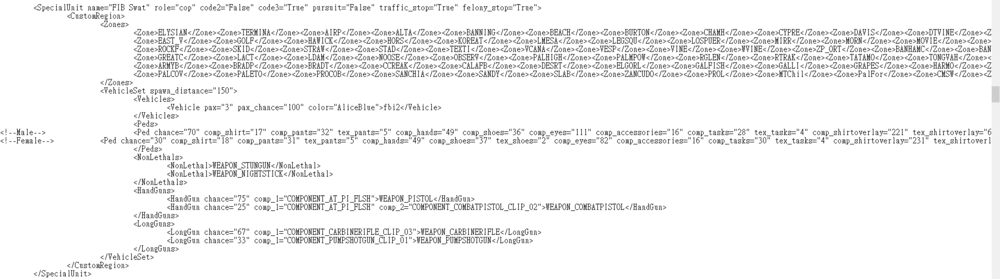
Words you need to replace
<Vehicles>
<Vehicle pax="3" pax_chance="100" color="AliceBlue">fbi2</Vehicle>
</Vehicles>
- "pax" is the number of police passenger in the vehicle. This attribute will have no effect on "Ambulance" and "FireTruck" units
- "pax_chance" is the chance that the vehicle will have passengers(s) (0-100)
- "color" the color of the vehicle. It might be a "integer number" or "color name" (from https://docs.microsoft.com/en-us/dotnet/api/system.drawing.color?view=netframework-4.6.1 )
You will be able to check these definitions at GTAV/plugins/LSPDFR/UltimateBackup/DefaultRegions.xml -
Edited by WMFong
15 minutes ago, WMFong said:Emmm. Not really. I am standing right in the university Campus and received a callout. However, it appears Code 4 disregard when I accept the callout
Nevermind, standing too close
- gta.michigan and SteveOhByte
-
 2
2
-
-
-
-
-
 21 hours ago, Officerporci said:
man.... why.....
All I suggest is disable that callout. That's all we can do at the moment I guess.
-
-
1 minute ago, Jacobmaate said:
Please download and install the following mod: https://www.gta5-mods.com/scripts/sirensetting-limit-adjuster
A future update for this (and all my other mods for that matter), will reassign sirensetting IDs to a new value and will require the sirensetting limit adjuster mod to work correctly. already did
-
On 2/7/2021 at 12:55 PM, Roberto. said:
Good job with the mod, it really brings a new feel to the game. However, so far I can't find regular bikes on the backup menu, just dirt bikes. How can I change this?


Do you have plans to someday diversify the types of patrols in the city? Like the motorcyclists themselves, and cyclists.
pursuit: bike unit
-
Edited by WMFong
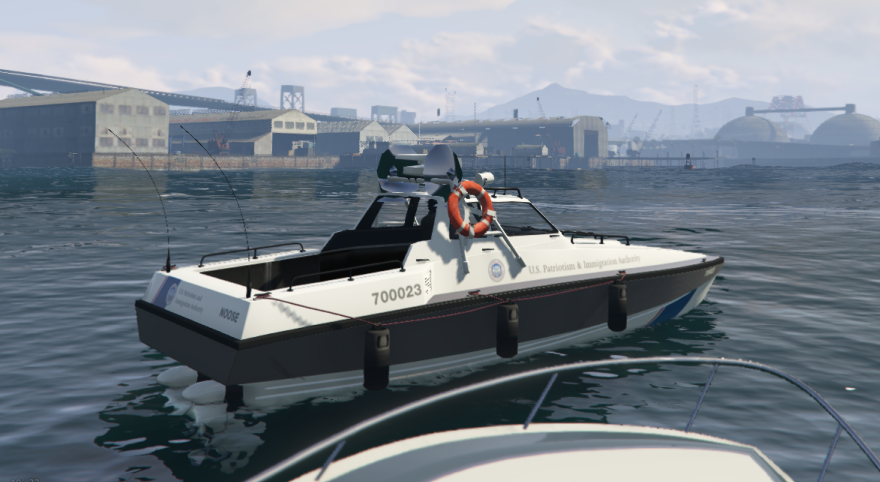
Bug found for Noose Predator. This bug appears when I turn on light and siren, appear when I turn on light only too, hope you can fix it.
Edit: I found the same bug happen on Noose Dinghy too.
 On 10/10/2019 at 10:30 PM, mintymax said:
This pack looks amazing! Unfortunately I can't open the file as an archive with 7zip. Is there a problem with the file or am I doing something wrong?
SOLVED: 7zip couldn't open the file, tried another archive extractor and it worked.
I use 7-zip to extract the file. And it worked. Not sure if you are doing something wrong.
-
-
-
-
-
-
-
-
 On 4/11/2021 at 1:20 AM, Alexx1524 said:
Anybody have the link for addon please ?
On 3/22/2021 at 7:18 AM, otherguy136 said:The download link for the Add-on pack (in the file called "Add_on Download Link.txt") links to a Google Drive file that no longer exists, meaning it can't be downloaded. However, this link was posted in an earlier comment: https://mega.nz/file/iDJW3bZT#YScEoMZtEMK2JK1jxyBTNbLqY1bs-E1odr4jhn53Syg
On 3/29/2021 at 11:38 AM, Black Whistle said:Can I get the updated addon pack link because the current one isn't working
Just now, WMFong said: -
-
-
-


 already did


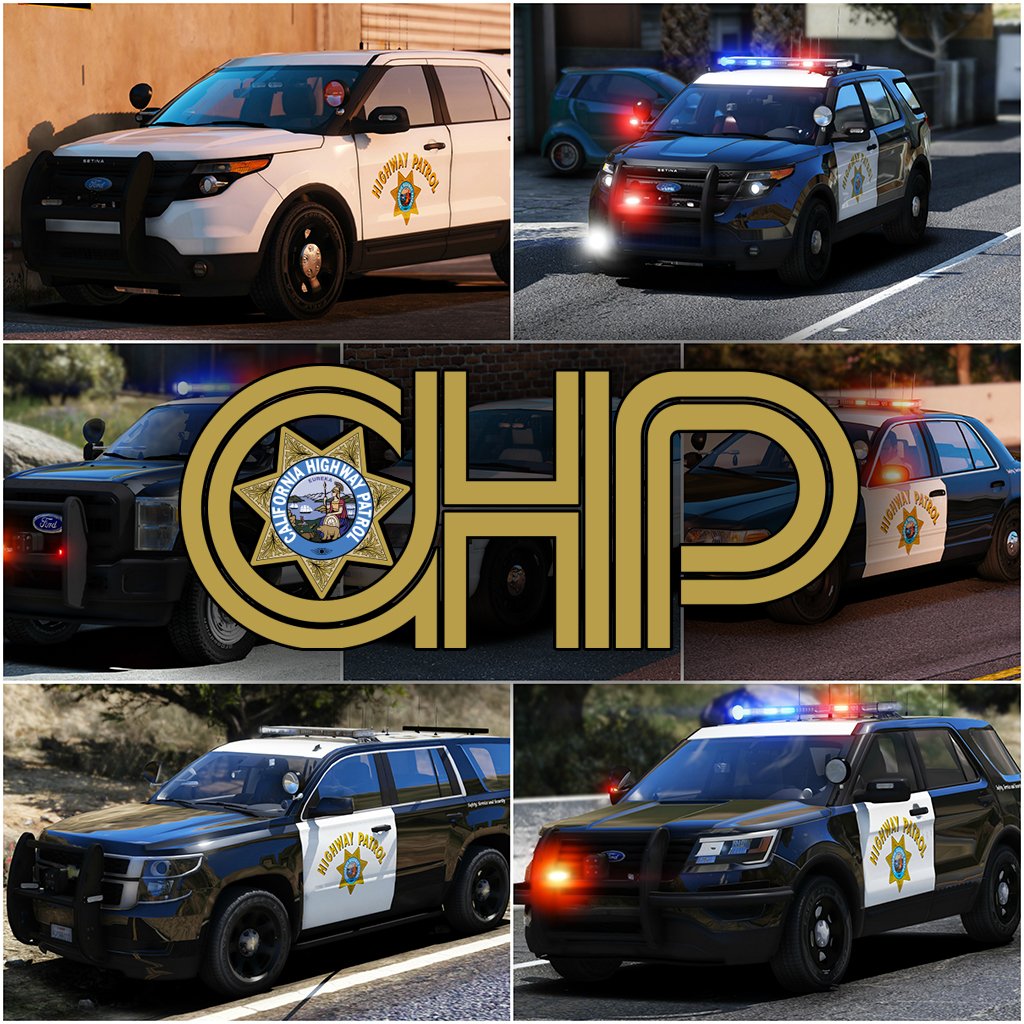
2017 California Highway Patrol Mega Pack - ELS
in Vehicle Models
https://mega.nz/file/iDJW3bZT#YScEoMZtEMK2JK1jxyBTNbLqY1bs-E1odr4jhn53Syg