



dream Modifications
Members
-
Joined
-
Last visited
Everything posted by dream Modifications
-
 Please, add files (minimap[...]) from "x64b" installation folder to following path: GTAV/mods/update/update.rpf/x64/data/cdimages/scaleform_generic.rpf/ This should help.
- 107 comments
- 8 reviews
-
Please, add files (minimap[...]) from "x64b" installation folder to following path: GTAV/mods/update/update.rpf/x64/data/cdimages/scaleform_generic.rpf/ This should help.
- 107 comments
- 8 reviews
-
Hello! The problem you described has only two possible solutions 1. Make sure you have installed mapzoomdata in common.rpf (This file is present in the folder for installation files) 2. Make sure you have Script Hook V and Script Hook.net installed (they are not the same), as well as the Radar Zoom script, which is also in the mod folder.
- 107 comments
- 8 reviews
-
Please, add files (minimap[...]) from "x64b" installation folder to following path: GTAV/mods/update/update.rpf/x64/data/cdimages/scaleform_generic.rpf/ This should help.
- 107 comments
- 8 reviews
-
-

- 1
-
-
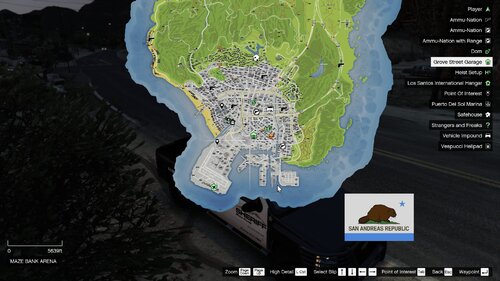
A Screenshot just for you guys. This map is working correctly. Please make sure that you've installed everything correctly and have all required files, such is Script Hook V and etc. Please, check this comment too.
- 107 comments
- 8 reviews
-
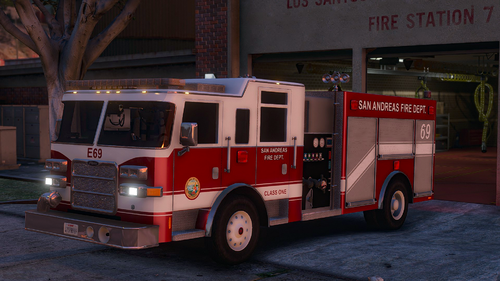 You are right. But as I know, ELS haven't got full scene lightning system. So we will see if it is possible to create worthy option.
- 55 comments
- 12 reviews
-
Hey! Current version of this map is working correctly. Please, recheck your installation steps, check Scripthook V and Scripthook.net installed and up to date. I didn't see this problem before lol. Do you have any mods installed for map? Maybe problem here because they are conflicting?
- 107 comments
- 8 reviews
-
-
-
Лучше пиши на английском. Возможно, тебе просто надо отключить размытие в движении в настройках.
- 107 comments
- 8 reviews
-
So in that case, how would I do a scenelights toggeadle? Nope, you can exclude this. Lirenti Labs & Research (lol) did a lot of work to get a list of extras that always spawn with cars. So this problem was sovled.
- 55 comments
- 12 reviews
-
I see. But I want to notice you, that all scenelights are extras. ELS system don't use them. So open up your GTA 5 trainer and disable extra number 5.
- 55 comments
- 12 reviews
-
Hey! In my game, after I've choose the right extra (extra 6 is opened doors, extra 5 is closed), I'm repairing car, and then I can see them. So this is probably solution of your problem.
- 55 comments
- 12 reviews
-
-
Okeeey... Fine then. I got a big plans for this pack. So I will add a lifeguard vehicles. Also thanks for this picture. I always thought that lifeguard is individual service.
- 55 comments
- 12 reviews
-
-
You also needs Script Hook V.net (not the same with simple script hook). Also map works only with Radar zoom script, that also provided.
- 107 comments
- 8 reviews
-
-
I've never saw a FR unit as a lifeguard. I'll add a ATV and SUV units in this pack. After that, you will be able to create your own lifeguard liveries for them.
- 55 comments
- 12 reviews
-
Hey man! Yes, because author of this mod didn't update it. I can't do anything.
- 107 comments
- 8 reviews
-
-
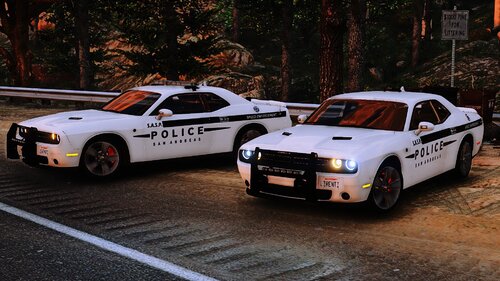 Hey guys, Thank you for this notice and for kind words! I'm adding them to a new 1.1.1 update right now.
- 35 comments
- 3 reviews
-
-

- 1
-
-
-
Hey man! You can try to dim them by using Paint or Photoshop: 1. Using OpenIV extract EMIS textures. 2. In the Paint or Photoshop create a new layer and dim it. 3. Save your texture and replace the old one.
- 55 comments
- 12 reviews
-
Hey man! I thought about it, but I wouldn't do this. Not because I'm lazy or something, but it is mine, author's decision. I think it looks cooler and better with this one. So this pack will be still Liberty. Got it, big thanks to you!
- 55 comments
- 12 reviews

