filippevillaca
Members
-
Joined
-
Last visited
Everything posted by filippevillaca
-
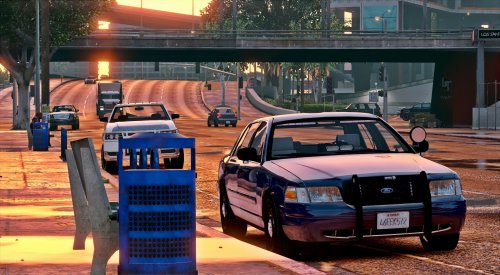 @POLICESCO Can you upload again the file? I'm trying to find another model that you posted here, did you update the file? Any chance to get this same model of the video in the following link? I lost the file and the Author of this video put the link of this file in description, but seems that booth cvpi are different, we can check by the antenna, lights and jail bars in rear window.
- 71 comments
- 24 reviews
-
FINAL SOLUTION: For who is having similar problem the solution for me is that I realize that was not the NVe crashing.... The crashing was the ENB because I installed an updated version, after reading some topics, I understand that the RPH is NOT compatible with the lastest version of ENB, the only version of ENB that works together with RPH is ENB 0.275. When I change the files and installed 0.275 version, everything works perfect without any crash. I spend 3 full days searching and trying to fix it. Thanks for everyone that tried to help me.
-
Looks like the problem is the Natural Vision Evolved, now I tried to unistall all NVE and use Vanilla visual and then works perfect everything. So now we know that the NVE is crashing all the game, what is strange because I'm using a updated version Thank you guys, I will try the support of NVE to check what is going on... if someone of you know what could be happening, please let me know
-
Just fix automatically when I install the new update later... No ideia how to setting the siren blip, sorry...
-
It's working when I load the game and RPH with the dinput8..dll that I took from System32 folder... But Is not loading my mods from Open IV and ASI plugins. If I use the dinput8.dll from the updated scripthook V, the game crash on the loading screen. That's very weird.
-
How you fixed it? Everything works now? Sorry, now I realize that you are still waiting for a reply from Charlie
-
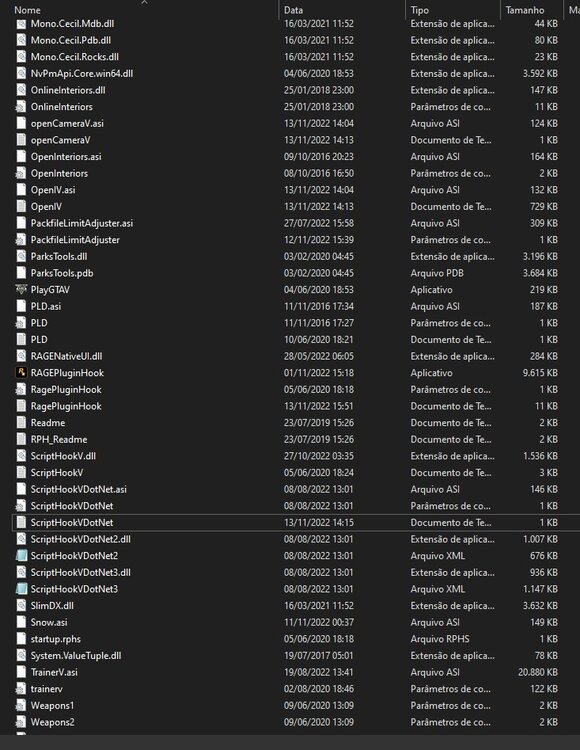
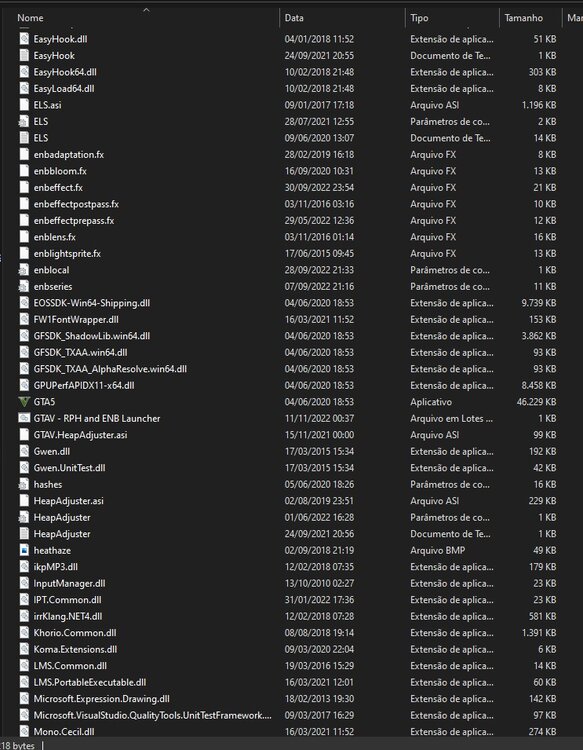
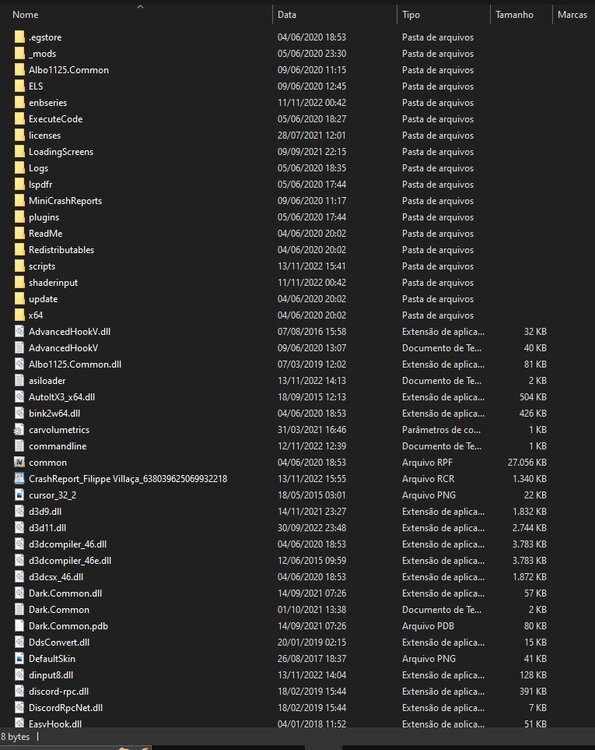
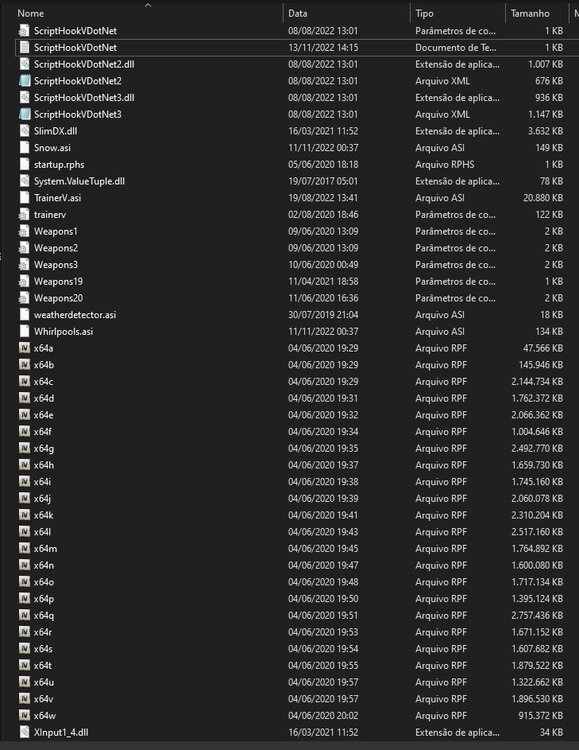
Hello, I need help to fix my game. My game is crashing everytime in the loading story mode with or without RPH, I already tried to rename my mods folder to check if is a mod problem but without a success. Strange is that when I remove to test dinput8.dll from the game main directory, the game works perfect, but of course without load any mod or Asi plugin. Please someone could help me to fix my game? Follow the log attached. PS: I have also installed Natural Vision Evolved updated version. RagePluginHook.log ScriptHookV.log ScriptHookVDotNet.log
-
I already fix the problem... It was a ENB error in dx3d11.dll, I just replace on GTAV folder with my Windows System 32 and it works... But now another issue, my lspdfr crashes during game, follow log bellow: Many Thanks Charlie, you are always helpfull in all situation. ragelog.txt
-
follow the log ragelog.txt
-
Keeps crashing
-
My GTA V crashes on loading story mode screen, anyone could help me? Follow my log attached. Thanks in advance ragelog.txt
-
Ok, I'll give a try... When I rename the folder, EUP can't start because it changed the folder name, should I play anyway to test? Do you think the problem is with the EUP? Thanks
-
Thank you in advance Charlie for all support ! I already configured what you said and it helped me in not having more texture losses. But it keeps crashing my game. Any ideia of another solution? Follow the new log bellow: RageLog.log
-
I play for a while and then my game crashes every time. I think something is going on, I've already checked all plugins and removed all plugins that are out of date. Please, I need help. Follow my Rage log attached: RagePluginHook_27092021_150822.log
-
I realized that the SIREN BLIP [ELS] no longer works for some cars, such as POLICE, POLICE2, SHERRIF. Siren Blip always happens when you turn on the lights code 3 at a traffic stop or when you turn the lights on and off quickly. Does anyone know how to solve this problem so that my cop cars work again siren blip?
-
Sorry sir... I already create my thread, if possible help me there Thank you
-
Rage Plugin Hook has been crashing almost every time I use it, this never used to happen to me and its getting me frustrated since I always have a fear that my game could crash at any second. I load in fine, go on duty, patrol for like 5-15 minutes then boom, rage crashes. RagePluginHook_19022021_171237.log RagePluginHook_19022021_170003.log
-
Can you explain how you fix your issue? I have had the same problem... Thanks in advance
-
Hello Guys, could anyone help me? My game has crash all the time. I play a little while and it crashes. I already update all possible mods and plugins. Does anyone know how to help me? I have the Rage Hook plugin report, follow bellow:
-
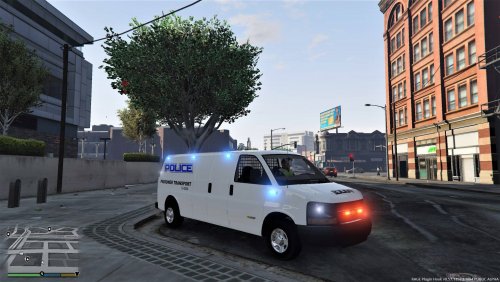 I was trying for a long time and now I finally found the location: OpenIV: GTAV\mods\x64a.rpf\data For those who want to know the correct location of carvariations.meta, follow below: OpenIV: GTAV\mods\x64a.rpf\data
- 137 comments
- 13 reviews
-
Since I updated the game, I realized that the SIREN BLIP no longer works for some cars, such as POLICE, POLICE2, SHERRIF. Siren Blip always happens when you turn on the lights code 3 at a traffic stop or when you turn the lights on and off quickly. Does anyone know how to solve this problem so that my cop cars work again with siren blip?
-
Since I updated the game, I realized that the SIREN BLIP no longer works for some cars, such as POLICE, POLICE2, SHERRIF. Siren Blip always happens when you turn on the lights code 3 at a traffic stop or when you turn the lights on and off quickly. Does anyone know how to solve this problem so that my cop cars work again with siren blip?
-
"AI not using lights and sirens was resolved by setting sirensettings to 13 in carvariations.meta." I cannot find carvariations location for speedo, someone could help me? Thanks a lot
- 137 comments
- 13 reviews