


Lspdmaxi
Members
-
Joined
-
Last visited
Everything posted by Lspdmaxi
-
Can you provide the log. Did you change the rage plug in hook time to 60,000?
-
Hi I am trying to use the headphone mic for Grammar Police but LSPDFR says speech engine is not running. I have followed Charlie686 instructions from April 6, 2022 for troubleshooting, yet it still doesnt work. headphone mic is tested and works perfectly fine. LSPDFR says to look at RPH log yet I couldnt work out where the fault lies. Can anyone tell me what is causing the headphone mic to not being able to work. The log is attached. Thanks RagePluginHook_01042023_224320.log
-
I disabled the virus protection which allowed Coastal callouts to work with no problems.
-
Hi there, Log attached Have a new copy of GTA 5. Had game verified by Rockstar games Latest version of LSPDFR & RPH, Ragenativeui.dll and Gameconfig Installed Coastal Callouts Installed - Heap Adjuster, PackfileLimitAdjuster & WeaponsLimitAdjuster Tries loading GTA5 and crashes. Out of game memory. Can anyone help on how to fix this. Thanks RagePluginHook.log
-
Will be reinstalling GTA5 and that should resolve the issue. Thanks.
-
I am reinstalling GTA5 again, in case there were any corrupt files when downloading. It should resolve the problem.
-
RagePluginHook.log
-
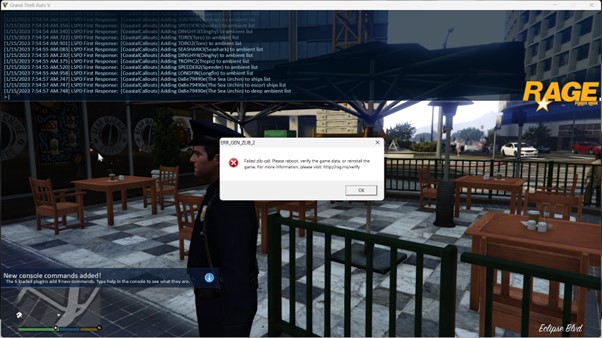
Hi DF Developments. It appears all the callouts have loaded successfully but the Ragenatuveui.dll is not loading. Have you got the most recent one from December 2022. Try installing that and see if it works.
-
I have verified GTA5 through Rockstar Games with no issues identified. I thought it would have been this too, but the error is still present. Can't figure out why.
-
Hi mattakiraj From what I can see from your log, it appears to be crashing at Ragenativeui. Please install the current version RAGENativeUI You can find it here: https://github.com/alexguirre/RAGENativeUI/releases Good luck
-
Can I offer another suggestion Tim.Smkb. Delete the Grand Theft Auto V folder that has been created. Reinstall Grand Theft Auto so you have a fresh new copy - should take no more than an hour. Go to LSPDFR website. Install LSPD First Response 0.4.9 (Build 8382 - RPH Fix). This time, try the lspdfr_049_8382_setup.exe. This hopefully will solve your problem, as well as provide you with the current version of LSPDFR and RagePluginhook. Remember, you will also need to install the latest Ragenativeui.dll with the instructions already provided by TheLastKnight2 in another message in the last day. Good luck
-
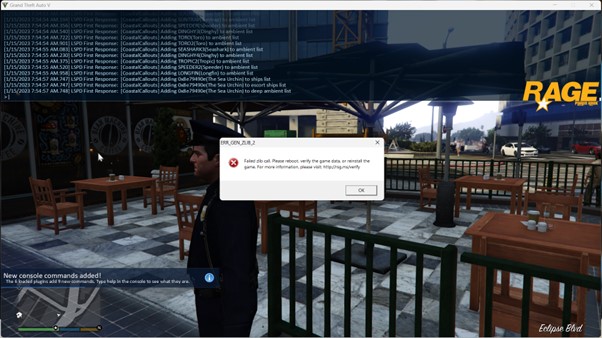
Hi TheLastKnight2, Attached is the Ragepluginhook.log. I have had a look in the log and cannot find the reason. I have also provided a screenshot of the actual error. Can you or anyone assist in removing the Failed Zib Call. Started a whole new setup of GTA 5 for the sole purpose of Coastal Callouts this time. Thanks RagePluginHook.log
-
Hi frankwhat, Possible suggestions. - have you installed ragenativeui.dll - in Rage Plugin Hook, did you go to settings and change the timeout threshold to 60,000. Hope that resolves your problem.
-
Hi, - Log Attached -- Crashes when loading Coastal Callouts. * Installed new updated version of GTA 5. * Installed new LSPDFR & RPH * Installed latest Rage Native UI * Installed Latest Coastal Callout. LSPDFR successfully loads. Coastal Callouts loads but immediately the "Failed Zib Call" error comes. * Went to Rockstar Launcher and verified my GTA 5. * Restarted laptop - same problem at the same location. * I have weaponslimitadjuster, Packfilelimitadjuster and heapadjuster installed, together with LML - as required for Coastal Callouts. Can someone please help me removed the Failed Zib Call. Thanks in advance RagePluginHook_14012023_050547.log
-
 Great callouts. Excellent work ZPhDevs. The bank callout crashes when chasing the remaining bank robber in the car.
- 202 comments
- 18 reviews
-
- rph
- lspdfr callout
- legacy
- rph
-
Tagged with:
-
Hi all, LSPDFR has been working perfectly with no issues - until now. Just installed EUP, EUP menu and EUP S&R through Open IV. Now it crashes upon completion of loading. Can't work out from Log file what is causing the crash. Any help would be appreciated. RagePluginHook_28052022_033639.log Don't worry. fixed it. updated Rage native UI. all works fine. Thanks
-
Thanks Daniel. Will follow the instructions.
-
For most callouts, it is very simple - the instructions will say: Copy and past the 2 folders and/or files into your main GTA V folder. as simple as that. you will have many callouts. For mods, it is a little different, and TheLastKnight2310 is correct, use the many videos to help installing. Good luck
-
Hi all, With Script Hook V not updated for the new LSPDFR 0.4.9 - 8151, do we have a timeframe when it will be updated? I am unable to even load LSPDFR as i have a number of LSPDFR mods (which I assume many of you also have). Thanks
-
Thanks PNWParksfan. Followed your instructions and appears to be working. Thank you.
-
I have now installed Heap adjuster. As for Open IV, the lspdfr team advise that it is no longer available for download. I'll see how I go. Thanks
-
Hi Pnwparksfan, I have tried running GTA v and then rage plug in hook after, but no help. I have completed the template with all attachments shown above. I'd appreciate help to get Coastal Callouts working. Thanks
-
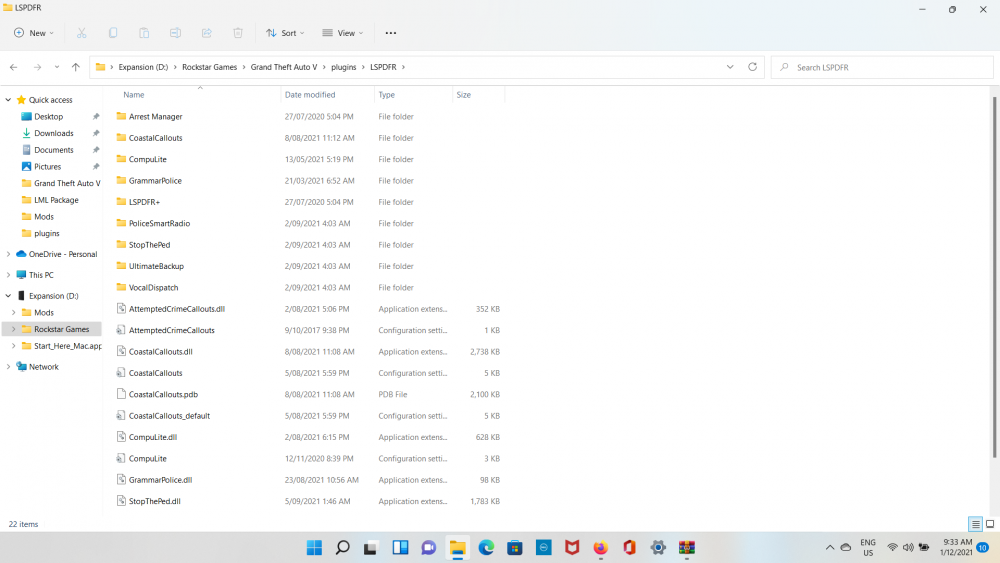
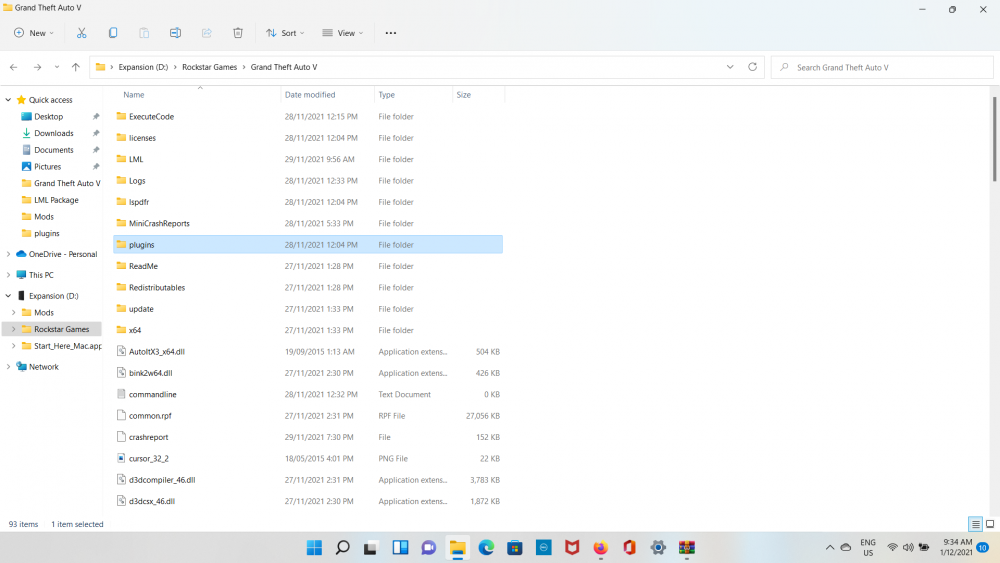
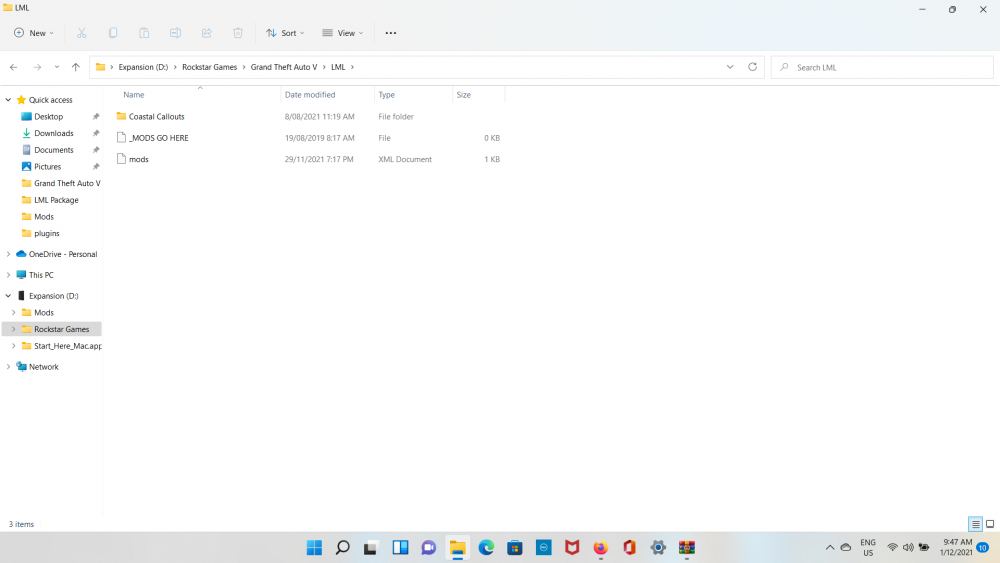
Hi Parksfan, the template is as: vfs.log ModManager.log
-
Just to further add, attached is the mod manager file. ModManager.log




