



White Diamond
Members
-
Joined
-
Last visited
Everything posted by White Diamond
-
if u have SHVDN delete it. if not change the name of mods to _mods
-
Update RAGENativeUI download and only use dll file the only one u need. https://github.com/alexguirre/RAGENativeUI/releases
-
Try to remove lspdfr plugins folder and all other mods u have and try frish and reinstall mods one by one to see which one causing the crash. I had a crash in mid loading screen caused by Script Hook V Dot Net. is ur game v1.0.3095?
-
Cars disappeared in GTA V mods and the headlights not working properly. PLZ HELP.
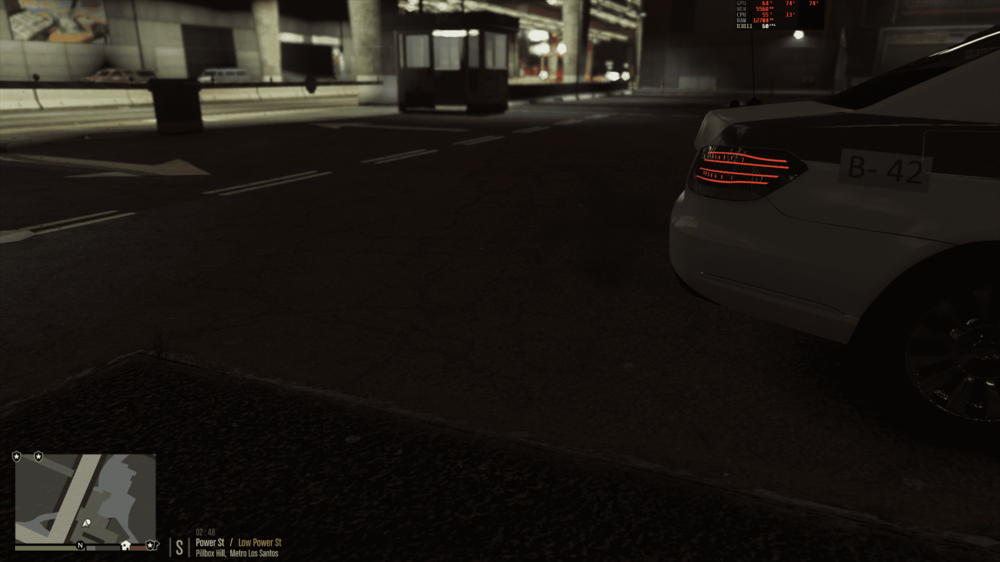
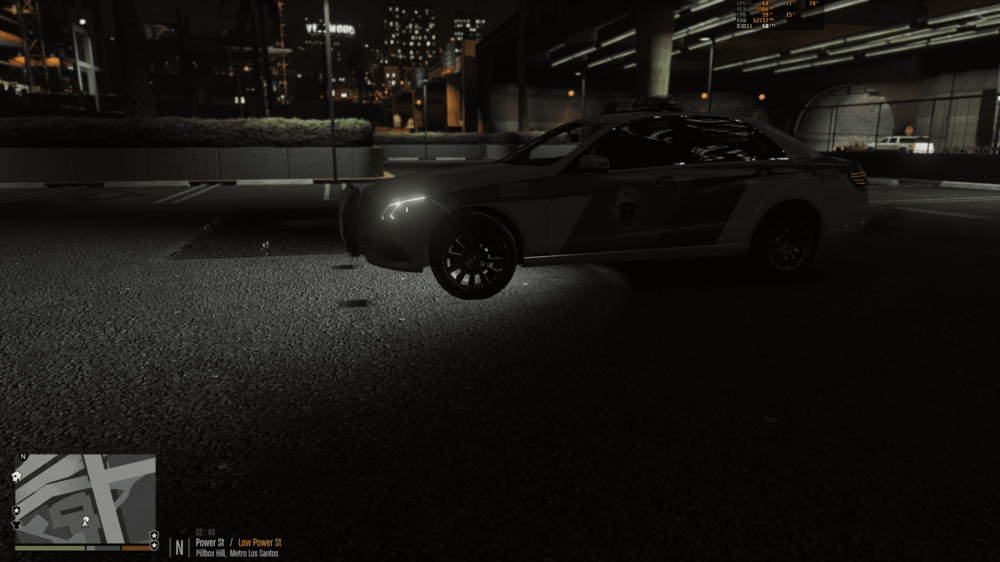
.thumb.png.51847dfb92f69fa917e12249380a28a0.png)
.thumb.png.149726c9474273ab49da1705aacf7ea5.png)
-
Go to GTA V main folder and properties Compatibility and check the run as administrator box for Play GTA V, GTAVLauncher and GTA 5 also do the same with Rockstar Games Launcher. Don't forget to give access to these apps in windows security. It should fix it. some time windows defender is blocking GTA V apps.
-
Will it work with Mercedes-Benz as POlice2 ? This is the link of the Vehicle Models: https://www.gtainside.com/en/gta5/cars/161297-saud-arabia-mercedes-traffic-police-els-replace/
-


.png.b880411ac6a74d285a666e7355439f70.png)
.png.a755fd007182ccfd54896e012f1f8ea7.png)
