


pognivet
Members
-
Joined
-
Last visited
Everything posted by pognivet
-
I tried what that guy suggested to do, but it didn't seem to have any effect for me. God I wish they would stop releasing these stupid GTA online cash grab updates for a 10 year old game. LSPDFR is more fun and has more features than the f**king vanilla game.
-
Here are some images to illustrate how strange this is. It only affects certain departments, like the LSSD. Working: Working: Not working:
-
I have no idea what's causing this or how to fix it. The only way to keep myself from getting immediately back out of a vehicle is to hold down W so the engine starts. If I just press F to get inside a vehicle, like to use the computer or something, the second I sit down in the seat I immediately get back out as if I pressed F again. Any ideas?
-
This is a really weird glitch since I've googled it endlessly and couldn't find anyone else talking about it. I'm using all the vehicle packs from the EUP Ultimate Edition. Every vehicle works fine except for the Granger. For whatever bizarre reason the lightbar on the top is oriented front to back instead of left to right, like its parallel with the body of the car instead of perpendicular to it. It's rotated perfectly 90 degrees. I've been completely mystified as to why this is or how to fix it, even if it means just editing the vehicle code myself. Has anyone else had a similar problem, maybe with other vehicles? Does anyone have an idea as to how I can fix this or get around it, such as installing a different/custom Granger? I'm indisposed right now, but I'll get some screenshots of it later today when I have time to play.
-
 despite what anybody says this is 8.3 without a doubt. you can easily see this is true if you use a config made for 9.3. every outfit is wrong for both players and npcs. not only are they wrong, but they are identical to what would show if you used the same config with the 8.3 file. really annoying. even more annoying that they ignore all of these comments and just ask for money on patreon to get the actual 9.3 file so the game doesnt break. they leave this bait and switch up for 4 months. funny that it was updated on april fool's day.
- 2,349 comments
- 238 reviews
-
-

- 1
-
-
-
 For me whenever I recover a weapon and try to run the serial number I never get a response from dispatch when I use the regular STP menu. I don't think there's a voice line for that either. So as long as I have the mod installed I can't run any serial numbers. After about fifteen or twenty minutes the same thing happens with checking ped info and license plates. Grammarpolice understands me because I can see my words in the console, but dispatch will say nothing or there will just be short bursts of static over the radio. A little bit after this if I hit ESC and pause the game it'll show the loading "swirl" in the middle of the screen which will never go away. I then have to alt-tab and close GTA 5 in task manager. Any ideas would be much appreciated.
- 1,365 comments
- 86 reviews
-
such a cool mod. totally awesome. a shame that it seems to break stop the ped and vice versa. i can get it working decently for about 20 minutes, but then it randomly softlocks the game if i ever hit escape. leading up to that dispatch will stop responding to me (or just stop speaking completely) even though the log shows they know what i'm saying. maybe it has something to do with the new game engine update that came out the other day? can't say for sure. either way it would be nice to have stop the ped integration, like with serial number checks and all that.
- 1,365 comments
- 86 reviews
-
Last night I was playing fine. No lag, no errors, no crashes nothing wrong. Today I wake up and I find that the game won't even start at all. It just goes to the Rockstar Launcher and then exits. No error code. Nothing. I don't even see the splash screen. I have RDR2 on the Epic Games store and that launches and runs fine. I've tried reinstalling the game several times, deleting all my saves and config files in My Documents. Nothing works. I literally can't even play vanilla. Has anyone else had this problem recently? Does anyone know of a way to fix it? Rockstar Support is worthless and now I can't play LSPDFR anymore and I also lost all of my mods.
-
 Thank you. Just tried reinstalling the entire game from scratch. Followed the instructions. Same problem. Everything loads fine until it's about to actually load into the game and then it crashes. Doesn't give any obvious indication of why it crashes. I just know that if I remove your vehicleaihandlinginfo.meta file then it doesn't crash.
- 366 comments
- 32 reviews
-
I have not yet, but thank you for taking an interest in my problem. I'll keep trying because the mod seems like it's worth it.
- 366 comments
- 32 reviews
-
-
- 1
-
-
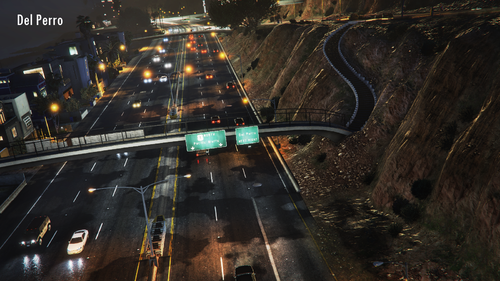 Same thing with me. Ridiculous amount of crashes/explosions/mayhem as if riot mode is turned on.
- 124 comments
- 7 reviews
-
-
- 1
-
-
I really want to try using this, but every time I've tried to use it my game just crashes. I followed all of the instructions to a tee. Got the current gameconfig (and edited it as instructed), got a heap adjuster and a pack limit adjuster. Tried just about everything and I can't get the game to ever start when using this mod.
- 366 comments
- 32 reviews


