



Veteranfighter
Members
-
Joined
-
Last visited
Everything posted by Veteranfighter
-
 I'll text the other devs and let you know about this soon
 -
Hello SrVenuh, could you please provide a link to the mod you're referring to, in order I can check whether I could provide a compatibility with it in future updates. Thank you very much!
-
-
Okay interesting. Could you please try to set the debugmode in the configuration to true instead of false and attach your log? Thank you in advance
-
The waypoint gets set to the correct callout position tho?
-
 Hello, you may join my discord server and open a support ticket. I will assist you further there.
- 21 comments
- 1 review
-
- lspdfr plugin
- rph
- legacy
- lspdfr plugin
-
Tagged with:
-
 Yes they should still work as intended, since I don't use any update specific code like memory offsets. If you still encounter any issues, feel free to let me know.
- 106 comments
- 13 reviews
-
-

- 2
-
-
Yes. If you encounter any issues anyway, just let me know 🙂
-
Yes this is correct, thank you for your advice. AI:Respond places a waypoint marker since version 1.1.
-
You did not properly install the lightbars, it works the same as with addon cars.
- 21 comments
- 1 review
-
- lspdfr plugin
- rph
- legacy
- lspdfr plugin
-
Tagged with:
-
Oh sorry, you're right. I added that feature but I haven't published the new version yet. Right now AI:Respond should detect UltimateBackup automatically and attach UB Units instead of the vanilla units.
-
You can change it to UltimateBackup in the configuration file.
-
Yes I know, but changing the vehicles.meta during runtime is not an easy task, I know FiveM has done it
- 21 comments
- 1 review
-
- lspdfr plugin
- rph
- legacy
- lspdfr plugin
-
Tagged with:
-
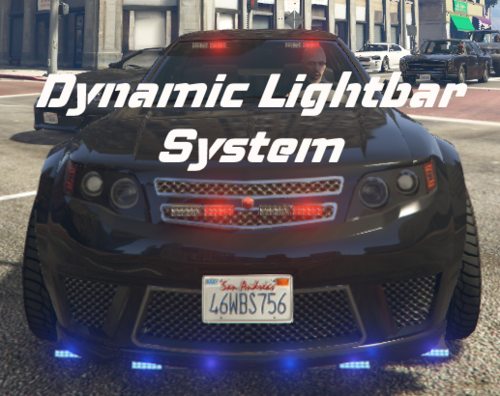
Dynamic Lightbar System OPEN BETA 1.0.0.0 by Lenge This plugin allows you to attach lightbars to every vehicle in the game Hotkeys (These cannot be changed at the moment, next update will include a configuration file): F6: Open the Lightbar configuration menu F5: Open the Preset Menu - You can save your preset and share it with others or just save and load it for another session. E: Turn siren on / off J: Turn siren silent At the moment it's not possible to perform pullovers with the vehicles, I'm not sure if I can fix this in the future. Please report all bugs to me, remember, this is a very early Open Beta Version. Requirements: RageNativeUI OpenIV for the Installation Custom GameConfig for example: https://www.gta5-mods.com/misc/gta-5-gameconfig-300-cars/download/185426 A little showcase and tutorial of the plugin can be found here: Notice: This is a work in progress and also a BETA VERSION. This version will probably have some small bugs I will fix in the future. This mod is not in it's final state. This mod is heavily inspired by the amazing FiveM script "Lightbar Menu Script" by Munky. All credits for the lightbar models and the original idea go to him!
- 21 comments
- 1 review
-
-

-
-

- 4
-
-
- lspdfr plugin
- rph
- legacy
- lspdfr plugin
-
Tagged with:
-
Try changing the key in the configuration, seems like an issue on your end, I reviewed the code, and it should work properly. If the issue still persists after changing the key, reach back out to me, please.
-
That's not caused by my plugin. Please contact the creator of this plugin: https://www.lcpdfr.com/downloads/gta5mods/scripts/19177-sergeant/ What do you mean by "it will not pop up with the selection tab"? I'm not really sure about which tab you're talking, It'd be really helpful if you could explain it further or do a screenshot. Thank you!
-
Hello, can you attach your RagePluginHook.log file?
-
 Yes. This mod still works.
 -
Update EUP Menu and update RageNativeUI
-
Hey I don't have enough time to update this mod right now, but I will do eventually. I will fix this issue in the future. Thanks for reporting this. Have fun
-
-
Cannot be caused by my plugin. Might be a problem with another mod
-
Uninstall UltimateBackup or change the file name of UltimateBackup to something like UB
-
yes
-
Sounds like a very good idea, yeah, why not.

