Lennyy
Community Team
-
Joined
-
Last visited
Everything posted by Lennyy
-
In the EUPFR download.
-
Ambient spawns are exclusively handled by LSPDFR. You’ll find the configs in the lowercase lspdfr\data\ and lspdfr\data\custom\ Though, there might not be a zone to use for the highway. Your topic has been moved to LSPDFR 0.4 Support. Please post in the correct location in the future.
-
Screenshot the bottom of the file please.
-
Update RageNativeUI through here. Drag the .dll into your main directory.
-
Drag the log file into the opened chat window here in the thread please.
-
The upper tag wasn’t closed at the very bottom. You made a mistake editing the file.
-
You have an error in your inventory_eupfr.xml.
-
But GTA only via Steam works and launches fine into Singeplayer?
-
Please translate your request into English as this is an English only speaking forum.
-
Try adding the entire GTA V directory as an exception to your antivirus software. Perhaps add another exception for the RagePluginHook.exe itself. For the windows defender it’s within the system settings somewhere. If you’re using another software or you’re stuck at some point, use google to figure out how to add the exception. Your topic has been moved to GTA V Support, this is not LSPDFR related. Please post in the correct location in the future.
-
Glad to hear you’re having fun. If you’ve got more issues just create a new thread. Have fun playing!
-
What happens when you launch GTA on its own without RagePluginHook?
-
Your topic has been moved to LSPDFR 0.4 Support. Please post in the correct location in the future.
-
The latter log shows no crash and the former one looks like a random one.
-
Please upload the log by dragging it into the opened text window when replying to this thread. Your topic has been moved to LSPDFR 0.4 Support. Please post in the correct location in the future.
-
Start Rage and click on the cog icon ⚙️. Set the displayed number in the RPH settings to 60000 (instead of 10000). After that hit save and launch.
-
Grab an updated version of RNUI here. Simply drag the .dll into your main GTA V directory. Your topic has been moved to LSPDFR 0.4 Support. Please post in the correct location in the future.
-
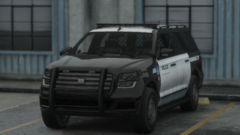
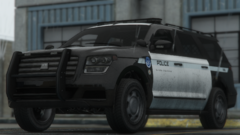
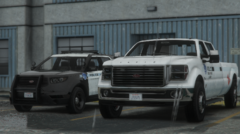
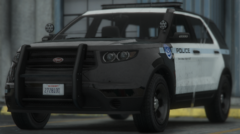
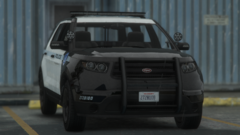
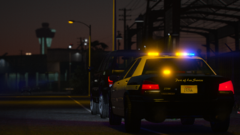
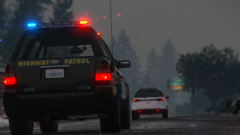 Apologies I somehow didn’t get a notification and just saw your comment. Here's some of the packs used in the album. Coroner: https://de.gta5-mods.com/vehicles/death-investigator-pack-add-on LSSD Vapid Stanier: https://www.gta5-mods.com/vehicles/los-santos-county-sheriff-department-pack LSPD Vapid Scout: https://www.gta5-mods.com/vehicles/lspd-lssd-pack BCSO Vapid Scout: https://www.gta5-mods.com/vehicles/blaine-county-sheriff-pack-bozza-et-al SAHP Declasse Alamo, Bravado Buffalo, Vapid Stanier: https://de.gta5-mods.com/vehicles/sahp LSPP Vapid Scout, Vapid Sandking, Landstalker: https://www.gta5-mods.com/vehicles/los-santos-port-police-pack-add-on I hope I didn't miss any except the RHPD pack which was actually a private upload the dev gave me access to on Discord. If you have another question just ask :D.
 -
-
Put ELS.asi back and launch the game. After it crashed, post your ELS.log.
-
I think you forgot the RPH log :D.
-
Navigate to your GTAV/lspdfr/lspdfr.ini and set AmbientSpawn.DisableRandomUnits = true. Also, update DeryllCallouts. Your topic has been moved to LSPDFR 0.4 Support. Please post in the correct location in the future.
-
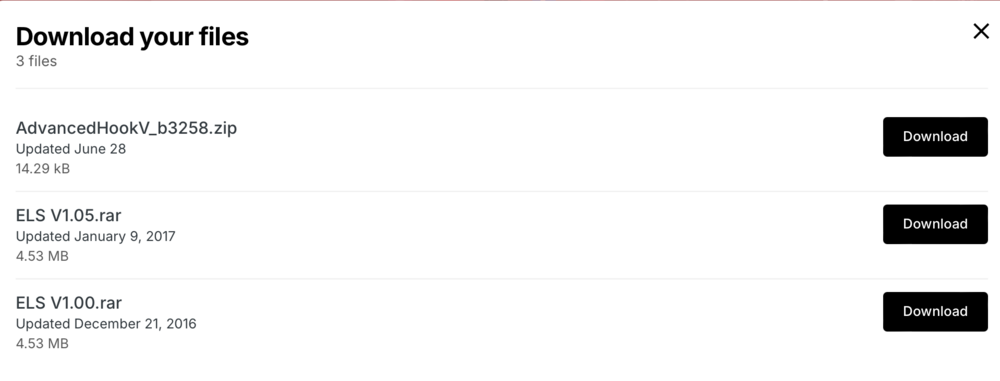
Did you install the .dll from the AdvancedHook_b3258.zip file after installing ELS V1.05?
-
You’re most welcome!
-
Let me know if that works for you!
-
It could be a faulty meat file as well if you haven’t checked them. Good luck narrowing it down!