Lennyy
Community Team
-
Joined
-
Last visited
Files posted by Lennyy
-
Seamlessly integrate EUP 9.10 outfits into Policing Redefined with realistic configurations.
Thank you for your interest in EUP Policing Redefined. This config pack allows you to use EUP 9.10 outfits with PR.
⚠️ Important Note
This release was made and tested using EUP 9.10, which can be obtained by pledging to the EUP Teams Patreon page.
While I have not personally tested it, it should theoretically work with EUP 9.7, 9.8 and 9.9 as well.
📦 Installation
1. Back up your files (recommended)
Navigate to GTAV\Plugins\LSPDFR\PolicingRedefined\Backup\ and save a copy of your current XML files (4 in total) somewhere on your PC.
2. Install EUP Policing Redefined
Drag and drop the Plugins folder from the EUP PR download archive into your main GTA V directory.
You will be prompted to replace existing files. Select 'Yes' to overwrite your old files.
3. Customise your XMLs
After installing EUP PR, you can edit the XML files to fit your installed (addon) weapons, cars, EUP items, adjust loadouts, vehicle assignments, and other configurations.
For more information regarding edits to the backup files, please consult the PR Team’s User Guide: https://policing-redefined.netlify.app/docs/user-docs/configuration/backup
The XMLs provided with EUP PR only include default content provided by Alex Ashfold and the EUP Team in EUP 9.10. No edits have been made to any outfits apart from sergeant rank insignias.
4. Switching from Ultimate backup
If you are switching from Ultimate Backup and wish to keep your current XML files, you can just drag those into GTAV\Plugins\LSPDFR\PolicingRedefined\Backup\
Policing Redefined will automatically convert them to their XML structure
Converted XML files from Ultimate Backup will be missing the following:
- Custom Name List IDs
- Comments
- Custom Offsets
⚡ Features
Preconfigured XMLs ready to use for EUP 9.10 Includes standard agencies such as LSPD, BCSO, LSSD, SAHP, SASP, LSFD, LSCoFD, Coroner and much more... Ready for drag-and-drop installation Realistic spawn chance distribution based on real-life data
💬 Support
If you encounter any issues, please leave a comment on the download page or PM me here on the forums. If we share a server on Discord, you may also PM me there (probablylenny).
While all files have been thoroughly checked, some issues may still occur.
- 3,968 Downloads
- 30 Comments
Updated -
TrunkControl is a RPH plugin which let's you open your trunk via one simple button click. It’s mainly for RP purposes although some sort of menu functionality will be added in the future.
How to install TrunkControl
Download the .rar and extract it via WinRAR or 7-Zip. Drag and drop the Plugins folder into your GTA-V main directory. Drag and drop the RageNativeUI.dll into your GTA-V main directory.
How to load TrunkControl
There are two ways of how you can load the plugin:
Use "LoadPlugin TrunkControl" in the RPH console. Load the plugin on startup (RPH settings)
Requirements
A legal copy of Grand Theft Auto V. RagePluginHook 1.90 or higher which you can download here (You most likely already have it as it's a prerequisite for LSPDFR). RageNativeUI 1.9.1 (included in this download).
Features
TrunkControl let's you open your latest vehicles trunk with one click (default T).
You have to be within range of your trunk to be able to open it.
The key is fully customisable and also supports controllers. RageNativeUI menu to retrieve additional equipment (default F5). Integrated version checker which always tells you if you are on the latest version or if you need to update the plugin. You can still play on an outdated version though I wouldn't recommend it (Massive thanks to @sEbi3 for open sourcing UnitedCallouts). [NEW] Integrated dependency checker which tells you if you are running the latest required version of RAGENativeUI. Thanks to @Rich for helping with that. [NEW] Enhanced logging to pinpoint issues more precisely. [NEW] Edit the range your trunk is detected by the plugin.
How to customise the key
You can simply change the key to open your trunk via the plugins .ini file (Plugins/TrunkControl/TrunkControl.ini). After changing the key (or button), you don't need to reload the entire plugin to use the new key. Entering the command "ReloadTrunkControlConfig" in the RagePluginHook reloads the config file.
Future development
With gaining more and more knowledge about RAGE's API and C# I will always give my best to implement more features and update the plugin. If you have any sort of suggestion, idea or improvement that helps the plugin and user experience please let me know via the comment section or send a DM my way.
Visual Installation Guides
Some awesome people have decided to create installation tutorials for my plugin. You can find a an up-to-date one below.
Support
If you encounter any issue with my plugin, post a comment further down below or send me a direct message.
- 58,789 Downloads
- 47 Comments
Updated -
ShootRifleFromCar
This weapons.meta file allows you to use your rifle while driving your vehicle. If you want to see how this "tactic" is being used in real life, take a look at this video.
How to install the mod
Download the file from this page Open OpenIV and navigate to mods/update/update.rpf/common/data/ai Enable edit mode and drag and drop the weapons.meta from the downloaded .rar into OpenIV Disable edit mode and launch GTA-V
How to use the mod
To use the mod simply cycle through your guns inside of your car while having the carbine rifle in your loadout.
Optional Addons
The optional addon download contains a small adjustment to the clip size of the pistol and combat pistol. The magazine capacity now stands at 17 bullets like the Glock 17 which most players will use as their service weapon. If you don't want to use that optional addon simply download the file labeled with "Main file"
Requirements
A legal copy of GTA-V OpenIV
Suggestions & Ideas
If you have any ideas for my mod, please let me know via creating a comment here on this page or through our Discord.
Support
If you require any sort of help with the mod, please leave a comment down below or send me a direct message.
- 6,004 Downloads
- 30 Comments
Updated -
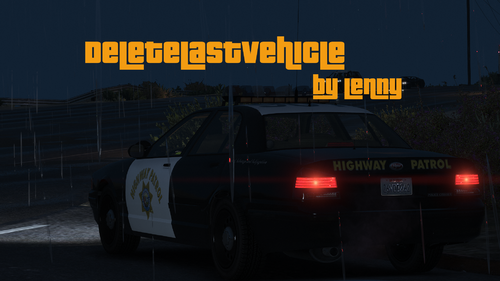
DeleteLastVehicle
DeleteLastVehicle is a Plugin for RagePluginHook which adds a command to RPH's console that lets you delete your last vehicle by typing dv into the RPH console. Whilst installing and testing new vehicles I always found it very annoying to use Menyoos spooner to delete them.
How to install DeleteLastVehicle
Download the Plugin and extract it via WinRAR or 7-Zip. Drag and drop the Plugins folder into your GTA-V main directory.
How to load DeleteLastVehicle
There are two ways of how you can load the plugin:
Type "LoadPlugin DeleteLastVehicle" into the RPH console (F4). Load the plugin on startup via the RPH settings.
How to use DeleteLastVehicle
Using the plugin is very easy. All you need to do is open the RPH console via F4 and type in dv. Hit enter and your last vehicle should be gone!
Requirements
A legal copy of Grand Theft Auto V. RagePluginHook (included in the manual install of LSPDFR).
Suggestions & Ideas
If you somehow have an idea for the plugin which you want me to add please let me know via the comments section.
Support
If you encounter any issues with the plugin, either report them in the comments section or send me a direct message.
- 3,818 Downloads
- 9 Comments
Updated