




LukeD
Friends of LSPDFR
-
Joined
-
Last visited
Everything posted by LukeD
-
Please write in English in the future. This is an English speaking community.
-
It's recommended to use the manual install. It's also not that difficult, copy all of the files inside the folder into the root of your GTA V directory. Done.
-
If you want to get any kind of help from the community, please add more useful information. Nobody is going to help you if all you put is "it doesn't work please help" I strongly suggest you go back a page to https://www.lcpdfr.com/forums/forum/909-gta-v-support/ and READ THE GUIDES.
-
It is not possible to downgrade to an older version of LSPDFR unless you saved a copy on your PC. Sharing of such files is not permitted and any threads with copies of these files will be deleted. If you feel this topic has been closed in error, please report this post.
-
This is an English speaking community. Please use English only.
-
Try checking the object/vehicle exists first. i.e Rage.Object barrier = new Rage.Object(stuff); if(barrier.Exists()){ barrier.isPersistent = true; //stuff } I've ran into things like this a few times, I suspect it is hardware/strain on your game that affects it. If you create an object and in the next line, try to alter that object (set it as persistent for example), it's entirely possible that it hasn't actually finished loading into the game yet you're trying to make changes to it. I could be wrong and it could be something else, however as a general rule of thumb, check things exist first anyway. Saves you crashing for silly reasons.
-
Having numerous threads asking when there will be an update is counter productive. Please just keep an eye on the news banner (top of the home page) If you feel this topic has been closed in error, please report this post.
-
Having numerous threads asking when there will be an update is counter productive. Please just keep an eye on the news banner (top of the home page) If you feel this topic has been closed in error, please report this post.
-
Having numerous threads asking when there will be an update is counter productive. Please just keep an eye on the news banner (top of the home page) If you feel this topic has been closed in error, please report this post.
-
We don't condone the sharing of these files, I have removed the youtube video in question.
-
It's done when it's done. Follow the news info on the home page If you feel this topic has been closed in error, please report this post.

-
The automatic review system scans all known files, so things like textures, text files, game data files which are easier to read tend to be alright in automatic review. Any plugins, executable files etc that are harder (but not impossible) to read, will often fail automatic review for security reasons. This is then down to a staff member to check and approve/reject. Due to the current pandemic, and everyone being very busy file approvals are longer than normal. We're all volunteers, most with full time commitments (jobs, education, family etc) Someone will get to each individual file, but just be aware it's going to take a little longer, as with everything in 2020.
-
It is not possible to obtain a legal copy of GTA version 1868 through Rockstar. These updates are published for a reason. If you do not have a local backup, then you must wait for the necessary modding files to be updated to suit. Please note, that we DO NOT endorse, nor support any forms of piracy. As such all replies pertaining to illegal file sharing have been removed.
-
Your topic has been moved to LSPDFR 0.4 Support. Please post in the correct location in the future.
-
Your topic has been moved to LSPDFR 0.4 Support. Please post in the correct location in the future.
-
This issue is not related to the modification, LSPDFR version 0.4. It is related to website blocking. Please take care to read the forum sections before posting. @Jeffdadawg If you believe someone has posted in the incorrect forum, please report it to staff so we can move it. Please don't continue to post telling other's where they need to post. I am sure your intentions are good, leave it to us though. Ok? 🙂 This topic has been moved to the appropriate forum. Please post in the correct location in the future.
-
Your topic has been moved to GTA V Support, this is not LSPDFR related. Please post in the correct location in the future.
-
We do not provide any kind of support for pirated versions of the game. Please legally obtain a copy of GTA V via Steam or Rockstar by means of purchase. If you feel this topic has been closed in error, please report this post.
-
Please take more time to read before posting, you've managed to ignored a big orange banner at the top of the forums and this post pinned to the top of this section. If you feel this topic has been closed in error, please report this post.
-
These specs are more than enough. However why have you configured and bought a PC with an unlocked CPU (the 'k' in i7-9700k means unlocked, which means "can be overclockers") but a motherboard with no overclocking capability? Seems a bit of an oversight to me.
-
Your topic has been moved to LSPDFR 0.4 Support. Please post in the correct location in the future.
-
@Shumi This couldn't be more obvious, it's literally above the "reply" section. Make your own thread, do not hijack someone elses.

-
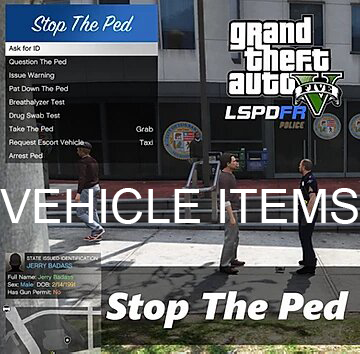 You can't change the category of a file once it is uploaded, only staff can. You can choose the category on first uploads though.
 -
I've moved this into the Misc category for you, this isn't a script/plugin and it isn't a data file modification either (this refers to GTA's data files, such as timecycle mods etc)
-
The site generally doesn't allow VPN usage as it's often used as a means to circumvent bans. What VPN are you using?




