


MatrixNative
Members
-
Joined
-
Last visited
Everything posted by MatrixNative
-
so I've given it some time, ..time to install. Thanks LSPDFR staff/admin/modders/devs
-
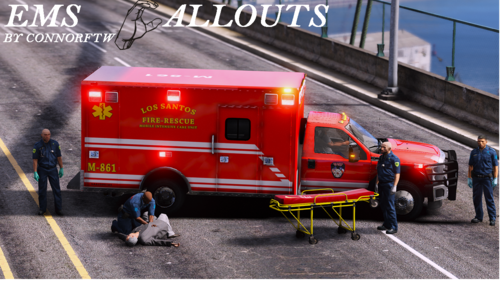 Yea same, not sure either. Its like Callout Manager will not even bring up the menu for me. I have tried F12 default key as well as assigned a different menu key to no success. So I don't get it. OK what about the Anbulance2 does it not work if you run ELS?, or is there a way to fix it so the emergency lights work? Well Ima try to get it working before I go with the early access. Do you post updates on your Discord? Thanks for the assist and Good luck my man.
 -
How do you bring up the callout menu to start a callout? Do you have to use callout manager 2.0.0? Callout Manager does not install properly for me. After installing ems callouts 1. 2 _I do get my F6/F7 menu's however, it does not offer to actually start the callouts, as like Fire Callouts menu. (our does it work in conjunction with that Fire Callout mods callouts? I would really like to figure this out as I have researched this and not found an answer- Also, is the Ambulance 2 a non-ELS vehicle (the one with the EMS Callouts livery? Thanks for the assist.
-
-
 oh ok, thanks.
 -
-
 Thanks Benzo, yea, got it squared up, thanks to your help. Thanks again my friend. Keep up the good grind.
- 221 comments
- 58 reviews
-
-

- 2
-
-
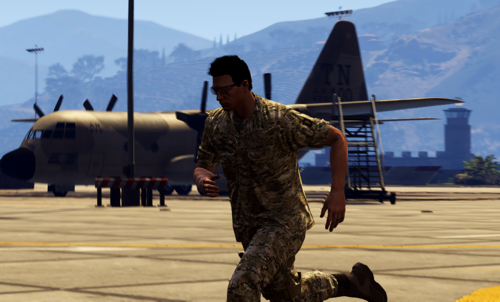 hey buddy really into the camo you created and would like to download it, however, Im kinda new at swapping/adding .config's textures so may I ask where is the server.cfg text document is at in my Directory., and do you have to complete that step for it to apply in LSPDFR, or 5PD, Thanks fir the assist-from the Army- Ima try to research it up, figured I would leave this comment here for those that might have the same lack of knowledge.
 -
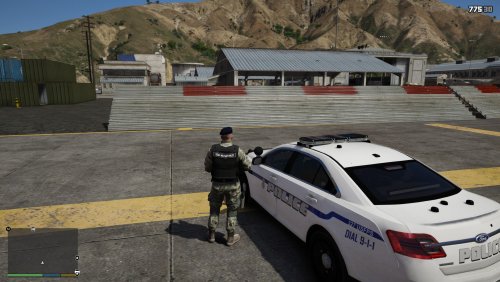 Could someone please advise me where to pick a Army MP "mud puppy" Version of this vest up? Love the vest, have to say I am Partial to Army. Thanks a Tone and it looks great. Rare to find MP, much less Army MP skins anywhere on LSPDFR. Thanks again.
 -
 so my weapon (pistol) is not spawning in my hip holster rig (belt) in the file. I have tired equipping it may times (the pistol), the rig spawns on my characterr just fine. Just will not holster the weapon. Any fixes? I have tried to install it twice. Thanks.
- 554 comments
- 46 reviews
-
wheres els xml?
-
 will these effect the OP_Immersive dispatch files? or does it just replace the grammar eu/us files? Thanks, looks great, just curious
 -
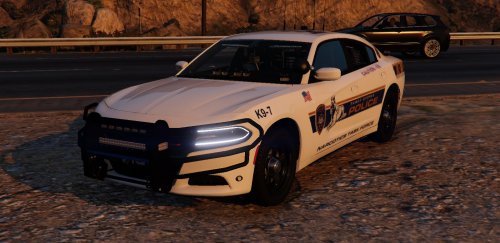 man you have out done yourself! saw this sexy scout on Benzo's Stream tonight. Just loaded it up, and played around. Tail lights & ELS spot on. Amber Cautions. My best K9 Scout go to now. Thanks from the K9'ers out here. -9King41
- 7 comments
- 4 reviews
-
-
Does anyone kno w if Better Audio Dispatch works with this amazing program, or one that will work? Thanks in advance.
-
NEED SOME ADVISE:: so when I got "force duty" on duty for lspdfr, for some reason I have this text under my PLD display. (i CANT REALLY EVEN MAKE OUT WHAT ITS STATING (as pictured below) : can someone PLEASE tell me how to get rid of it. I have tried many things. Its does not appear there before I go "force duty. like when i'm on single player before I force duty. . Thanks for any help.
- 221 comments
- 58 reviews
-
.thumb.png.ff545023a0865d5667af1d6318eaec32.png) can some one give me the line for changing my stage three lights (visuals), the top rear interior lights to do activate. Thanks. Great MOD btw, I am a Ga. boy, so yea. this is GAS. thanks for the assist.
can some one give me the line for changing my stage three lights (visuals), the top rear interior lights to do activate. Thanks. Great MOD btw, I am a Ga. boy, so yea. this is GAS. thanks for the assist.- 26 comments
- 13 reviews
-
 K9 Partner, however if I go through "Ultimate back up" (using I Malinois - K9 Dog 1.0.1have a command for him to search a vic (when it works.) can't seem to find search ped WHEN I LOAD THE K9 FROM ULTIMATE BACK UP. Malinois - K9 Dog 1.0.1-- When I load my k9 from K9 PARTNER it does fine, just cannot get the Sheriff texture Vest when I load the k9 through k9 PARTNER if ya trackin with what i am trying to explain. lol-Thanks for the assist. 9-King-41 I just want to know how i can get the different colored texture and vest on the k9 I load from kp partner. OR find out how to have the k9 from ultimate back up Malinois - K9 Dog 1.0.1 search peds. I am aware that I can only change color of the head in k9 Partner but i can't seem to get the different Vest when n the kennel (dog house) Thanks again for the assist.
- 138 comments
- 35 reviews
-
can you get this dog to search peds? if so how, just tells me to press left on my d-pad to have him search a vehicle, how do you get them to search a ped? Thanks.
- 138 comments
- 35 reviews
-
 yea we def need the chest animation., most my primary LEO's have the chest mic. I have also been trying to find it, as "Chest" does not seem to work.
- 1,365 comments
- 86 reviews
-
-
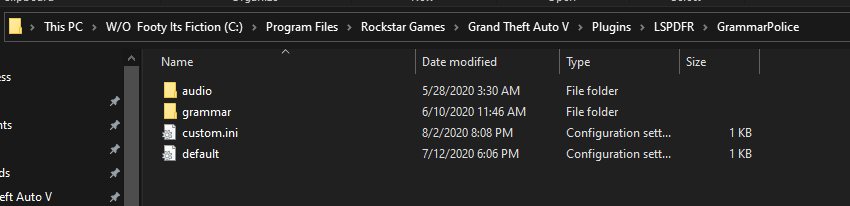
so yea, that was a great catch @opus49, indeed i did have a extra .ini GREAT CATCH!!! working! Please let me know if you're tutorial for ver. 1.2 still good it appears to be, as I am kinda following it while comparing it to your 1.3 installation video and documentation. READ THE DOCUMENTS! by the way did I mention to read the documents? just do not add .ini when you save it after you copy the default and save it as the custom.. lol. ttys be safe, keep your head down. ha. ttys man.
-
I will check, first line of?
-
apologies for the delay, wanted to get you some fresh data, just got home. Thanks for the assist. RagePluginHook_02082020_222845.log RagePluginHook_03082020_001529.log custom Grammer ini.txt
-
Greetings, . First time, long Time, so first off having a great time with Grammar Police but i do have a question. So dispatcher does not recognize my call sign, hmm at least when i go on duty the dispatcher still broadcast my wrong call sign, as well as the Text response. (both still on the Lincoln (default) call sign and i have double checked to make sure my call sign saved as well as the config for my controller buttons, (neither work a the moment. Thanks for any help on the matter.


.thumb.png.ff545023a0865d5667af1d6318eaec32.png)

