


Ravenite
Members
-
Joined
-
Last visited
Everything posted by Ravenite
-
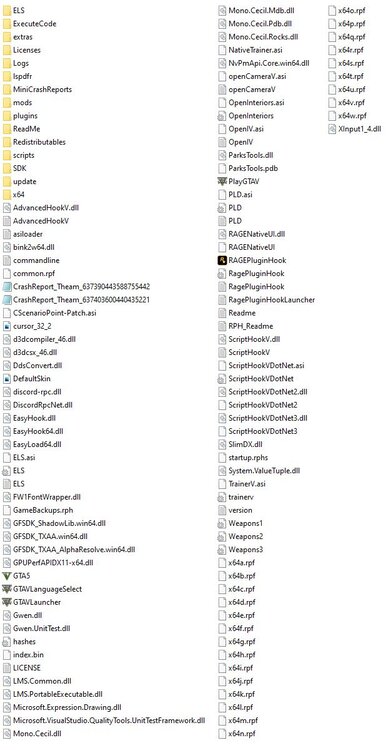
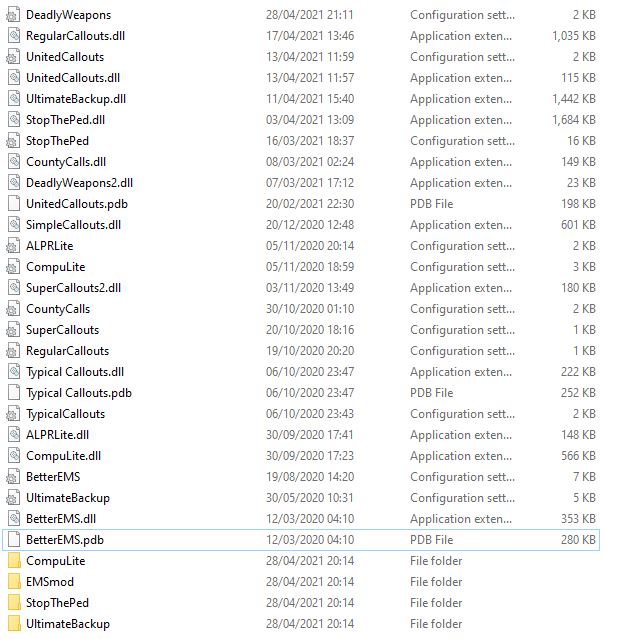
Hey! So, recently had an issue where GTA just would not start up. Did a clean reinstall and moved all my plugins back over - still getting an issue where it just won't start with dinput.dll in the game directory (boots up fine, and boots up with mods as long as this isn't in the directory) These are the only plugins I have, short of doing it one by one, and by elimination [and because it could be a combination] does anything look 'off'? Are some plugins known not to work with the 2245 build of GTA - as I haven't touched it since before xmas either, just updated the plugins last night. Oh, in the scripts folder in the directory I also have the "Basic Cruise Control" script taken from this site. And i've also attached a screen of the main directory just incase something is amiss there too. Thanks in advance! SOLVED BY DELETING "CScenarioPoint-Patch.asi" [mod can lock thread]
-
Hi Rebel! I did mean to post an update to this thread. Your mod is definitely not the cause, I've been running it for a few days with zero issues; it's a fantastic mod btw, breathes new life into the gameplay. I believe the issue was either the traffic AI mod. But more likely it was the traffic gameconfig I've been using, as whenever I try a new game config (whether it be 0.5x traffic or 4x traffic) my game becomes unstable, so I think it's a systems problem on my side which I'm looking into as to why it doesn't work for me, but works for a lot of other people who use traffic configs Good call on the plugins and callouts, I've had a few LSPDFR crashes lately where a callout has been forced, but that's not as big an issue as the whole game crashing so I'm not too worried about fixing that
-
 Hi Chiino, Albo's plugins are very outdated, and not guaranteed to work with LSPDFR 0.4.8. I'd recommend removing any Albo plugins, and replacing them with the Bejoijo plug-ins, or similar ones from this website that will work with 0.4.8 🙂
- 1,081 comments
- 166 reviews
-
Hi! I'm having an issue where I'm crashing to desktop every 30-45 mins, I'm either just patrolling, ending a call, or arriving at a scene, so it's most situations it's happening in, which makes me think it's not plugins (purged the out of date ones, except for BetterEMS), and it could be some mods, specifically the ones in the spoilers. Yesterday I decided to mix up Los Santos a bit, and get some new mods (prior to these mods I had only installed an ELS pack, and a Glock weapon model from GTA-5 Mods). I installed the following mods yesterday: For AI Traffic Fluidity & Discipline, I placed the prerequisites (FileHeap Limit Adjuster, Pack Size Adjuster) into the main directory as instructed. For this mod, I also used these gameconfig files (https://www.gta5-mods.com/misc/gta-5-gameconfig-300-cars) and used the file within for 1.5x traffic and 1.5x peds. I have a decent set up (Ryzen 7 2700, 16GB DDR4 3200MHz RAM, and a 2060 Super GPU) so I'm not worried about memory on my end, or the system not being able to handle it, because it should, but for troubleshooting sake I have reduced my graphic options by about 1/2, and still I'm crashing out the game every 30-45mins. I've made sure my vehicles.meta has been adjusted as per the traffic AI (and that I redid handling lines for the ELS pack), the game config has also been set up to allow traffic AI to work. I'm just quite stumped on what the issue could be, save for rolling back one mod at a time, I was hoping someone may have advice from looking at the mods, and my RPH.log P.S. I'm aware the log says SirenLimitAdjuster.dll is missing, I got rid of two of the three files, forgetting about the other one in scripts (but the crashes were happening before I installed that to see if it would alleviate this morning) Thanks in Advance! EDIT1: I've also noticed in the log that the error message isn't there. It's error 0xc0000005 (EXCEPTION_ACCESS_VIOLATION) RagePluginHook08.11.txt
-
Booted up perfectly fine! Running mods as well. Thanks for ye help! My EUP install is a bit fragged but I'll jus do a clean install of that. But other than that, this can be locked/archived 🙂
-
Hey Charlie! I updated the mods folder when I opened OpenIV after the game updated, but forgot to mention that. I've just updated my scripthookV as it was out of date and I hadn't noticed until browsing the forums 🤦♂️, and the game has loaded. I'm going to try and now boot up LSPDFR, and the EUP menu and I'll get back to you on if that worked. As for the files I've edited in the past, I added this vehicle via openIV after the last major title update (which LSPDFR needed updating to support)
-
Hi! Not sure if this is in the right place as it's occuring when both RPH is used to boot the game, and just running vanilla. When running vanilla it cuts out before the loading screen initialises after selecting story mode. I've disabled mods folder and issue persists, I've verified the integrity of the game files twice, I'd attach a log from Rockstar Games Launcher but I cannot find it (it's not in my documents > Rockstar Games > GtaV). When trying to boot up with RPH (v 1.1.81.1410.16064), it just hangs on the loading screen for up to 10 minutes, then I close it down. I've attached the most recent RPH log, which was attempted with no plug-ins loaded at launch. Today I updated to the most recent version of LSPDFR. And my game automatically updated to 1.0.2060.1 Just wondering if there's any steps I could take before doing a fresh install of GTA V! Thanks in advance! RagePluginHook_21102020_175411.log
-
EDIT1: Cracking. Cheers, verifying now and i'll add them back in Fixed, even renamed mods and lspdfr folders back to normal and it's running like a treat. Tysm. Do you know of any way to edit the controller default button mapping without this issue occuring, other than be a bit more OpenIV Literate 😅 as i want to remove unneccesary maps like melee, phone, record feature so I can use the D-pad and B for LSPDFR controls
-
Oh, This is a list of plugins I removed to my documents folder to troubleshoot as well: ComputerPlus LSPDFR+ StopThePed UltimateBackup SimpleCallouts SuperCallouts United Callouts. I removed all these files from the LSPDFR > Plugins directory and just cut & pasted them into a new folder under C:/MyDocuments Ah, I thought the backup files were the vanilla files. Can I find the true vanilla files anywhere do you know?
-
In the mods folder it would have been this through replacing the games default files, but when I first started having the issue I used the backup files also in the zip to replace them? Path destination in OpenIV: mods > update > update.rpf > common > data > control I tried doing it in the GTAV directory of "update > update.rpf > common > data > control" but whenever I launched the game the RSGL re-patched the game and the controls didn't change, but they did when I did it through the mods filepath.
-
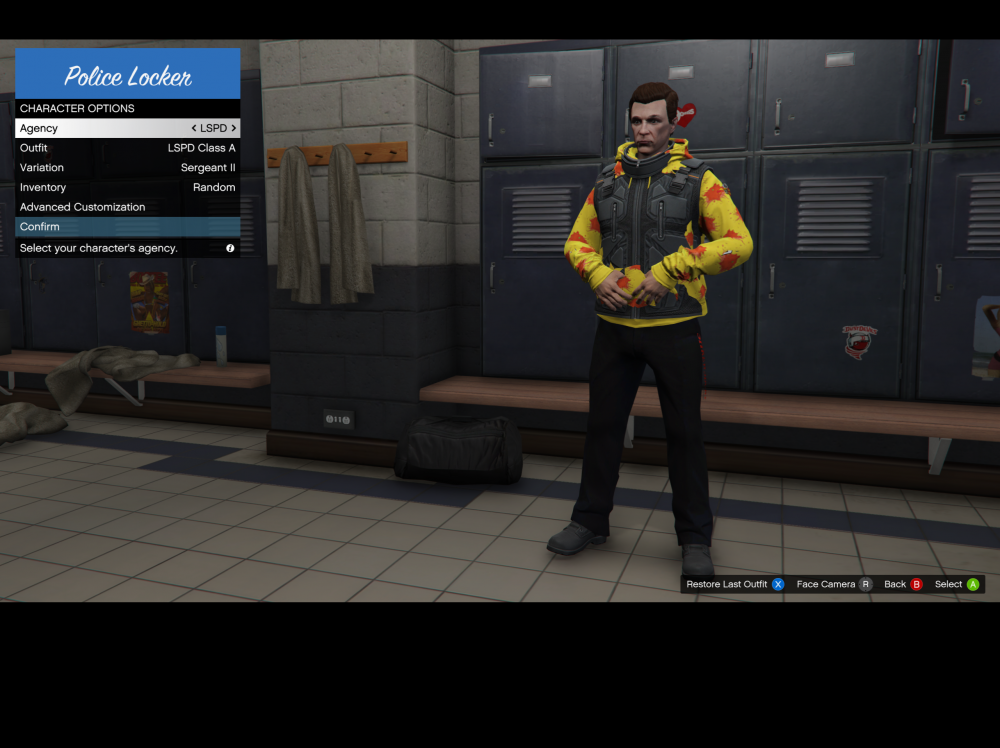
Ah got it! It worked! But now I'm missing the EUP textures, do i need to move the files in the _mods folder anywhere? Tysm for helping so quickly
-
I'll give that a try! When I did rename mods to _mods last time in OpenIV, OpenIV didn't recognise it as the mods folder, and the EUP packs stopped working, would you mind just telling me how to rename it to get OpenIV to still recognise it? Thanks 🙂
-
Hi, been using LSPDFR for about a week, added some plugins (Computer+, EUP (L&O & S&R), Ultimate Back Up, Stop The Ped, LSPDFR+ & 3 call out packs) All was fine before I added UBU, LSPDFR+. Since running into issues I removed all plug ins, but still whenever I enter a vehicle the game just crashes, independent of LSPDFR or base game (both running with RagePlugIn) I did try using the FreeMy! controller (pack 55) which may have started the crashes, but i've updated the files in the mods folder and original control folders back to normal with the backup. I've also validated the game files twice. Any idea what could be causing this? Many thanks in advance! 🙂


